

Binary-Visualizer

A lightweight, high-performance tool that visually renders the raw binary content of any file as an image. This unique visualization method helps developers, security researchers, and data analysts quickly identify data patterns, compression artifacts, and embedded file formats just by looking at the image.
- Active · last change 11-12-2025
- ★ 1 on GitHub
README
https://github.com/softwickler/Binary-Visualizer
Binary-Visualizer
🔍 Binary-Visualizer: A Delphi Tool for Raw File Content Visualization
A lightweight, high-performance tool developed in Delphi that visually renders the raw binary content of any file as an image. This unique visualization method helps developers, security researchers, and data analysts quickly identify data patterns, compression artifacts, and embedded file formats just by looking at the image.
🖼️ Key Visual Examples
Here are some examples of different file types viewed using various Bytes Per Pixel (BPP) settings.
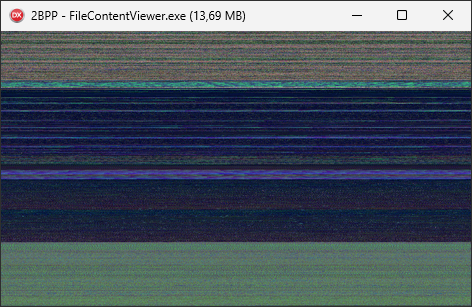
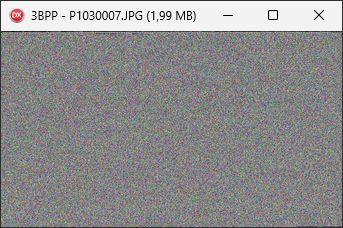
(For a complete gallery of screenshots and visualization patterns, please see the Screenshots)
✨ Key Features
- Binary Visualization: Renders every byte (1 to 4 BPP) of the file content as a pixel on the screen.
- Dynamic Aspect Ratio: Automatically adjusts the bitmap width based on the window size to reveal hidden data patterns (e.g., repeating blocks or fixed-width headers).
- High Performance: Built with Delphi and utilizing Graphics32 library for efficient rendering and optional smooth resizing.
- Paging/Scrolling: Navigate large files (up to 20MB chunks) using the Left/Right arrow keys.
- Drag & Drop Support: Easily load files by dropping them onto the application window.
🛠️ Technology Stack
- Language: Delphi (Code is tested on Delphi 10 Seattle or later).
- Platform: Windows (Windows 7 or later).
- Dependencies: Uses the Graphics32 library for high-quality image manipulation.
🚀 How to Use
- Launch the application.
- Drag and drop any file (text, executable, image, zip, etc.) onto the window.
- Resize the main window: Observe how the patterns change as the aspect ratio shifts.
- Use Hotkeys:
- 1 - 4 Keys: Change the Bytes Per Pixel (BPP) value to reveal different color depths.
- Enter: Toggle Smooth Resize on/off.
- Left/Right Arrows: Move to the previous/next 20MB chunk of the file.
- F1: View all available hotkeys.
🤝 How to Contribute
Contributions are welcome! This is a great project for those familiar with Delphi, VCL, or binary analysis who want to make their first open-source contribution.
Please refer to the CONTRIBUTING.md file for detailed guidelines on environment setup, coding style, and submitting changes.
Current Areas for Improvement (Good First Issues):
- Adding support for higher chunk sizes (e.g., 50MB) with better memory management.
- Implementing a simple "Go To Offset" dialog.
- Adding a color palette selector (instead of just grayscale/RGB).
- Adding true support for 1 Bit per Pixel (Monochrome) format for specialized data analysis.
📄 License
This project is licensed under the MIT License - see the LICENSE file for details.