

IDE Window: Registers
Navigation
Main Menu > View > Debug Windows > Registers
Important
You must setup the debugger and start the project to debug it. Only then this window will be useful.
Registers
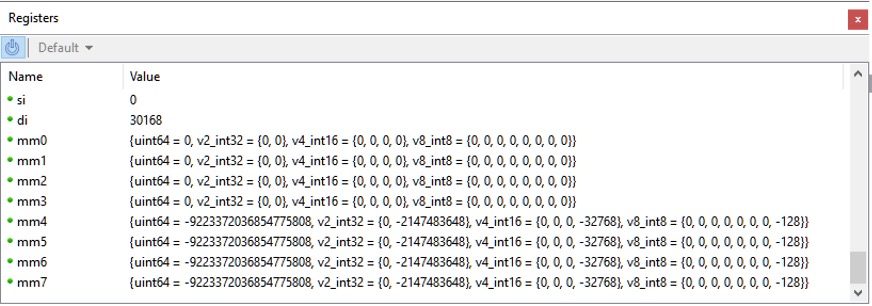
This window shows the content of the registers of your CPU. It can be used with the Assembler Window. Registers are per thread. You can change the thread in the Thread window.
However unlike watches you can only view the registers at the current execution point. Changing the stackframe or address in the Assembler window will not affect the Registers.
See also
From the Free Pascal wiki, page "IDE Window: Registers", as it stood on 2021-02-01 after a change by Trev, out of the wiki's dump of 2024-05-26. Copyright stays with the author who wrote it, according to the old wiki's Licensing page. If you have concerns about this material, message the admin.
Edited on wiki.freepascal.org by 3 people, 2012–2021
From the official wiki's backup of 26 May 2024: who edited this page there, and when. Edits made there after that date were not recorded, and the earlier versions are not shown here; the main page says why.
| When | Who | What changed |
|---|---|---|
| Martin | Created page | |
| Martin | ||
| Martin | Register | |
| Martin | Register | |
| Martin | Register | |
| Martin | ||
| FTurtle | ||
| Trev | Add navigation; fix heading levels; add missing image |
Talk about this page
Nobody has opened a bench for this page yet. Sign in to open one.