

BGRABitmap/zh CN
Deutsch · English · Español · Français · Русский · 中文(中国)
说明
BGRABitmap 是一个用来创建和更改透明图像(具有alpha 通道)的单元集. 直接像素访问允许进行快速的图像处理. 这个库已在 Windows, Ubuntu 和 Mac OS X 平台测试通过(最后的版本不能在 Mac平台工作), 以及各平台的小部件集 win32, gtk1, gtk2 和 carbon.
其中主要的类是 TBGRABitmap, 派生自 TFPCustomImage. 还有一个类 TBGRAPtrBitmap 允许编辑已经分配的 BGRA 数据. 每个像素的格式包括4个字节 (顺序为 蓝, 绿, 红 和 alpha.
使用 BGRABitmap
教程
概述
为了便于理解,函数的命名比较长. 其中的任何功能如函数或使用TBGRABitmap对象的属性都是容易理解的. 例如, 你可以使用CanvasBGRA作为画布,这和TCanvas类似 (但具有透明度和反锯齿),并且可以使用Canvas2D来实现类似 HTML canvas的一些功能.
一些特定的功能需要依赖一些单元的引用, 但你可能不需要使用它们 :
- TBGRAMultishapeFiller 实现多边形的反锯齿节点(交叉点),在 BGRAPolygon 单元中
- TBGRATextEffect 在 BGRATextFX 单元中
- 2D 转换在 BGRATransform 单元中
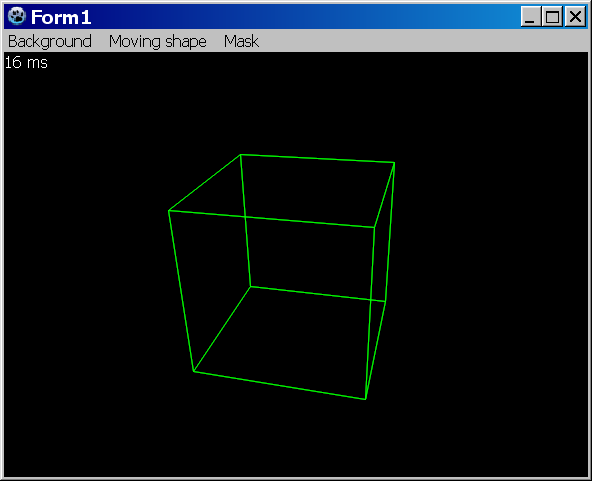
- TBGRAScene3D 在 BGRAScene3D 单元中
- 如果你需要用到层, BGRALayers 单元提供了 TBGRALayeredBitmap
双缓冲并不包含在 BGRABitmap 单元中, 因为其更多的是关于如何处理窗口. 如果要使用双缓冲技术, 你可以使用 TBGRAVirtualScreen ,包含在 BGRAControls 组件包中. 此外, BGRABitmap中双缓冲和其它任何缓冲用法一样. 你需要一个位图来存储你的绘图,然后使用一条绘图指令将其显示出来.
简单示例
你必须在你的工程中引用 BGRABitmap 单元:
Uses Classes, SysUtils, BGRABitmap, BGRABitmapTypes;单元 BGRABitmapTypes 包含所有必要的定义, 对于仅仅加载和显示位图,可以只声明引用 BGRABitmap. 然后, 首先创建一个 TBGRABitmap 对象:
var bmp: TBGRABitmap;
begin
  bmp := TBGRABitmap.Create(100,100,BGRABlack); //creates a 100x100 pixels image with black background

  bmp.FillRect(20,20,60,60,BGRAWhite, dmSet); //draws a white square without transparency
  bmp.FillRect(40,40,80,80,BGRA(0,0,255,128), dmDrawWithTransparency); //draws a transparent blue square
end;
最后显示位图:
procedure TFMain.FormPaint(Sender: TObject);
begin
  bmp.Draw(Canvas, 0, 0, True); // draw the bitmap in opaque mode (faster)
end;
概念
位图中带有透明特性的像素被保存为4个值, 这里是4个字节,其顺序为 蓝, 绿, 红, Alpha. 最后一个通道定义了透明度 (0 代表 完全透明, 255 代表完全不透明), 其它通道定义了颜色和亮度.
基本上又两种绘图模式. 第一种是直接替换像素信息, 第二种是已有的像素和新的进行混合, 称为alpha通道混合.
BGRABitmap 的函数提供4种模式:
- dmSet : 替换绘制像素的4个字节, 不处理透明度
- dmDrawWithTransparency : 使用 alpha混合绘制并进行 gamma 矫正 (see below)
- dmFastBlend or dmLinearBlend : 使用alpha混合绘制但不进行gamma矫正 (更快速 但会带有轻度的颜色畸变).
- dmXor : 对个组件进行异或(Xor)操作,包括alpha (如果只反相颜色而保持alpha, 使用 BGRA(255,255,255,0) )
集成的绘图功能
- 绘制/擦除 像素
- 画线(带或不带抗锯齿)
- 浮点坐标
- 浮点画笔宽度
- 矩形 (边框 或 填充)
- 椭圆 和 多边形 (带有抗锯齿)
- 样条计算 (圆曲线)
- 简单填充 (Floodfill) 或 渐进式填充
- 颜色渐变渲染 (线性, 放射...)
- 圆角矩形
- 带透明特性的文本
使用Canvas绘图
开始使用一个Canvas 对象进行绘图, 使用通常的功能,但不具有反锯齿功能. 通过CanvasOpacity 属性定义绘制的透明度. 这张方法是很慢的,因为它需要进行图像转换. 如果你可以,改用 CanvasBGRA,它允许透明度和抗锯齿功能,同时与 TCanvas 具有相同的函数名。
直接像素访问
要想访问像素, 要用到两个属性, Data 和 Scanline. 前一个给出图像第一个像素的指针, 第二个给出指定行的第一个像素的指针.
var
  bmp: TBGRABitmap;
  p: PBGRAPixel;
  n: integer;

begin
  bmp := TBGRABitmap.Create('image.png');
  p := bmp.Data;
  for n := bmp.NbPixels-1 downto 0 do
  begin
    p^.red := not p^.red;  //反转 红色 通道
    inc(p);
  end;
  bmp.InvalidateBitmap;  //注意 这里我们直接访问像素
  bmp.Draw(Canvas,0,0,True);
  bmp.Free;
end;该例中,在后面调用Draw之前调用函数InvalidateBitmap来重建图像是有必要的. 注意行的顺序可以反转, 取决于LineOrder 属性.
另请参阅 直接像素访问方法.
图像处理
可用滤镜 (prefixed with Filter) :
- Radial blur : 非定向模糊
- Motion blur : 定向模糊
- Custom blur : 根据掩码模糊
- Median : 计算每个像素周围颜色的中位数,并具有边角柔化
- Pixelate : 用同色矩形简化图像
- Smooth : 柔化整个图像, complementary to Sharpen(锐化补充?)
- Sharpen : 色彩锐化, complementary to Smooth(柔化补充?)
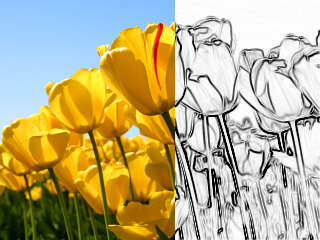
- Contour : 在白色背景上绘制轮廓(像铅笔画)
- Emboss : 绘制带阴影的轮廓
- EmbossHighlight : 绘制由灰度定义的所选内容的轮廓
- Grayscale : 将色彩转换为灰度值,带有gamma矫正
- Normalize : uses whole range of color luminosity 使用全域色彩亮度
- Rotate : 以一点为圆心旋转图像
- Sphere : 扭曲图像,使其看上去像在球体上的投影
- Twirl : 旋转扭曲图像
- Cylinder : 扭曲图像,使其看上去像在圆柱上的投影
- Plane : computes a high precision projection on a horizontal plane. This is quite slow.
- SmartZoom3 : resizes the image x3 and detects borders, to have a useful zoom with ancient games sprites
Some functions are not prefixed with Filter, because they do not return a newly allocated image. They modify the image in-place :
- VerticalFlip : 垂直翻转图像
- HorizontalFlip : 水平翻转图像
- Negative : 负片
- LinearNegative : 负片,不带gamma矫正
- SwapRedBlue : 交换红色和蓝色通道 (在 BGRA 和 RGBA之间转换)
- ConvertToLinearRGB : 从 sRGB 转换为 RGB. 注意,当使用dmDrawWithTransparency时,BGRABitmap用sRGB格式,而使用dmLinearBlend时,BGRABitmap用RGB格式.
- ConvertFromLinearRGB : 从RGB转换为sRGB.
图像混合
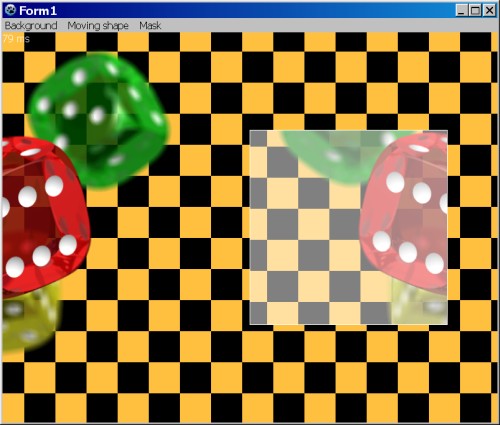
PutImage is the basic image drawing function and BlendImage allows to combine images, like layers of image editing softwares. Available modes are the following:
- LinearBlend : simple superimposition without gamma correction (equivalent to dmFastBlend)
- Transparent : superimposition with gamma correction
- Multiply : multiplication of color values (with gamma correction)
- LinearMultiply : multiplication of color values (without gamma correction)
- Additive : addition of color values (with gamma correction)
- LinearAdd : addition of color values (without gamma correction)
- Difference : difference of color values (with gamma correction)
- LinearDifference : difference of color values (without gamma correction)
- Negation : makes common colors disappear (with gamma correction)
- LinearNegation : makes common colors disappear (without gamma correction)
- Reflect, Glow : for light effects
- ColorBurn, ColorDodge, Overlay, Screen : misc. filters
- Lighten : keeps the lightest color values
- Darken : keeps the darkest color values
- Xor : exclusive or of color values
These modes can be used in TBGRALayeredBitmap, which makes it easier because BlendImage only provides the basic blending operations.
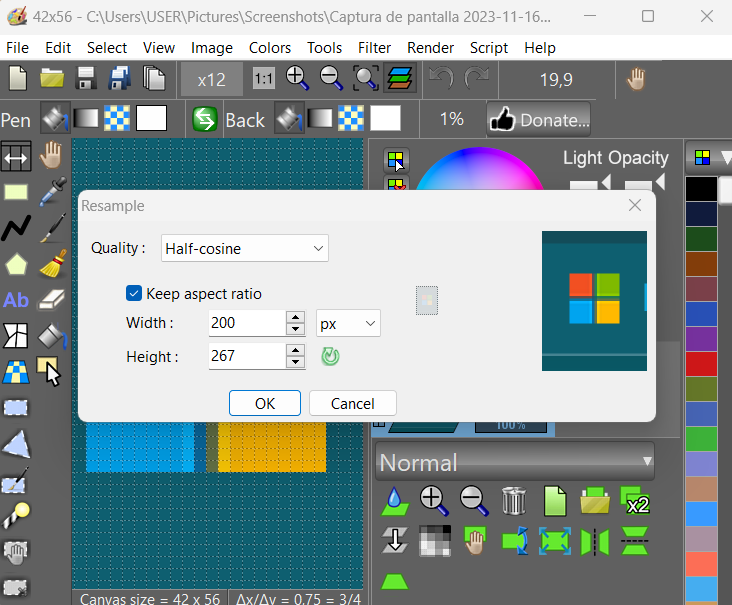
屏幕快照
许可
修改的 LGPL
作者: Johann ELSASS (Facebook)
下载
Latest version : https://github.com/bgrabitmap/bgrabitmap/releases
Sourceforge 包含 LazPaint : http://sourceforge.net/projects/lazpaint/files/src/
GitHub: https://github.com/bgrabitmap/lazpaint/
From the Free Pascal wiki, page "BGRABitmap/zh CN", as it stood on 2022-09-11 after a change by Circular, out of the wiki's dump of 2024-05-26. Copyright stays with the author who wrote it, according to the old wiki's Licensing page. If you have concerns about this material, message the admin.
Talk about this page
Nobody has opened a bench for this page yet. Sign in to open one.