

ATFlatToolbar
Sent here from ATButtonsToolbar.
About
ATFlatToolbar is component which creates row of ATButton's on it, this looks like toolbar.
It don't support creating toolbar in IDE design time. You need to call methods:
- AddButton: to add usual button (with caption or not)
- AddDropdown: to add button with attached drop-down menu
- AddChoice: to add button which acts like a combobox, with Items and ItemIndex
- AddSep: to add button which looks like "|" separator line
- UpdateControls: this updates buttons placement, you must call it after changes (also after ImageList size is changed)
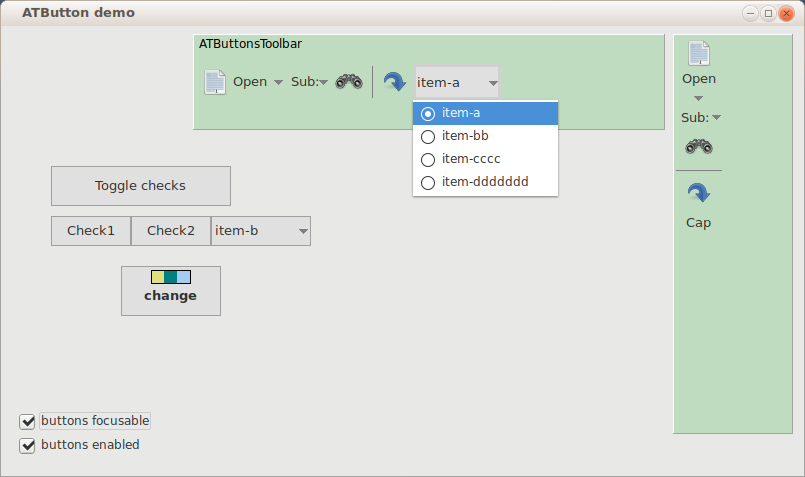
- Use props ButtonCount and Buttons[i] to get ATButton's from component.
- Use Buttons[i].Free to delete buttons.
- Use prop Vertical for make vertical layout.
Author: Alexey Torgashin
License
MPL 2.0 or LGPL.
Download
GitHub page: https://github.com/Alexey-T/ATFlatControls
From the Free Pascal wiki, page "ATFlatToolbar", as it stood on 2021-12-16 after a change by Alextp, out of the wiki's dump of 2024-05-26. Copyright stays with the author who wrote it, according to the old wiki's Licensing page. If you have concerns about this material, message the admin.
Talk about this page
Nobody has opened a bench for this page yet. Sign in to open one.