Git4D

Git4D, a Git bridge for RAD Studio
- Active · last change 5-20-2026
- ★ 19 on GitHub
README
Git4D
Git4D is a RAD Studio IDE plugin that brings practical Git workflows into the IDE through the editor popup menu, the Tools menu, and Project Explorer integration.
It is designed for Delphi and C++Builder users who want quick repository actions without leaving RAD Studio.
Highlights
- Editor popup menu integration
Tools -> Git4Dmain menu integration- Project Explorer context-menu integration
- Built-in Git command launcher
- Optional wrappers for Git Extensions, TortoiseGit, and TortoiseSVN
- IDE Options page under
Tools -> Options -> Third Party -> Git4D - Lightweight design-time package with no runtime dependency footprint
What It Looks Like
The current UI focuses on fast access to the actions you use most while coding.
Editor Popup Menu
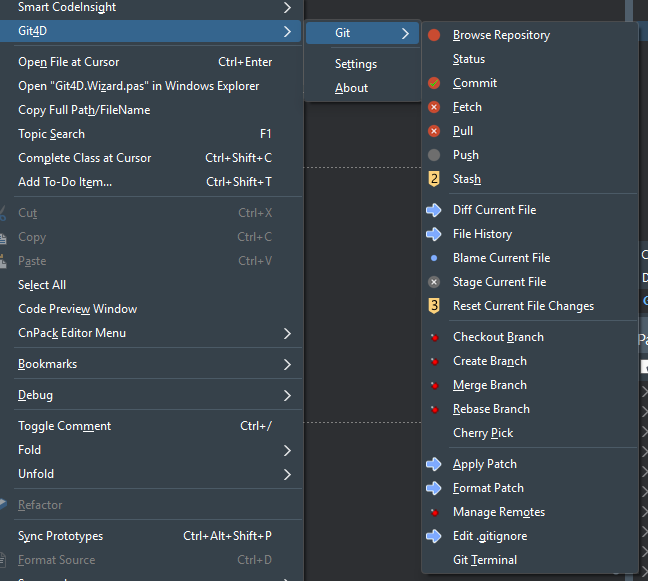
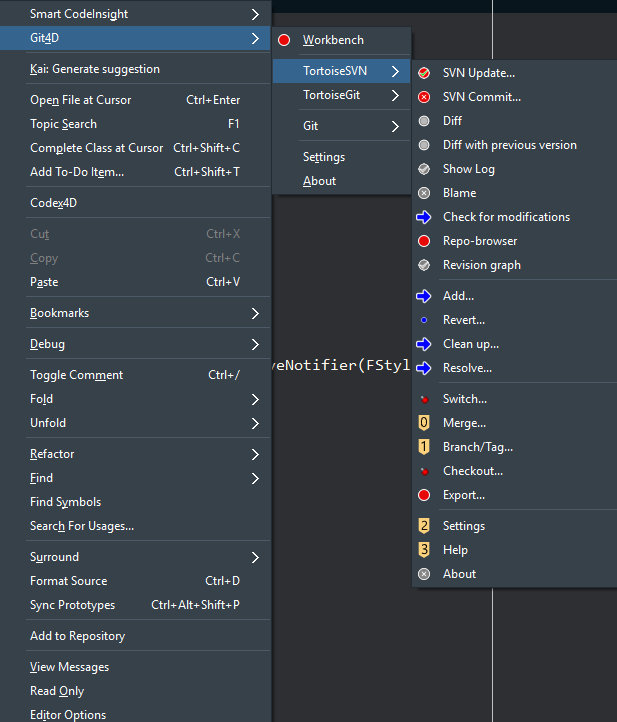
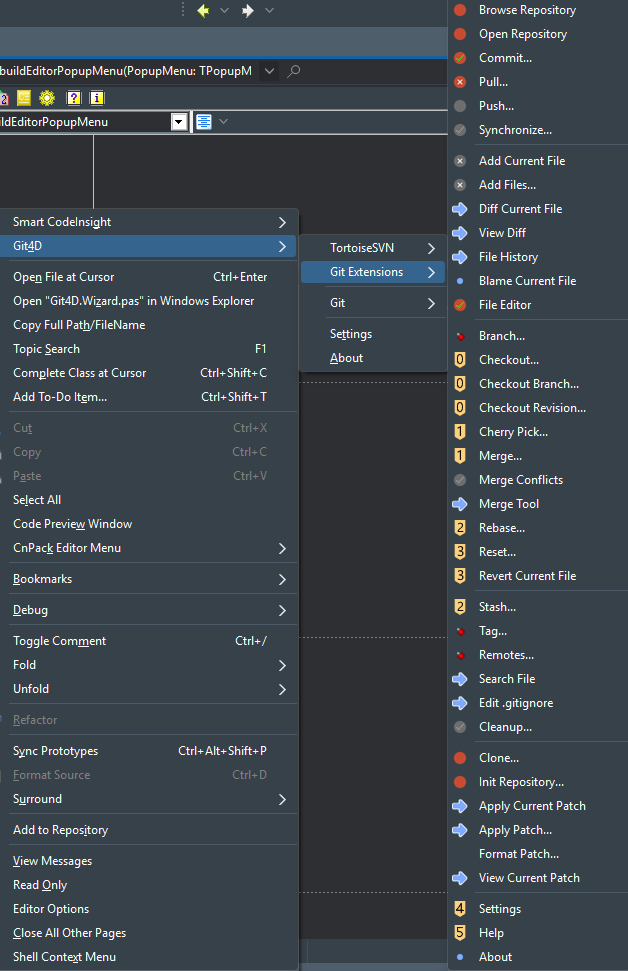
Git4D adds a dedicated submenu directly into the editor popup menu, with internal Git commands, external-client wrappers, and quick access to settings.
What you get there:
Gitsubmenu for built-in commands- optional
Git Extensions,TortoiseGit, andTortoiseSVNsubmenus SettingsAbout
Internal Git Workbench
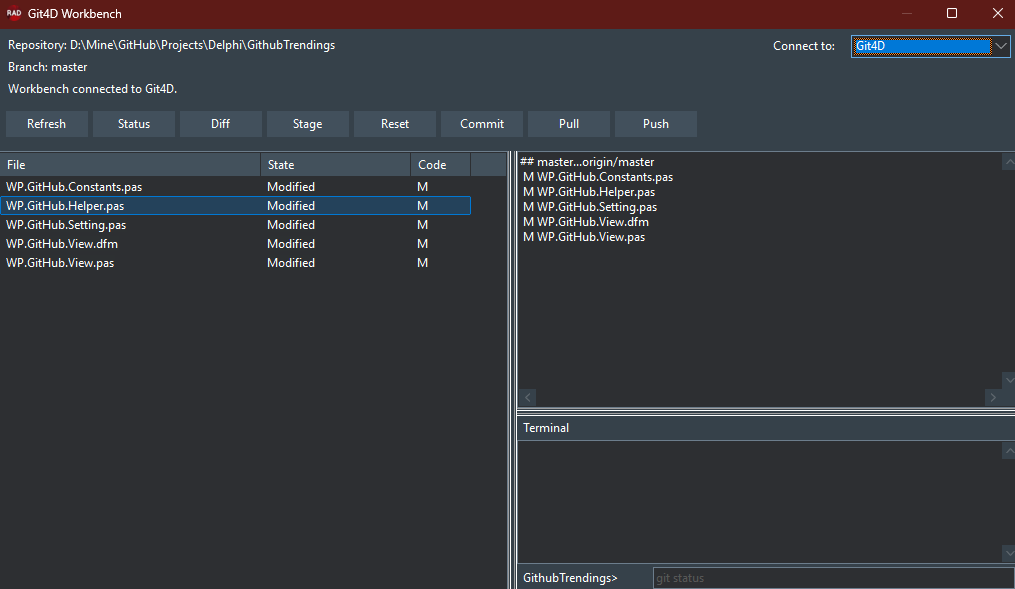
Simple UI to work with Git commands more easily.
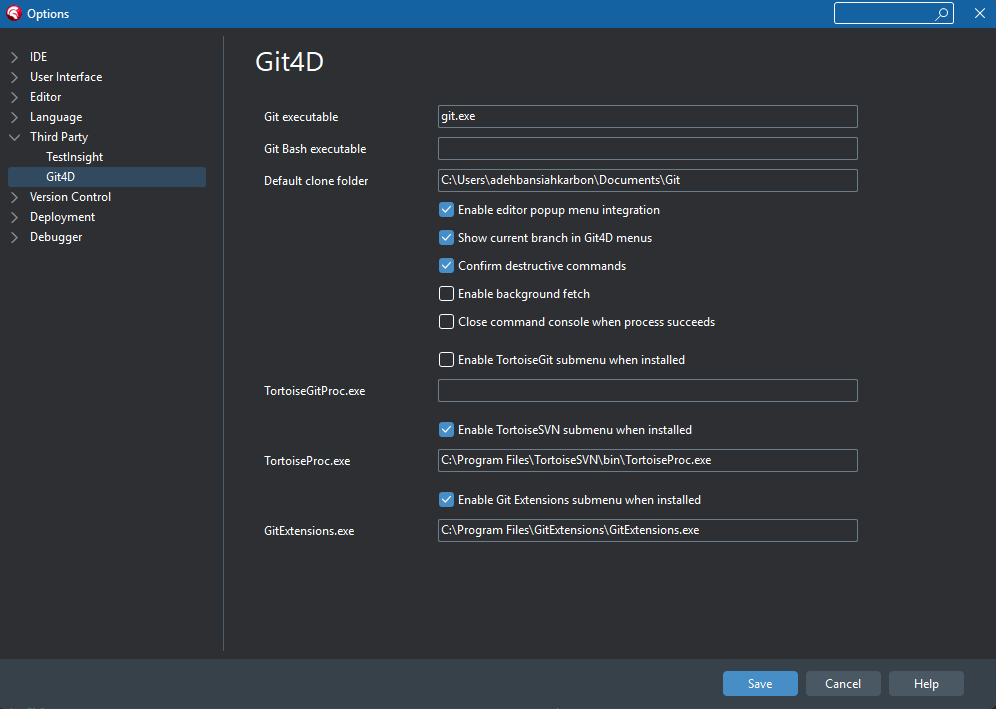
Options Page
Git4D also adds its own configuration page inside RAD Studio:
Tools -> Options -> Third Party -> Git4D
From there you can configure:
git.exe- Git Bash
- default clone folder
- editor popup integration
- destructive-command confirmation
- background fetch behavior
- external client executable paths
- enabling or disabling external client submenus
Core Built-In Commands
The internal Git submenu currently includes:
- Browse Repository
- Status
- Commit
- Fetch
- Pull
- Push
- Stash
- Diff Current File
- File History
- Blame Current File
- Stage Current File
- Reset Current File Changes
- Checkout Branch
- Create Branch
- Merge Branch
- Rebase Branch
- Cherry Pick
- Apply Patch
- Format Patch
- Manage Remotes
- Edit
.gitignore - Git Terminal
Supported External Clients
Git4D can act as an IDE wrapper for these tools when installed:
- Git command line
- Git Extensions
- TortoiseGit
- TortoiseSVN
The goal is not to replace those tools, but to make them available from inside RAD Studio where they are most useful.
Supported IDE Versions
Git4D has been exercised mainly with:
- RAD Studio 12.x
- RAD Studio 13.x
Because ToolsAPI behavior differs across IDE versions, the popup and Project Explorer integrations are intentionally implemented conservatively.
Build And Install
Open the package below in RAD Studio and build/install it as a design-time package:
Packages/Git4D.dpk
This package depends on designide, so it is intended for IDE installation only.
Project Layout
Packages/Git4D.dpk— design-time packageSource/Git4D.Register.pas— package registrationSource/Git4D.Wizard.pas— IDE menu and popup integrationSource/Git4D.Repository.pas— repository and active-selection discoverySource/Git4D.Git.pas— built-in Git command launcherSource/Git4D.GitExtensions.pas— Git Extensions wrapperSource/Git4D.TortoiseGit.pas— TortoiseGit wrapperSource/Git4D.TortoiseSVN.pas— TortoiseSVN wrapperSource/Git4D.Settings.pas— persistent settingsSource/Git4D.Options.pas— IDE Options pageSource/Git4D.Dialogs.pas— dialogs and About boxresources/— bundled menu icons and UI resources
Settings Storage
Git4D stores user settings in:
Git4D\Git4D.ini
Current Direction
Git4D currently favors stability and direct command access over large internal UI surfaces. The internal Git menu is intentionally simple, while richer flows can still be delegated to external clients when preferred.
Likely future improvements:
- richer internal repository browsing
- dockable status and history views
- stronger Project Explorer actions for selected files
- deeper Git provider integrations
- broader version-specific polishing across RAD Studio releases
Notes
- Git4D is an IDE plugin, not a runtime library.
- External-client integrations remain optional.
- Menu behavior can vary slightly across RAD Studio versions because of ToolsAPI differences.
- The plugin has been exercised primarily against RAD Studio 12.x and 13.x.
- The editor popup integration is intentionally conservative because RAD Studio menu internals differ between IDE versions.
- The Git4D Workbench is additive. Existing terminal-based commands remain available while workbench actions are moved toward native VCL flows incrementally.