

Catalog · How the catalog works
3nity-media

Cross-platform media player built with Lazarus/Free Pascal and libmpv. Features playlist management, internet radio, equalizer, visualizations, stream recording, and 100 language translations.
- ★ 19 on GitHub
Anyone may press Interesting, signed in or not. It helps others find this project.
README
3nity Media

A lightweight, cross-platform media player built with Lazarus/Free Pascal and powered by libmpv.
About
3nity Media is a simple yet capable media player that aims to provide a clean, distraction-free experience for playing your audio and video files. Built with Free Pascal and the Lazarus IDE, it leverages the power of libmpv to handle virtually any media format you throw at it.
What it offers:
- Audio and video playback via libmpv
- DVD and Blu-ray folder playback (with automatic fallback mode)
- Playlist management (M3U, M3U8, PLS, XSPF)
- Internet radio streaming with ICY metadata
- 10-band audio equalizer
- Video adjustments (brightness, contrast, saturation, hue)
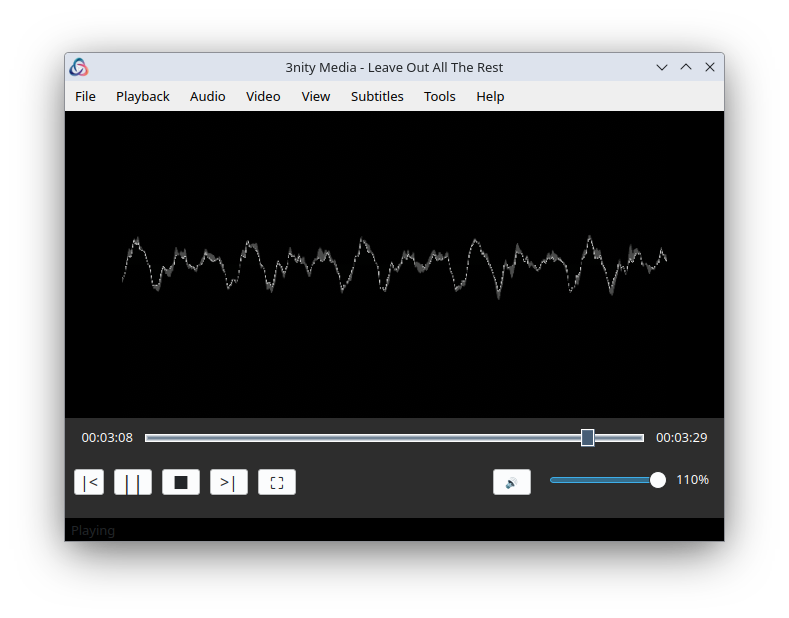
- Audio visualizations
- Customizable keyboard shortcuts
- Multi-language interface
- Playback history and bookmarks
This is a personal project, shared in the hope it might be useful to others. It's not trying to compete with established players - just offering another option for those who appreciate simplicity.
Screenshots
| Video Playback | Playlist |
|---|---|
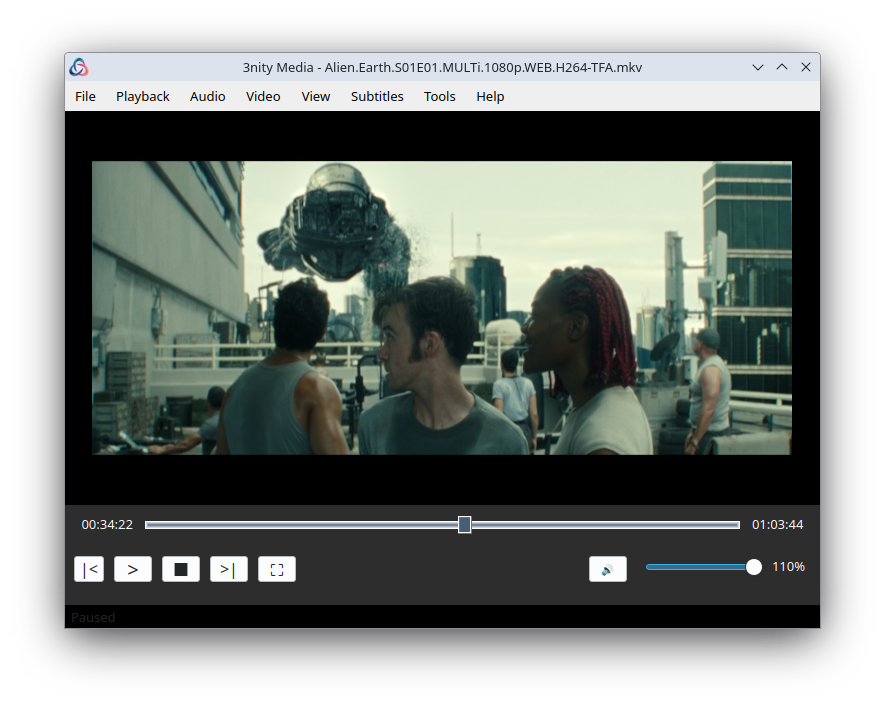 |
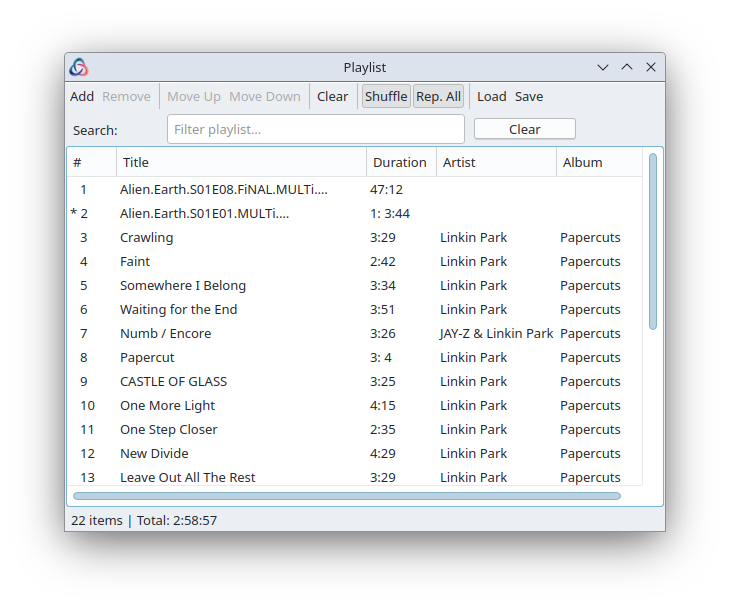 |
| Equalizer | Internet Radio |
|---|---|
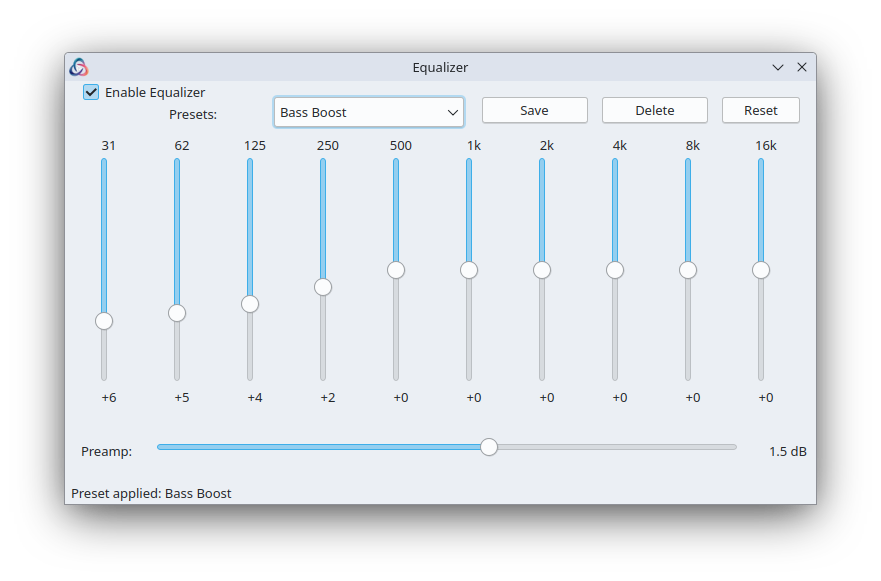 |
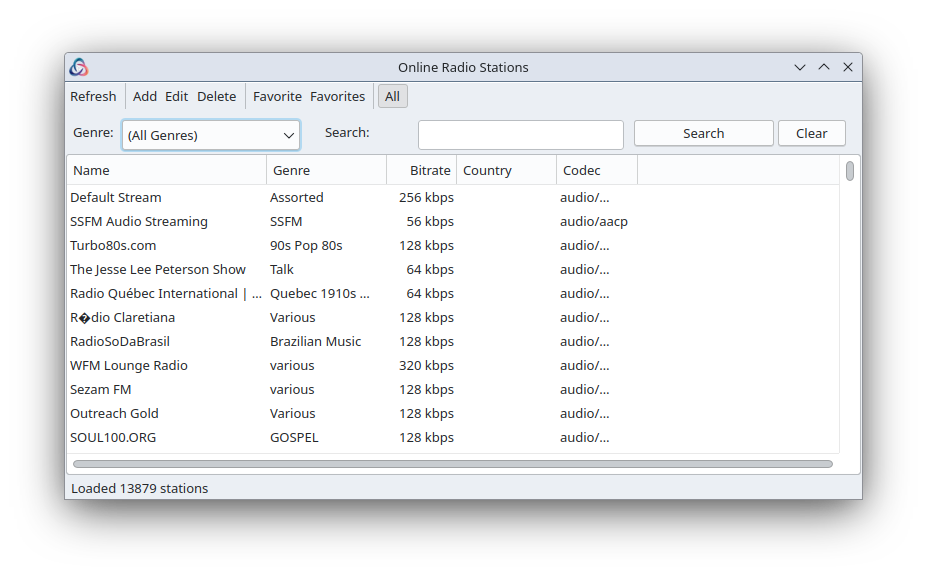 |
| Audio Visualization |
|---|
 |
Installation
Linux
From DEB Package (Ubuntu/Debian)
wget https://github.com/NDXDeveloper/3nity-media/releases/latest/download/3nity-media_amd64.deb
sudo apt install ./3nity-media_amd64.deb
From AppImage
wget https://github.com/NDXDeveloper/3nity-media/releases/latest/download/3nity-Media-x86_64.AppImage
chmod +x 3nity-Media-x86_64.AppImage
./3nity-Media-x86_64.AppImage
From Snap Store (Recommended)
sudo snap install 3nity-mediaOr visit: https://snapcraft.io/3nity-media
From Snap (Manual)
Note: You can also install directly from the Snap Store with
sudo snap install 3nity-media
wget https://github.com/NDXDeveloper/3nity-media/releases/latest/download/3nity-media_amd64.snap
sudo snap install --dangerous 3nity-media_amd64.snap
Windows
Download the installer from the Releases page:
- System installer -
3nity-Media-Setup.exe(requires admin) - User installer -
3nity-Media-Setup-User.exe(no admin required) - Portable -
3nity-media-windows-portable.zip
Dependencies
- libmpv - The media playback engine
- Qt5 - User interface toolkit (Linux)
On Linux, install dependencies with:
sudo apt install libmpv2 libqt5pas1📖 Full Installation Guide: See docs/INSTALL.md for complete instructions including all Linux distributions, prerequisites (sudo, snapd), and troubleshooting. Each release also includes an
INSTALLfile with quick reference commands.
Building from Source
Prerequisites
- Lazarus IDE 3.0+
- Free Pascal Compiler 3.2+
- libmpv development files
- Qt5 Pascal bindings (Linux)
Linux
# Install dependencies
sudo apt install lazarus-ide-qt5 libqt5pas-dev libmpv-dev

# Clone the repository
git clone https://github.com/NDXDeveloper/3nity-media.git
cd 3nity-media

# Build (Debug)
make build-app

# Build (Release - optimized)
make build-release

# Run
make run
Windows
- Install Lazarus IDE
- Open
src/TrinityMedia.lpiin Lazarus - Build with
Run > Buildor pressShift+F9
Usage
Basic Controls
| Action | Shortcut |
|---|---|
| Play/Pause | Space |
| Stop | S |
| Next track | N |
| Previous track | P |
| Volume up | + or Up |
| Volume down | - or Down |
| Mute | M |
| Fullscreen | F or F11 |
| Seek forward | Right |
| Seek backward | Left |
Opening Files
- Drag and drop files or folders onto the video area to play immediately
- Drag and drop elsewhere on the window to add to playlist without playing
- Use
File > Openor pressCtrl+O - Use
File > Open URLfor streams
Playlist
- Drag and drop files onto the playlist window to add without playing
- Add files via the playlist menu
- Save playlists in M3U, M3U8, PLS, or XSPF format
- Shuffle and repeat modes available
Project Structure
3nity-media/
????????? src/
???   ????????? Core/           # MPV engine, playlist, radio, visualizations
???   ????????? Forms/          # UI forms (main, playlist, equalizer, etc.)
???   ????????? Common/         # Configuration, types, utilities
???   ????????? Locale/         # Localization system
???   ????????? Controls/       # Custom UI controls
????????? tests/              # Test suite (1,686 tests)
???   ????????? Unit/           # Unit tests (940+)
???   ????????? Integration/    # Integration tests (198+)
???   ????????? Performance/    # Performance tests (252+)
???   ????????? Robustness/     # Robustness tests (296+)
???   ????????? Mocks/          # Mock implementations
????????? docs/               # Documentation (English)
???   ????????? french/         # Documentation (French)
????????? resources/          # Icons and assets
????????? Makefile            # Build automation
Testing
The project includes a comprehensive test suite with 1,686 tests using FPCUnit:
- Unit Tests: 940+ tests (12 test files)
- Integration Tests: 198+ tests (6 test files)
- Performance Tests: 252+ tests (4 test files)
- Robustness Tests: 296+ tests (4 test files)
# Run all tests
make test

# Quick tests (unit only)
make quick

# Specific test categories
make test-unit
make test-integration
make test-performance
make test-robustness

# Generate HTML report
make report
See docs/TESTING.md for detailed test documentation.
Contributing
Contributions are welcome! Whether it's bug reports, feature suggestions, or pull requests.
- Fork the repository
- Create a feature branch (
git checkout -b feature/my-feature) - Commit your changes (
git commit -m 'Add my feature') - Push to the branch (
git push origin feature/my-feature) - Open a Pull Request
Please keep in mind this is a hobby project maintained in spare time.
Documentation
English
| Document | Description |
|---|---|
| TOC.md | Full table of contents |
| docs/USER_GUIDE.md | User guide |
| docs/INSTALL.md | Installation guide |
| docs/TESTING.md | Test documentation |
| docs/ARCHITECTURE.md | Architecture overview |
| docs/CONTRIBUTING.md | Contribution guidelines |
Roadmap
Some ideas for future development (no promises):
- [ ] macOS support
- [ ] Video filters and effects
- [ ] Podcast support
- [ ] Media library with metadata
- [ ] Plugin system
License
3nity Media is released under the GNU General Public License v2.0.
You are free to use, modify, and distribute this software under the terms of the GPL-2.0 license. See the LICENSE file for details.
Author
Nicolas DEOUX
Acknowledgments
This project wouldn't exist without:
- mpv - The excellent media player and libmpv library
- Lazarus - The Free Pascal RAD IDE
- Free Pascal - The compiler that makes it all work
- The open source community for inspiration and shared knowledge
Happy listening!
If you find this useful, a star is always appreciated.