

Catalog · How the catalog works
delphi-jose-jwt

Delphi implementation of JOSE (JSON Object Signing and Encryption) and JWT (JSON Web Token)
- ★ 521 on GitHub
Anyone may press Interesting, signed in or not. It helps others find this project.
README
Delphi JOSE and JWT Library

What is Delphi JOSE and JWT Library
Delphi implementation of JWT (JSON Web Token) and the JOSE (JSON Object Signing and Encryption) specification suite. This library supports the JWS (JWE support is planned) compact serializations with several JOSE algorithms, plus full JWK (JSON Web Key) support and a swappable crypto provider backend (OpenSSL 1.x via Indy, OpenSSL 1.1.x/3.x/4.x via TaurusTLS, or pure-Pascal CryptoLib4Pascal).
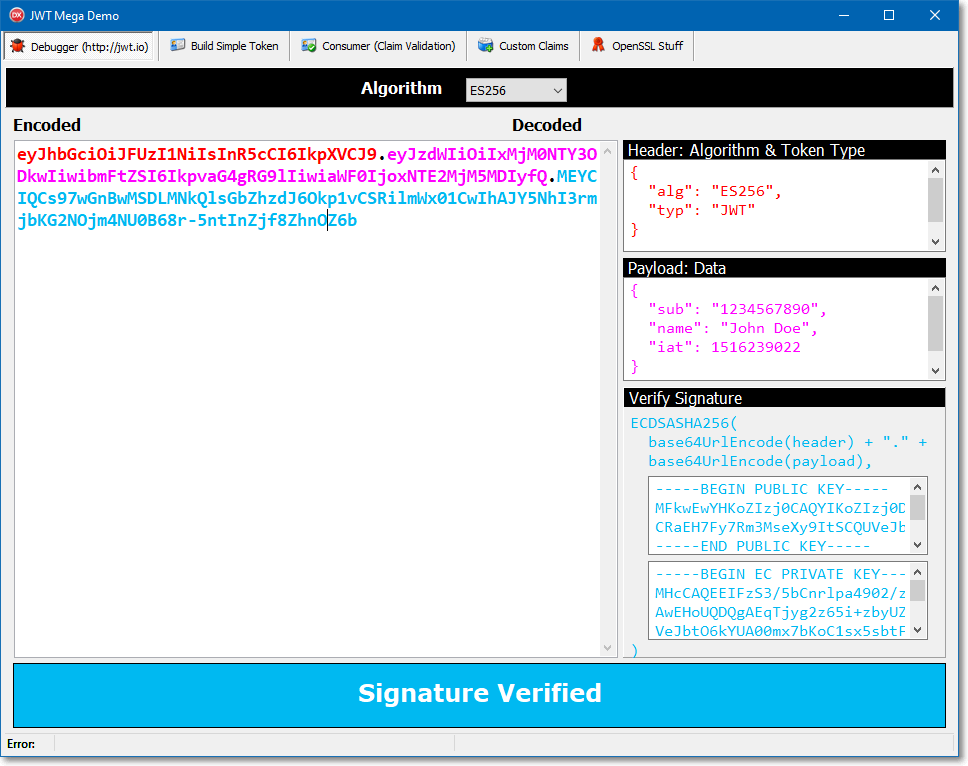
:books: Articles about using Delphi-JOSE
- JWT authentication with Delphi. Part 1 - JWT and authentication technologies introduction (using Delphi)
- JWT authentication with Delphi. Part 2 - Understanding the JSON Web Token
- JWT authentication with Delphi. Part 3 - Using Delphi-JOSE-JWT to generate and verify JWT tokens
- JWT authentication with Delphi. Part 4 - Using JWT consumer to validate JWT's claims
:warning: Important: OpenSSL requirements
HMAC using SHA algorithm
Prior to Delphi 10 Seattle the the HMAC-SHA algorithm uses OpenSSL through the Indy library, so in order to generate the token you should have the OpenSSL DLLs in your server system.
In Delphi 10 Seattle or newer Delphi versions the HMAC algorithm is also in the System.Hash unit so OpenSSL is not needed.
HMAC using RSA or ECDSA algorithm
The HMAC-RSA(ECDSA) algorithm uses necessarily OpenSSL so if you plan to use these algorithms to sign your token you have to download and deploy OpenSSL (on the server).
Client-side considerations
Please keep in mind that the client doesn't have to generate or verify the token (using SHA or RSA) so on the client-side there's no need for the OpenSSL DLLs.
OpenSSL download
If you need the OpenSSL library on the server, you can download the package directly to the Indy's GitHub project page (keep in mind to always update to the latest version and to match you application's bitness)
:satellite: Custom crypto providers (bring your own crypto)
Since PR #95, every crypto and Base64 operation goes through a swappable provider registry, TJOSEProviders (JOSE.Providers), instead of calling OpenSSL directly. Three provider stacks ship with the library:
| Provider stack | Unit | Backing library | Notes |
|---|---|---|---|
TJOSEDefaultProviders (default) |
JOSE.Providers.Default |
OpenSSL 1.0.x/1.1.x (via Indy) | Registered automatically at startup. Needs the OpenSSL DLLs for RSA/ECDSA (see OpenSSL requirements above). Pokes a few raw OpenSSL struct fields internally, so it does not work against OpenSSL 3.x/4.x (those structs are opaque) — use TJOSETaurusTLSProviders for that. Implements JWK PEM import/export |
TJOSETaurusTLSProviders |
JOSE.Providers.TaurusTLS |
OpenSSL 1.1.x/3.x/4.x, via the TaurusTLS binding for Indy (vendored under Libs\TaurusTLS) |
Only touches OpenSSL through accessor functions (RSA_get0_key/RSA_set0_key, EC_KEY_get0_public_key, EC_POINT_get/set_affine_coordinates, ...), so it's forward-compatible as OpenSSL's structs get more opaque. TaurusTLS itself already probes for -4 (OpenSSL 4.x) DLLs before falling back to -3/-1_1/-1. Implements JWK PEM import/export. Not part of the .dpk package contains list — add Libs\TaurusTLS's runtime package and JOSE.Providers.TaurusTLS.pas to your project manually, plus OpenSSL 3.x/4.x binaries (see Libs\TaurusTLS\OpenSSL\binaries\README.md for where to get them). Exercised by its own test project, Tests\JOSE.Tests.TaurusTLS.dproj |
TJOSECryptoLibProviders |
JOSE.Providers.CryptoLib |
pure-Pascal CryptoLib4Pascal | No native OpenSSL DLLs needed at all. Implements JWK PEM import/export. Not part of the .dpk package contains list — add JOSE.Providers.CryptoLib.pas and a CryptoLib4Pascal dependency to your project manually if you want it. Exercised by its own test project, Tests\JOSE.Tests.CryptoLib.dproj (also needs HashLib4Pascal and SimpleBaseLib4Pascal, both vendored under Libs\) |
:warning: Unlike the default (OpenSSL/Indy) stack,
TJOSETaurusTLSProvidersandTJOSECryptoLibProvidersare not built into the JOSE.dpkpackages. Using either one in your own project means adding its unit(s) and backing library to your project manually (see the table above). Same story for the test suite:Tests\JOSE.Tests.TaurusTLS.dprojandTests\JOSE.Tests.CryptoLib.dprojare separate projects fromTests\JOSE.Tests.dprojprecisely because each pulls in its own extra, non-.dpkdependencies — see Running the tests below before trying to build them.
Switching to the TaurusTLS-backed stack (OpenSSL 3.x/4.x) or the CryptoLib4Pascal-backed stack (and back):
uses
  JOSE.Providers,
  JOSE.Providers.TaurusTLS,
  JOSE.Providers.CryptoLib;

begin
  TJOSETaurusTLSProviders.Register; // OpenSSL 3.x/4.x capable, via TaurusTLS
  ...

  TJOSECryptoLibProviders.Register; // from here on, no OpenSSL DLL is needed for HS/RS/ES signing
  ...

  TJOSECryptoLibProviders.Unregister;
  TJOSEProviders.RegisterProvider;  // back to the OpenSSL 1.x-backed default
end;
To bring your own backend (a hardware security module, another crypto library, ...), implement whichever of the interfaces in JOSE.Providers.Interfaces you need and assign them directly — you don't have to replace the whole stack:
TJOSEProviders.RSA := TMyHSMBackedRSAProvider.Create;
TJOSEProviders.ECDSA := TMyHSMBackedECDSAProvider.Create;| Interface | Capability |
|---|---|
IJOSEBase64Provider |
Base64 / Base64Url encode/decode |
IJOSEHmacProvider |
HMAC signing (HS256/384/512) |
IJOSESignerRSA |
RSA signing/verification (RS256/384/512, PS256/384/512) |
IJOSESignerECDSA |
ECDSA signing/verification (ES256/384/512/256K) |
IJOSECertificateProvider |
Public key extraction/verification from an X.509 certificate |
IJOSERSAKeyMaterialProvider |
Raw RSA key import/export to/from PEM (JWK support) |
IJOSEECKeyMaterialProvider |
Raw EC key import/export to/from PEM (JWK support) |
RSAKeyMaterial/ECKeyMaterial are optional — a provider stack doesn't need to implement them unless you call TJSONWebKey.FromPEM/ToPEM. Every stack that ships with the library implements both, but if you assign providers individually and leave these two unset, ordinary RSA/ECDSA signing is unaffected; it just means FromPEM/ToPEM will raise until you supply an implementation.
:question: What is JOSE
JOSE is a standard that provides a general approach to the signing and encryption of any content. JOSE consists of several RFC:
- JWT (JSON Web Token) - describes representation of claims encoded in JSON
- JWS (JSON Web Signature) - describes producing and handling signed messages
- JWE (JSON Web Encryption) - describes producing and handling encrypted messages
- JWA (JSON Web Algorithms) - describes cryptographic algorithms used in JOSE
- JWK (JSON Web Key) - describes format and handling of cryptographic keys in JOSE
:zap: General Features
Token serialization
- One method call to serialize a token
Token deserialization
- One method call to validate and deserialize a compact token
Token & Claims validation (Consumer)
| Algorithms | Supported |
|---|---|
exp |
✔️ |
iat |
✔️ |
nbf |
✔️ |
aud |
✔️ |
iss |
✔️ |
jti |
✔️ |
typ |
✔️ |
Easy to use classes for compact token productiom
- Easy to use
TJOSEProducerandTJOSEProducerBuilder(aliasTJOSEProcess) classes to build a new compact token with many options
Easy to use classes for custom validation
- Easy to use
TJOSEConsumerandTJOSEConsumerBuilderclasses to validate token with a fine granularity - Easy to write custom validators!
Signing algorithms
| Algorithms | Supported |
|---|---|
None |
✔️ don't use it! 💀 |
HS256 |
✔️ |
HS384 |
✔️ |
HS512 |
✔️ |
RS256 |
✔️ updated! 🔥 |
RS384 |
✔️ updated! 🔥 |
RS512 |
✔️ updated! 🔥 |
ES256 |
✔️ new! 🌟 |
ES384 |
✔️ new! 🌟 |
ES512 |
✔️ new! 🌟 |
ES256K |
✔️ new! 🌟 |
PS256 |
✔️ new! 🌟 |
PS384 |
✔️ new! 🌟 |
PS512 |
✔️ new! 🌟 |
PS* is RSASSA-PSS (RFC 7518 §3.5): the same
RSA keys as RS*, with PSS padding — MGF1 over the same hash and a salt the size of the digest.
PSS signatures are randomised, so signing the same input twice gives different (equally valid)
signatures. All three provider stacks implement it; on the OpenSSL-backed stacks a build without
the PSS entry points reports that plainly instead of failing at load time.
Security notes
alg: none is rejected. TUnsecureNoneAlgorithm is not registered in the algorithm factory,
so a token claiming none fails to verify whatever the configuration — the first of the two issues
in Auth0's Critical vulnerabilities in JSON Web Token libraries.
Algorithm substitution — always call SetExpectedAlgorithms. That article's second issue needs
care from you. As RFC 7515 requires, TJWS.VerifySignature takes the algorithm from the token's own
header, and a TJWK is an opaque byte blob with no key-type metadata to cross-check it against. So
if you verify with an RSA or EC public key and leave the consumer's algorithm list at its
default — which permits every algorithm — an attacker can re-sign claims of their choosing as
HS256, using that public key (which they have too) as the HMAC secret. Narrow the list to what you
actually issue:
TJOSEConsumerBuilder.NewConsumer
  .SetVerificationKey(LPublicKey)
  .SetExpectedAlgorithms([TJOSEAlgorithmId.RS256])   // <-- do this
  .SetExpectedIssuer(True, 'my-issuer')
  .Build
  .Process(LCompactToken);
As defence in depth the HS* algorithms refuse a key carrying PEM armour, so the classic
RS256 → HS256 swap fails even with a wide algorithm list. That is a backstop, not the control: it is
bypassed along with every other key check by SetSkipVerificationKeyValidation /
TJWS.SkipKeyValidation, and it cannot help when both the expected and the substituted algorithm
are asymmetric. The algorithm allowlist is what you rely on.
Threading model. Signing and verifying are safe to do from several threads at once: the
algorithm registry is built during unit initialization and only read afterwards, the lazy OpenSSL
entry-point loads are serialized, and consumers, producers and validators hold no shared state.
What is not safe is reconfiguring the library while those threads run — installing a provider
stack (TJOSEProviders/TCryptoLibProviders/TTaurusTLSProviders), registering your own
algorithm, or flipping TBase64.StrictURLDecoding. Those are startup operations: do them once,
before the workers start. Registration itself is serialized, so two stacks cannot end up
interleaved, but readers are deliberately lock-free and a swap mid-flight can hand a worker half of
each stack.
Token segments must be strict base64url. RFC 7515 allows only the A-Za-z0-9-_ alphabet, with
no padding, no whitespace and no line breaks, and TBase64 enforces that before any decoding
happens — the underlying decoders are lenient in ways that differ between provider stacks and Delphi
versions. Without the check, a decoder that drops stray characters gives one logical token many wire
forms that all verify, which quietly breaks any denylist, replay cache or fingerprint keyed on the
token text. If you must talk to an issuer that emits non-conforming tokens, TBase64.StrictURLDecoding := False turns the check off globally.
X.509 certificates are key containers, not trust anchors. TJWS.SetKeyFromCert and
TRSA/TECDSA.VerifyWithCertificate take the public key out of a PEM certificate and verify with
it. Nothing else about the certificate is examined — not the chain, not the validity dates, not
revocation, not key usage, not the subject. A token signed by the matching private key verifies just
as happily under an expired, self-signed or untrusted certificate. This is the usual choice for a
JWT library (the trust decision belongs to whatever gave you the certificate), but it does mean the
certificate buys you no trust on its own: validate or pin it yourself before handing it over. The
same goes for the JWK x5u/x5c/x5t members — TJSONWebKey carries and serializes them
verbatim, never fetches x5u, never parses the x5c chain, and takes key material only from the
JWK's own members.
:key: JSON Web Key (JWK) support
Full RFC 7517 JSON Web Key support, via TJSONWebKey/TJSONWebKeySet in JOSE.Core.JWK:
oct(symmetric),RSAandEC(P-256 / P-384 / P-521 / secp256k1) key types- JSON (de)serialization of the standard members (
kty,use,key_ops,alg,kid,x5u/x5c/x5t/x5t#S256) plus the type-specific key material - PEM import/export (
FromPEM/ToPEM), for both public and private keys - RFC 7638 JWK Thumbprint (
Thumbprint) TJSONWebKeySetfor JWKS documents (AddKey,FindByKid, JSON round-trip)- A bridge (
ToKeyPair/FromKeyPair) to the legacyTJWK/TKeyPairtypes, so aTJSONWebKeycan be handed straight toTJOSE.Sign/TJOSE.Verify/TJOSEProducer TJOSE.Verify/VerifyOrRaiseoverloads that take aTJSONWebKeyor a wholeTJSONWebKeySetdirectly:
// Picks the key whose kid matches the token header, and refuses a key whose
// own alg contradicts it. A token with no kid resolves only against a
// single-key set - guessing between several keys is not acceptable
LToken := TJOSE.VerifyOrRaise(LJWKS, LCompactToken);
PEM import/export is backed by the crypto provider currently registered — every stack in the table above supports it, so FromPEM/ToPEM works with or without OpenSSL.
:book: JWK Practical Guide — reading a JWKS, extracting keys, signing with a JWK and validating an incoming token against a key set, memory ownership rules. Its snippets are the runnable
Samples\JWKGuideconsole project.
Import a PEM key and sign a token with it
uses
  System.IOUtils,
  JOSE.Core.JWK,
  JOSE.Core.JWT,
  JOSE.Core.JWA,
  JOSE.Core.Builder;

var
  LKey: TJSONWebKey;
  LKeyPair: TKeyPair;
  LToken: TJWT;
  LCompact: TJOSEBytes;
begin
  LKey := TJSONWebKey.FromPEM(TFile.ReadAllBytes('rsa-private.pem'));
  try
    // Use the JWK Thumbprint as a stable key id
    LKey.Kid := LKey.Thumbprint;

    // Bridge to the legacy key model and sign a token with it
    LKeyPair := LKey.ToKeyPair;
    try
      LToken := TJWT.Create;
      try
        LToken.Claims.Subject := 'Paolo Rossi';
        LCompact := TJOSE.SerializeCompact(LKeyPair.PrivateKey, TJOSEAlgorithmId.RS256, LToken);
        memoCompact.Lines.Add(LCompact);
      finally
        LToken.Free;
      end;
    finally
      LKeyPair.Free;
    end;
  finally
    LKey.Free;
  end;
end;
Build a symmetric key and a JWKS document
var
  LKey: TJSONWebKey;
  LSet: TJSONWebKeySet;
begin
  LKey := TJSONWebKey.CreateOct('my_very_long_and_safe_secret_key');
  LKey.Kid := 'hmac-key-1'; // set members you need before AddKey - see note below

  LSet := TJSONWebKeySet.Create;
  try
    LSet.AddKey(LKey); // the set now owns LKey
    memoJWKS.Lines.Add(LSet.ToJSON);
  finally
    LSet.Free; // also frees LKey
  end;
end;
Note: to publish a JWKS, strip the private material first:
TJSONWebKey.ToPublicJWKreturns the public half of an RSA or EC key (carryingkid/use/algacross), andTJSONWebKeySet.ToPublicJWKSetdoes the same for a whole set, skippingoctkeys — which have no public half.
Projects using Delphi JOSE and JWT
- The WiRL RESTful Library for Delphi
- TMS XData and TMS Sparkle. Read the blog post by Wagner R. Landgraf (he is also a contributor of this project)
:wrench: Todo
Features
- JWE support (there is partial implementation in this PR)
- More crypto providers on top of the provider abstraction (e.g. TMS Cryptography Pack) — OpenSSL and CryptoLib4Pascal are supported today
Code
- More unit tests
- More examples
:cookie: Prerequisite
This library has been tested with Delphi 13 Florence, Delphi 12 Athens, Delphi 11 Alexandria, but with some work it should compile with DXE6 and higher but I have not tried or tested this, if you succeed in this task I will be happy to create a branch of your work!
Libraries/Units dependencies
This library has no required external dependencies when using the default (OpenSSL-backed) provider stack.
Delphi units used:
- System.JSON (DXE6+) (available on earlier Delphi versions as Data.DBXJSON)
- System.Rtti (D2010+)
- System.Generics.Collections (D2009+)
- System.NetEncoding (DXE7+)
- Indy units: IdHMAC, IdHMACSHA1, IdSSLOpenSSL, IdHash
Optional, only if you switch to the CryptoLib4Pascal provider stack:
- CryptoLib4Pascal — not included in the
.dpkpackage, add it (andJOSE.Providers.CryptoLib.pas) to your project yourself if you want it
Indy notes
- Please use always the latest version from GitHub
:test_tube: Running the tests
The DUnitX-based test suite is split across three projects, one per crypto stack:
| Project | Covers | Extra setup |
|---|---|---|
Tests\JOSE.Tests.dproj |
Core JOSE/JWT/JWK/JWS + the default OpenSSL 1.x provider stack | None |
Tests\JOSE.Tests.TaurusTLS.dproj |
TJOSETaurusTLSProviders (OpenSSL 1.1.x/3.x/4.x) |
Needs Libs\TaurusTLS (vendored) and OpenSSL 3.x/4.x DLLs discoverable at runtime |
Tests\JOSE.Tests.CryptoLib.dproj |
TJOSECryptoLibProviders (pure-Pascal) |
Needs Libs\CryptoLib4Pascal, Libs\HashLib4Pascal and Libs\SimpleBaseLib4Pascal (vendored); run Libs\build-cryptolib-deps.ps1 once beforehand to precompile them into Libs\_build (their combined source tree is too deep for a single Delphi unit search path) |
Each builds to its own console exe under Tests\Exe. From a Delphi command prompt (rsvars.bat run, or msbuild on PATH):
msbuild "Tests\JOSE.Tests.dproj" /p:Config=Debug /p:Platform=Win32
Tests\Exe\JOSE.Tests.exe
...and likewise for the other two .dproj files.
:floppy_disk: Installation
Manual installation
Simply add the source path "Source/Common" and Source/JOSE" to your Delphi project path and.. you are good to go!
Boss package manager
Using the boss install command:
$ boss install github.com/paolo-rossi/delphi-jose-jwt:scroll: Quick Code Examples
Creating a token
To create a token, simply create an instance of the TJWT class and set the properties (claims).
Using TJOSE utility class
The easiest way to build a JWT token (compact representation) is to use the IJOSEProducer interface:
uses
  JOSE.Producer;

var
  LResult: string;
begin
  LResult := TJOSEProcess.New
    .SetIssuer('Delphi JOSE Library')
    .SetIssuedAt(Now)
    .SetExpiration(Now + 1)
    .SetAlgorithm(LAlg)
    .SetKey(TJOSEAlgorithmId.HS256)
    .Build
    .GetCompactToken
  ;

  memoCompact.Lines.Add(LResult);
end;
Using TJOSE utility class
Another way to serialize, deserialize, verify a token is to use the TJOSEutility class:
uses
  JOSE.Core.JWT,
  JOSE.Core.Builder;

var
  LToken: TJWT;
  LCompactToken: string;
begin
  LToken := TJWT.Create;
  try
    // Token claims
    LToken.Claims.Issuer := 'WiRL REST Library';
    LToken.Claims.Subject := 'Paolo Rossi';
    LToken.Claims.Expiration := Now + 1;

    // Signing and Compact format creation
    LCompactToken := TJOSE.SHA256CompactToken('my_very_long_and_safe_secret_key', LToken);
    mmoCompact.Lines.Add(LCompactToken);
  finally
    LToken.Free;
  end;
Using TJWT, TJWS and TJWK classes
Using the TJWT, TJWS and TJWK classes you have more control over the creation of the final compact token.
var
  LToken: TJWT;
  LSigner: TJWS;
  LKey: TJWK;
  LAlg: TJOSEAlgorithmId;
begin
  LToken := TJWT.Create;
  try
    // Set your claims
    LToken.Claims.Subject := 'Paolo Rossi';
    LToken.Claims.Issuer := 'Delphi JOSE Library';
    LToken.Claims.IssuedAt := Now;
    LToken.Claims.Expiration := Now + 1;

    // Choose the signing algorithm
    case cbbAlgorithm.ItemIndex of
      0: LAlg := TJOSEAlgorithmId.HS256;
      1: LAlg := TJOSEAlgorithmId.HS384;
      2: LAlg := TJOSEAlgorithmId.HS512;
    else LAlg := TJOSEAlgorithmId.HS256;
    end;

    // Create your key from any text or TBytes
    LKey := TJWK.Create(edtSecret.Text);

    try
      // Create the signer
      LSigner := TJWS.Create(LToken);
      try
        // With this option you can have keys < algorithm length
        LSigner.SkipKeyValidation := True;

        // Sign the token!
        LSigner.Sign(LKey, LAlg);

        memoCompact.Lines.Add('Header: ' + LSigner.Header);
        memoCompact.Lines.Add('Payload: ' + LSigner.Payload);
        memoCompact.Lines.Add('Signature: ' + LSigner.Signature);
        memoCompact.Lines.Add('Compact Token: ' + LSigner.CompactToken);
      finally
        LSigner.Free;
      end;
    finally
      LKey.Free;
    end;
  finally
    LToken.Free;
  end;
Unpack and verify a token's signature
Unpacking and verifying tokens is simple.
Using TJOSE utility class
You have to pass the key and the token compact format to the TJOSE.Verify class function
var
  LKey: TJWK;
  LToken: TJWT;
begin
  // Create the key from a text or TBytes
  LKey := TJWK.Create('my_very_long_and_safe_secret_key');

  // Unpack and verify the token!
  LToken := TJOSE.Verify(LKey, FCompactToken);

  if Assigned(LToken) then
  begin
    try
      if LToken.Verified then
        mmoJSON.Lines.Add('Token signature is verified')
      else
        mmoJSON.Lines.Add('Token signature is not verified')
    finally
      LToken.Free;
    end;
  end;

end;
TJOSE.Verify returns nil only when the token cannot be read: a token whose signature does
not check out still comes back, with Verified set to False, so that property must be tested.
When you would rather have a bad signature raise, use TJOSE.VerifyOrRaise — anything it returns
has verified:
LToken := TJOSE.VerifyOrRaise(LKey, FCompactToken);   // raises EJOSEException otherwise
try
  mmoJSON.Lines.Add(LToken.Claims.JSON.ToJSON);
finally
  LToken.Free;
end;
Neither of them constrains the algorithm — both take it from the token's own header. For tokens
that come from outside, verify through TJOSEConsumer and set an algorithm allowlist.
Unpacking and token validation
Using the new class TJOSEConsumer it's very easy to validate the token's claims. The TJOSEConsumer object is built with the TJOSEConsumerBuilder utility class using the fluent interface.
var
  LConsumer: IJOSEConsumer;
begin
  LConsumer := TJOSEConsumerBuilder.NewConsumer
    .SetClaimsClass(TJWTClaims)

    // JWS-related validation
    .SetVerificationKey(edtConsumerSecret.Text)
    .SetSkipVerificationKeyValidation
    .SetDisableRequireSignature

    // string-based claims validation
    .SetExpectedSubject('paolo-rossi')
    .SetExpectedAudience(True, ['Paolo'])

    // Time-related claims validation
    .SetRequireIssuedAt
    .SetRequireExpirationTime
    .SetEvaluationTime(IncSecond(FNow, 26))
    .SetAllowedClockSkew(20, TJOSETimeUnit.Seconds)
    .SetMaxFutureValidity(20, TJOSETimeUnit.Minutes)

    // Build the consumer object
    .Build();

  try
    // Process the token with your rules!
    LConsumer.Process(Compact);
  except
    // (optionally) log the errors
    on E: Exception do
      memoLog.Lines.Add(E.Message);
  end;
Paolo Rossi