

Catalog · How the catalog works
WDGUI

RClone WebDAV GUI
- ★ 1 on GitHub
Anyone may press Interesting, signed in or not. It helps others find this project.
README
WDGUI
RClone WebDAV GUI
- Copies files & folders (you can select Ctrl+Mouse) from the computer to the cloud and back
- Creates directories, renames/deletes directories/files in the cloud
- Proxy settings: HTTP / Socks5 protocols (rclone >= v1.71)
Dependencies: gtk2 rclone gnupg2
Profile files: ~/.config/wdgui/profiles/
Configuration files: ~/.config/wdgui/{rclone.conf,wdgui.conf}
[!IMPORTANT] If you store sensitive credentials, use full-disk encryption such as LUKS.
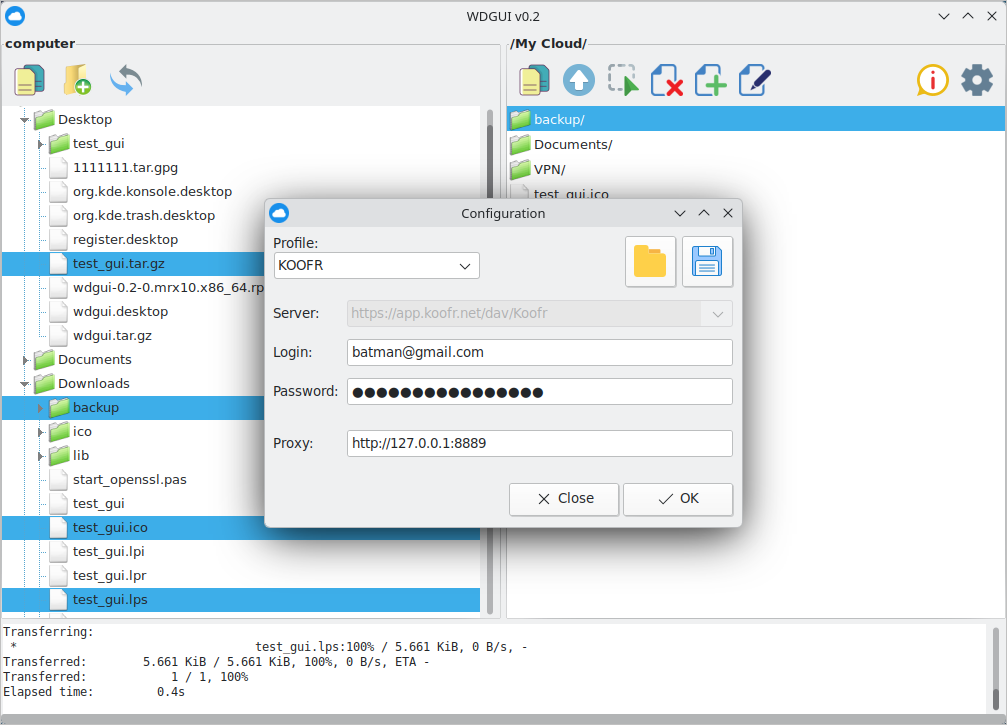
After launching, click the “Gear” button, select a Profile, and enter the Server (it will be set automatically), the Login (for example, this is an email address), the Password (for example, Mail.ru is the password for external applications), Proxy (if necessary), and then click “OK”. The “OTHER” profile is designed for configuring an arbitrary connection.
Profile Data Encryption
WDGUI supports saving and loading profile data. Profile files can be encrypted using GPG with AES-256 and protected with a passphrase.
The passphrase can be a memorable phrase or even a short paragraph from a book. Using a strong and sufficiently long passphrase is recommended.
Since the profile data is encrypted, the resulting file can be stored or shared through public cloud storage or other untrusted locations without exposing the profile credentials, provided that the passphrase is kept secure.
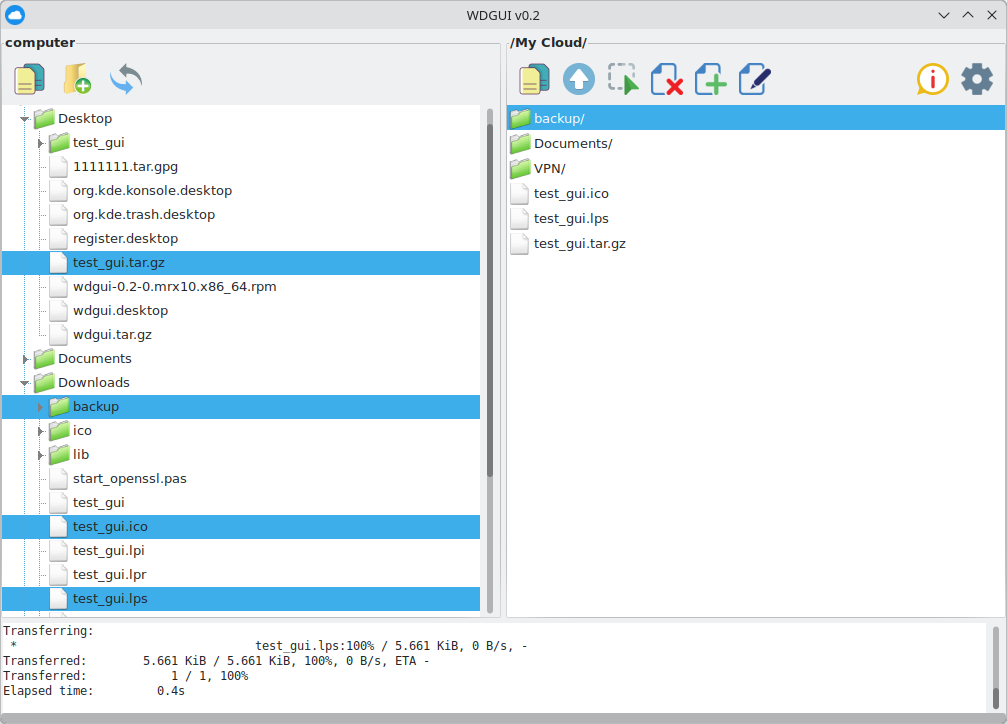
If you don't have anything better at hand, this tool can come in handy for the job.