

Catalog · How the catalog works
TOTPgen

Simple TOTP/HOTP One-Time Password Generator
- ★ 1 on GitHub
Anyone may press Interesting, signed in or not. It helps others find this project.
README
TOTPgen
A simple one-time password generator using the TOTP/HOTP algorithms for two-factor authentication (2FA).
Requires (RPM): oath-toolkit >= 2.6.7, polkit, gtk2, qrencode, zbar, tar, gnupg2
Requires (DEB): libgtk2.0-0, oathtool >= 2.6.7, gnupg2, tar, qrencode, zbar-tools
Work directory: ~/.config/totpgen
[!IMPORTANT] If you store sensitive credentials, use full-disk encryption such as LUKS.
The local computer's clock must be accurate for the program to work correctly.
After launch, create an entry by clicking the + button. Enter the Record Name, the secret Key that was issued to you on the site and click the Apply button. Now click the TOTP button and receive a password to enter into the site; it will be copied to the clipboard. Depending on your requirements, you can double-click on the entry (or press F4 on your keyboard, see tooltips) and change the parameters.
Starting with v0.2, TOTPgen can take TOTP/HOTP parameters from a QR code on the screen (button with an eye, X11 only). In this case, a record is created automatically. The main thing is that the QR code is fully visible on the screen.
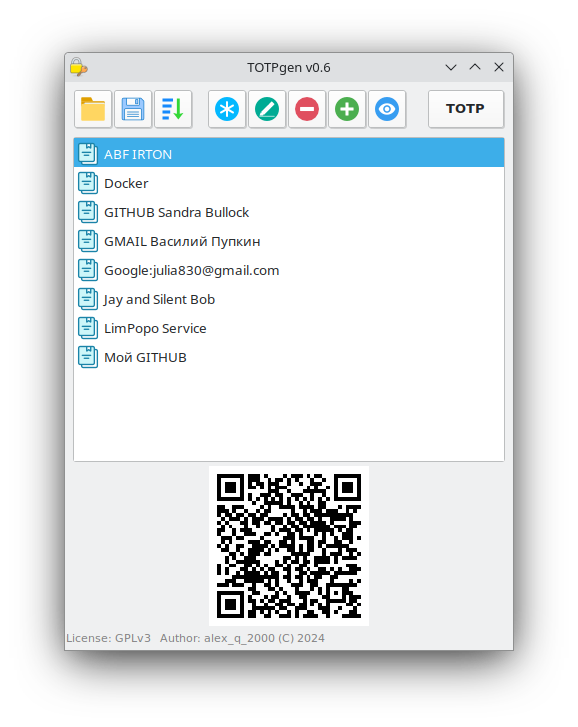
TOTPgen understands 2 secret key formats: base32 and hex. The default is HASH=SHA1, DIGITS=6 (RFC 6238), the new password generation step is 30 seconds. The correctness of the key can be checked, for example, in the terminal:
oathtool --totp 'your_hex_secret_key'
oathtool -b --totp 'your_base32_secret_key'
If a TOTP/HOTP password is not created, enter the correct secret key. If the site does not accept a password, check the time on your computer.
Useful links: 2FA QR Code Generator, TOTP/HOTP URI string format