

Catalog · How the catalog works
DoubleCommanderQSF

- ★ 1 on GitHub
Anyone may press Interesting, signed in or not. It helps others find this project.
README
DoubleCommanderQSF
This is modification of quick search/filter (QSF) inside DC
The proposed changes adds AND operator (in examples defined with a " " (a space)) for QSF and enables use of activation characters for enhanced behaviour (see pictures). Pictures demonstrate functionality using a filter, which provides better visual feedback.
In the example pictures below there the characters define following behaviour:
| Activation character | Behaviour | Example |
|---|---|---|
| ! | negative mask | Fig. 2 |
| > | mask from template or category | Fig. 3 |
| / | consecutive character matching | Fig. 4 |
| \ | regular expression | Fig. 5 |
| < | similarity search | - |
Currently, the QSF lacks an AND operator, which makes it difficult to search
for filenames in a random order. By adding this functionality, users can create
more complex queries and achieve more precise filtering.
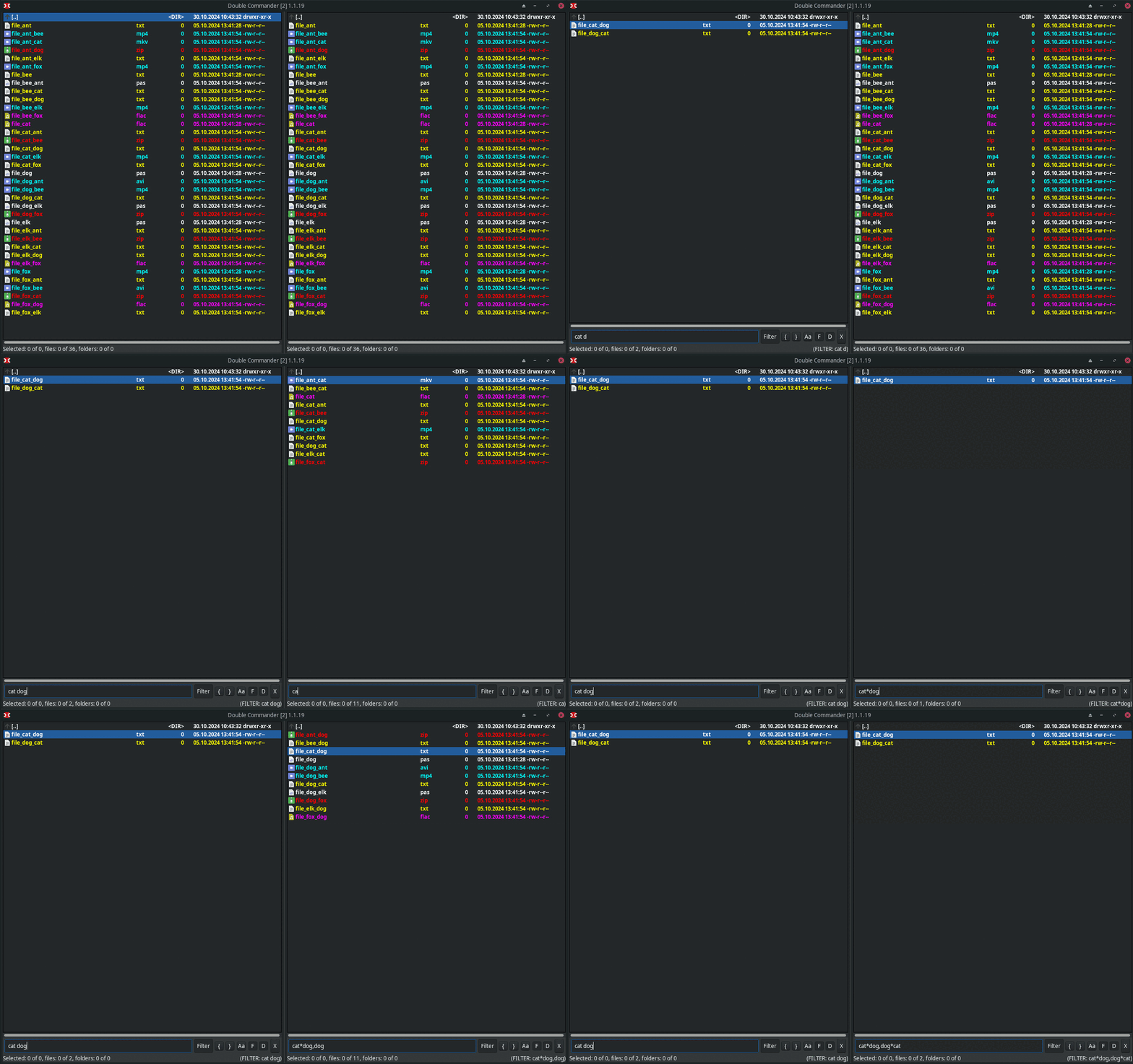 Fig 1.: AND operator left, Native QSF right to acompolish same result
Change functionality using activation characters. Some characters are not allowed in filenames eg. "/" (slashes) so writing those in QSF field will result in no match (empty panel for filter). This "functionality", which distinguises mask from template is already present in unit uSearchTemplate, where the cTemplateSign = '>'; is used to determine if string is template or mask.
Addition of this functionality:
Negative result for QSF: (Sometimes is easier to define mask for undesired results to hide)
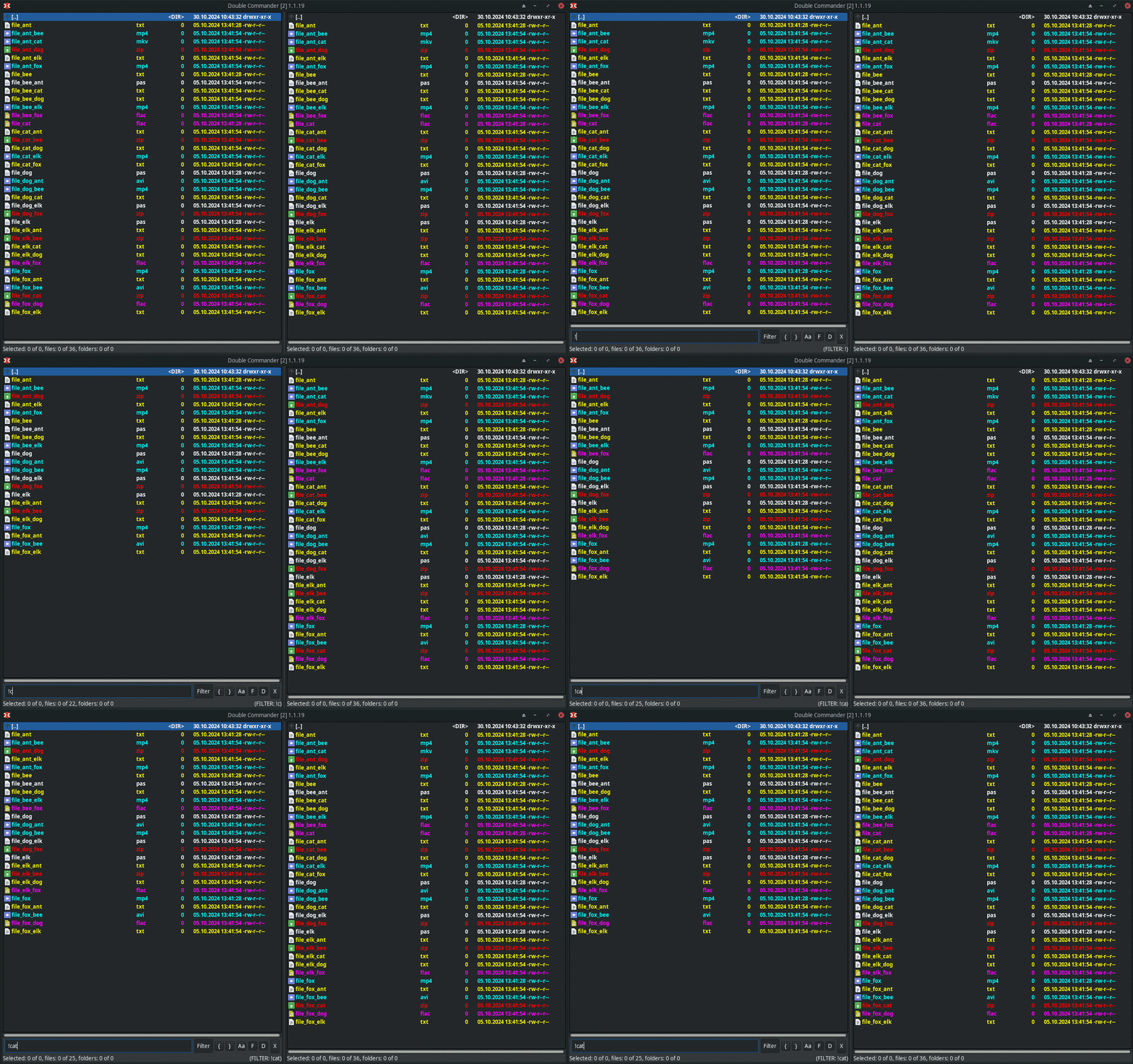 Fig 2.: Hide folders/files.
Template (+color category mask) for QSF:
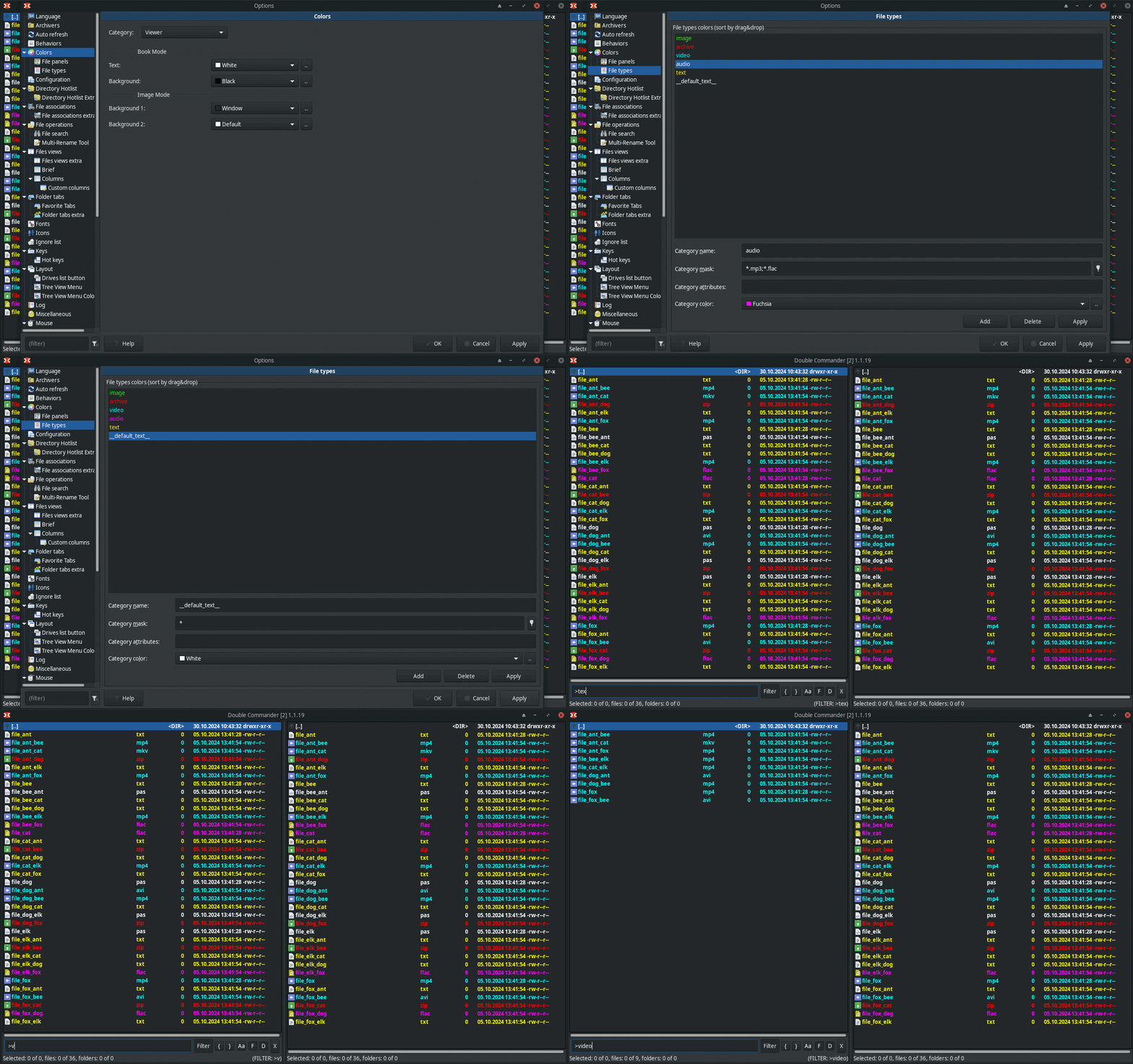 Fig 3.: Use predefined (color) mask or templates.
Consecutive/adjacent character matching:
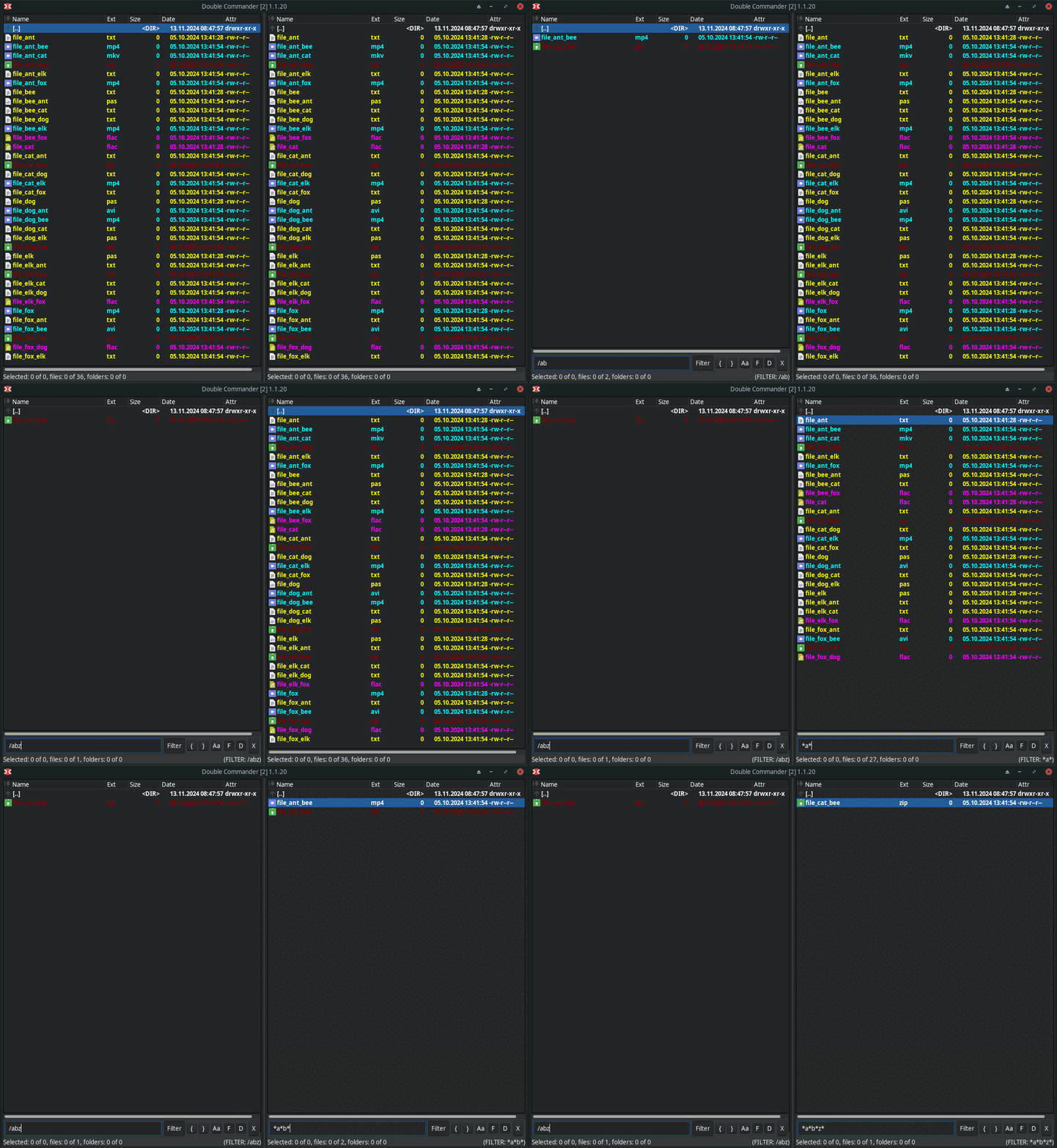 Fig 4.: Consecutive character matching, Native QSF behaviour right to acompolish same result
RegularExpression (allows for brackets + semi-complex searches), however it is case sensitive.
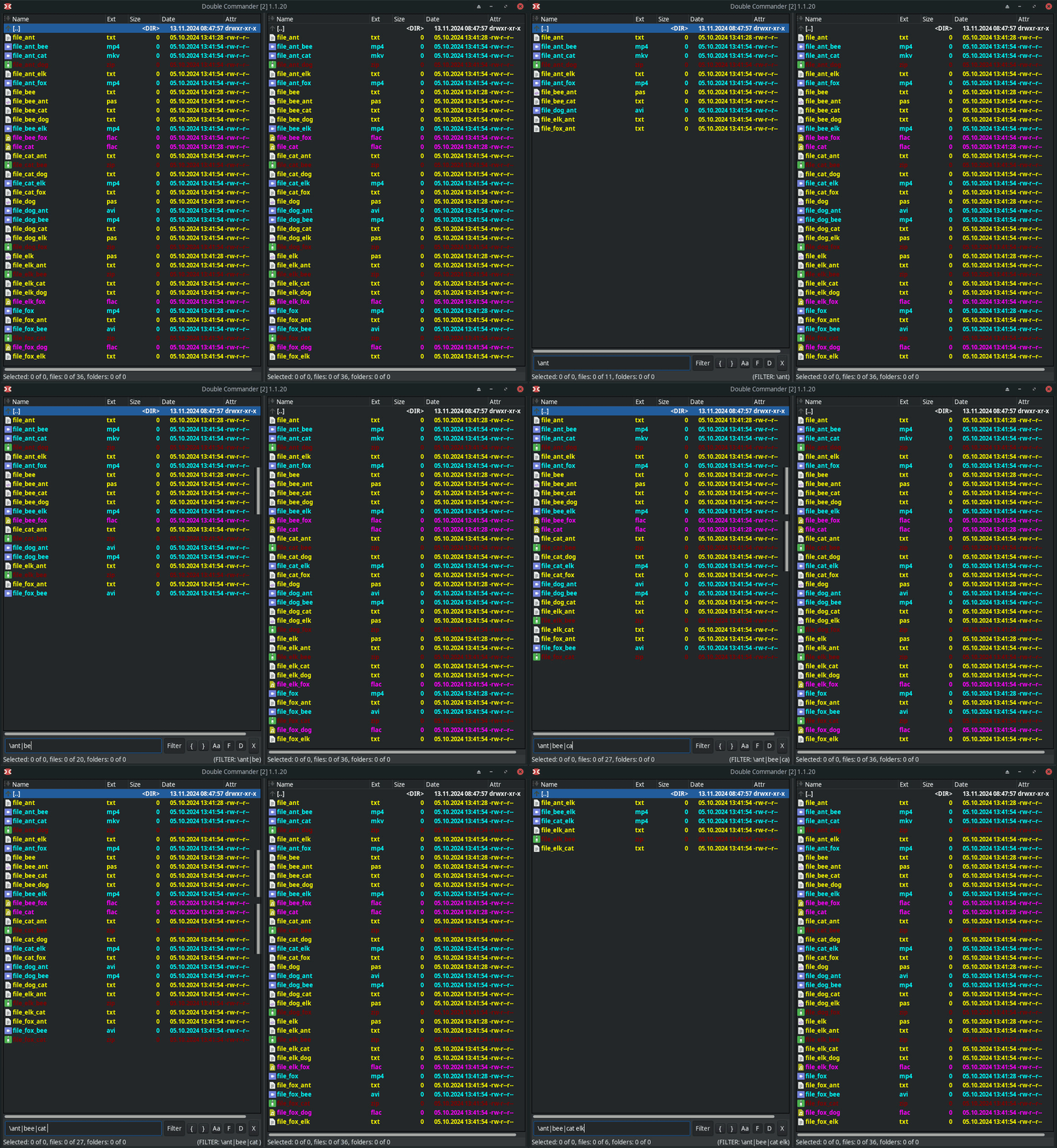 Fig 5.: RegEx example with a "|" allowing all combinations with mask.