

rainmeter-uptime-clock-pro

A custom Rainmeter clock/weather skin with painterly live-weather scenes, layout presets, and lightweight setup controls.
- Active · last change 6-18-2026
- ★ 1 on GitHub
README
Uptime Clock Pro
Uptime Clock Pro is a custom Rainmeter clock/weather skin. The project has been refocused around one strong desktop anchor: expressive time, date, and simplified weather with custom condition visuals.
This is a stable beta Rainmeter release. The core clock/weather experience is ready for beta distribution, with future settings and polish passes still planned.
Preview
Cinematic
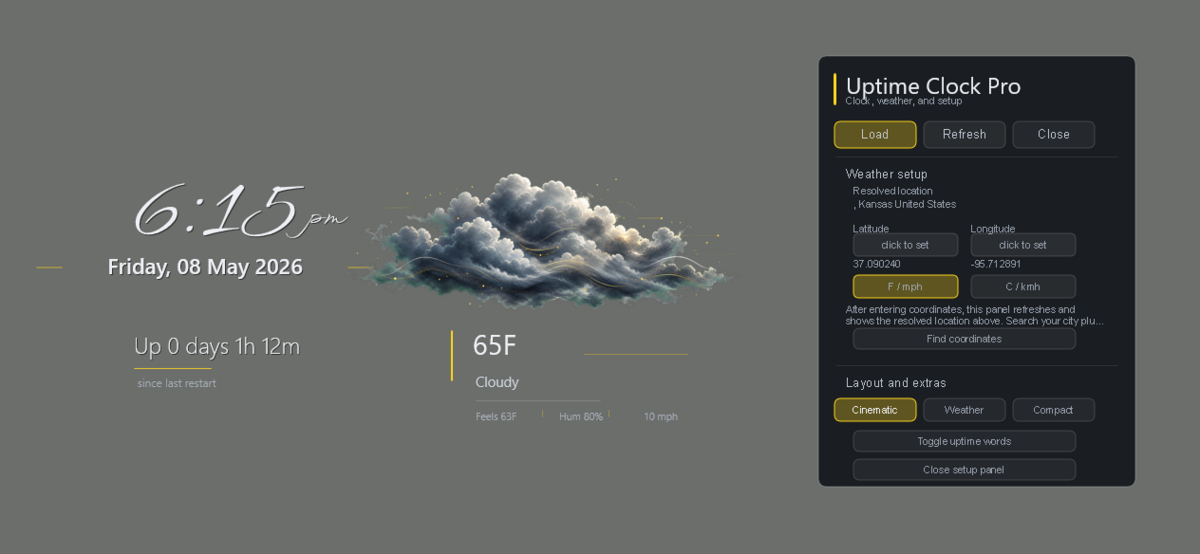
Weather
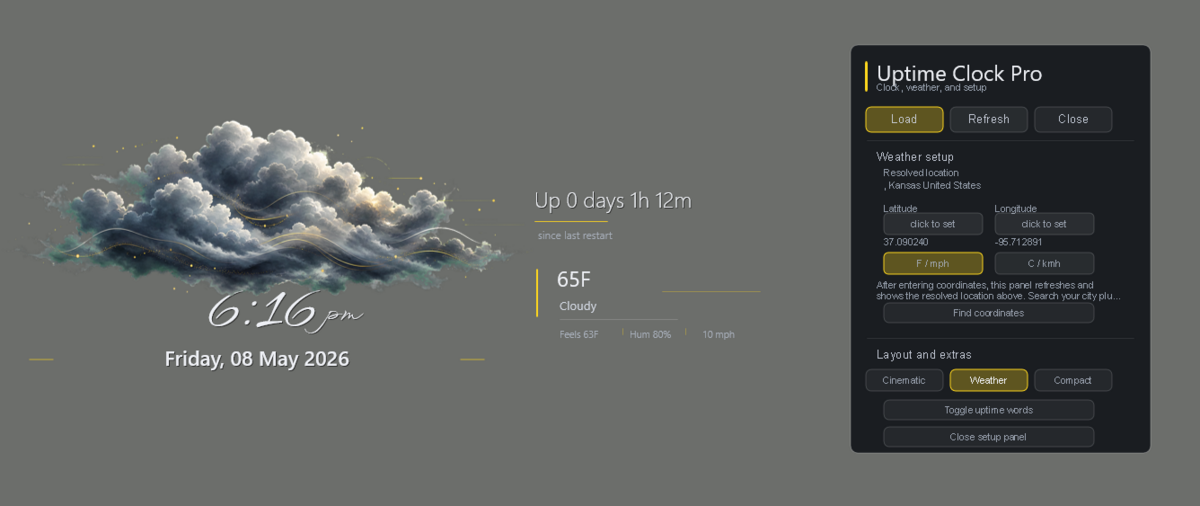
Compact
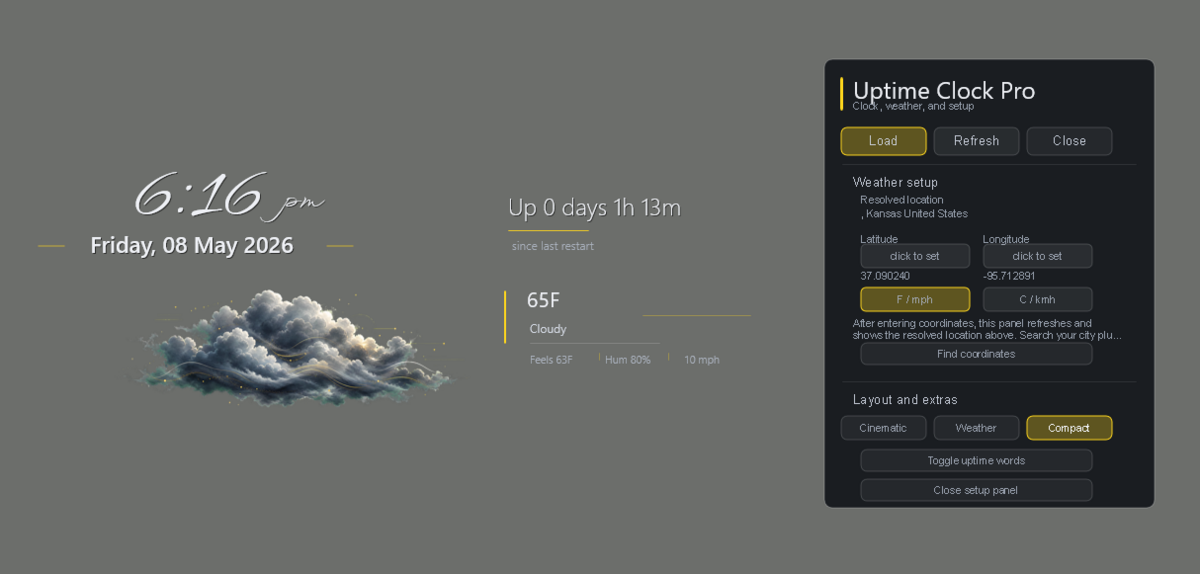
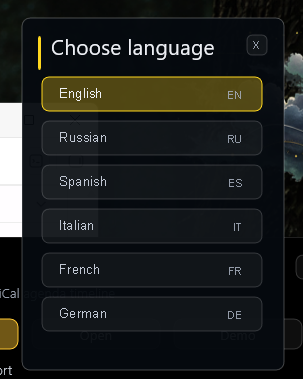
Language Picker
Download
Get the current stable beta from the GitHub Releases page:
Uptime Clock Pro 0.6.5 Stable Beta
Skin Layout
The Rainmeter skin lives in:
Skins\UptimeClockProLoad the control panel from:
UptimeClockPro\Control\Launcher.iniLoad the main clock/weather anchor directly from:
UptimeClockPro\Clock\Anchor.iniLoad the optional uptime words module from:
UptimeClockPro\Uptime\Words.iniCurrent Features
- Large expressive time and date anchor.
- Integrated current weather using Open-Meteo with no API key.
- Custom painterly PNG weather scenes driven by Open-Meteo weather codes.
- Weather scene coverage for clear day/night, partly cloudy day/night, cloudy day/night, drizzle, rain, showers, heavy rain, storm, hail, snow, fog, ice/freezing, and windy basic-sky conditions.
- Temperature, condition text, and compact weather details worked into the clock composition.
- Integrated control/settings block for loading, refreshing, closing, adjusting weather coordinates/units, and showing the resolved location for saved coordinates.
- Optional 12-hour or 24-hour clock display from the setup panel.
- Three menu-selectable clock layout presets: Cinematic, Weather, and Compact.
- English, Russian, Spanish, Italian, French, and German language selection for the clock weather labels, settings panel, language picker, and optional uptime words module.
- Optional text-only uptime words module that can be loaded and placed independently.
Notes
- Weather uses latitude/longitude variables stored in
Skins\UptimeClockPro\@Resources\UserSettings.inc. - Weather coordinates and Fahrenheit/Celsius units can be adjusted from
Control\Launcher.ini. The settings block shows the current saved coordinates and reverse-looked-up location so a user can tell whether the input was accepted; city, postal, and ZIP lookup still belong in a future settings pass. - The current weather art is raster-based, not shape-only, and is included with the skin resources.
- Layout presets are stored in
@Resources\Layoutsand selected throughLayoutModein@Resources\UserSettings.inc. - Language files are stored in
@Resources\Languages; the settings panel opens a dedicated language picker so future languages do not crowd the setup controls. - Future translations can be added with the drop-in include workflow documented in
docs\LOCALIZATION.md. - The active font stack uses WindSong for the clock and Segoe UI Semilight for compact Rainmeter UI text.
- Bundled OFL fonts in
@Resources\Fontsare included as visual alternates and for future design work. - The skin intentionally does not force Rainmeter layer, position, or always-on-top settings.
- Older separate uptime, pulse, and standalone weather panels were removed from the core product direction because they made this feel like a dashboard instead of an evolved clock.
Status
Stable beta. Packaged for beta distribution and continued real-world testing.
Beta build history is tracked in CHANGELOG.md.
Version
Current build: 0.6.5
Released under the MIT License (LICENSE.md). Bundled fonts are licensed separately under the SIL Open Font License and include their license files.