

Catalog · How the catalog works
altium-round-corners-script

Script for rounding corners in Altium between straight lines etc.
- ★ 1 on GitHub
Anyone may press Interesting, signed in or not. It helps others find this project.
README
altium-round-corners-script
We created a small Altium script to solve a common PCB design annoyance: easily adding precise fillets (tangent arcs) to trace connections. Altium Designer is a professional EDA tool to design printed circuit boards, s. Altium Website.
⛔️ Problem: Manually creating perfect tangent fillets between traces or traces and existing arcs in Altium is tedious. You have to estimate tangent points, manually place arcs, and trim traces.
✅ Solution: Our Universal Fillet Tool ➜ This script automatically adds perfect fillets with a specified radius with a single click.
How to Install:
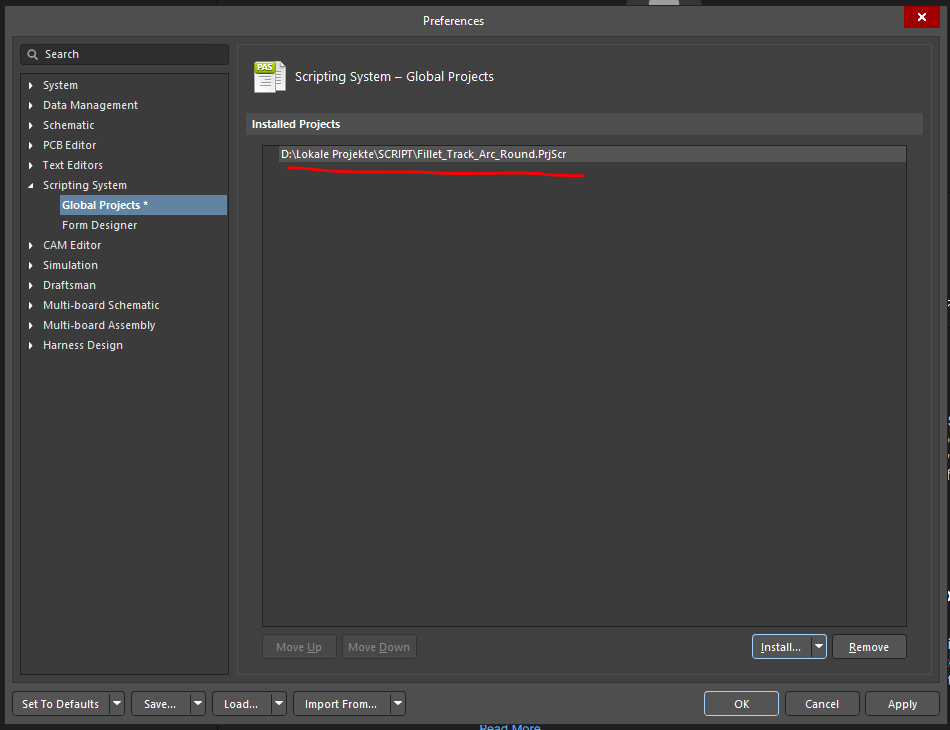
- Add the Script to Global Projects: In Altium, go to Preferences -> Scripting System -> Global Projects and click "Install...". Select the script file (Fillet_Track_Arc_Round.PrjScr). (see:
- Customize the Menu: To add the script to your Altium toolbar, right-click on the toolbar area and select "Customize". Under "Categories" select "[Scripts]". Then drag the Fillet_Track_Arc_Round.PrjScr > CreateUniversalFillet command to the Toolbar. (See:
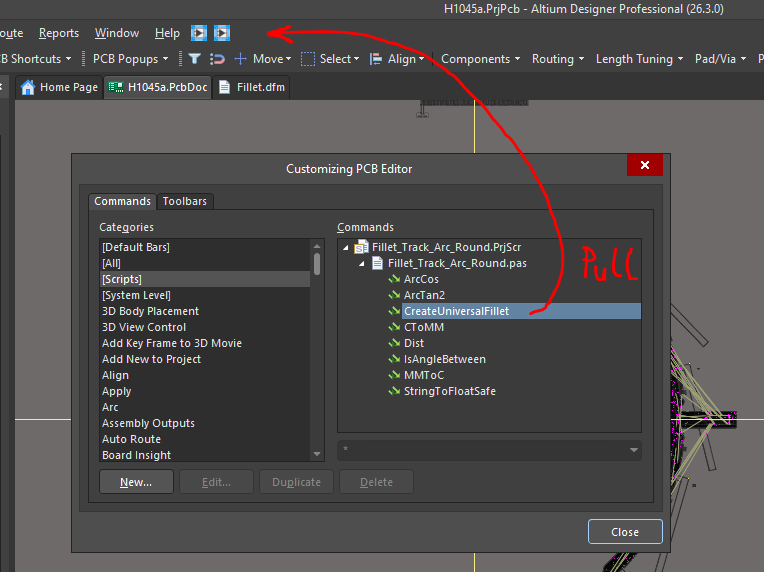 and
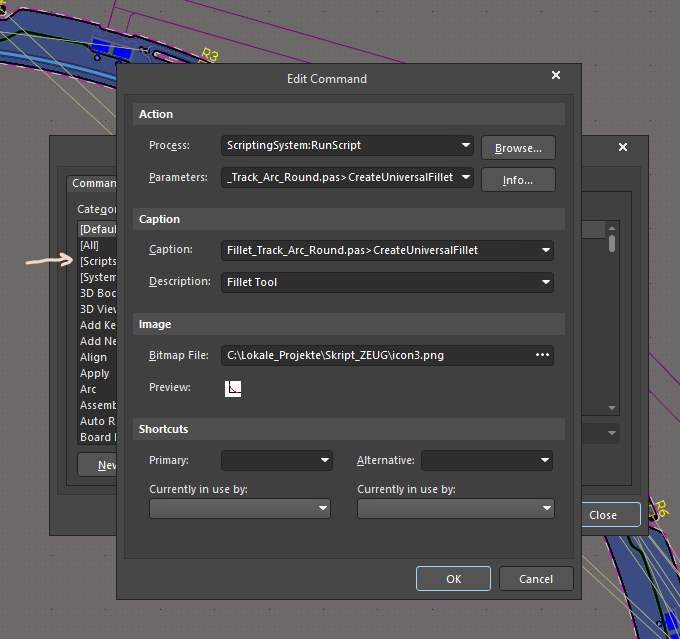
- (Optional) Add a Menu Icon: You can edit the Command in the "Customize PCB Editor" Dialog and add a icon. This makes it easier to find. (See:

How it works (Filleting a Corner in Altium Designer):
- Select the corner you want to fillet (either two connected straight traces or a straight trace connected with an arc).
- Click the new button in the Altium menu bar. (See:
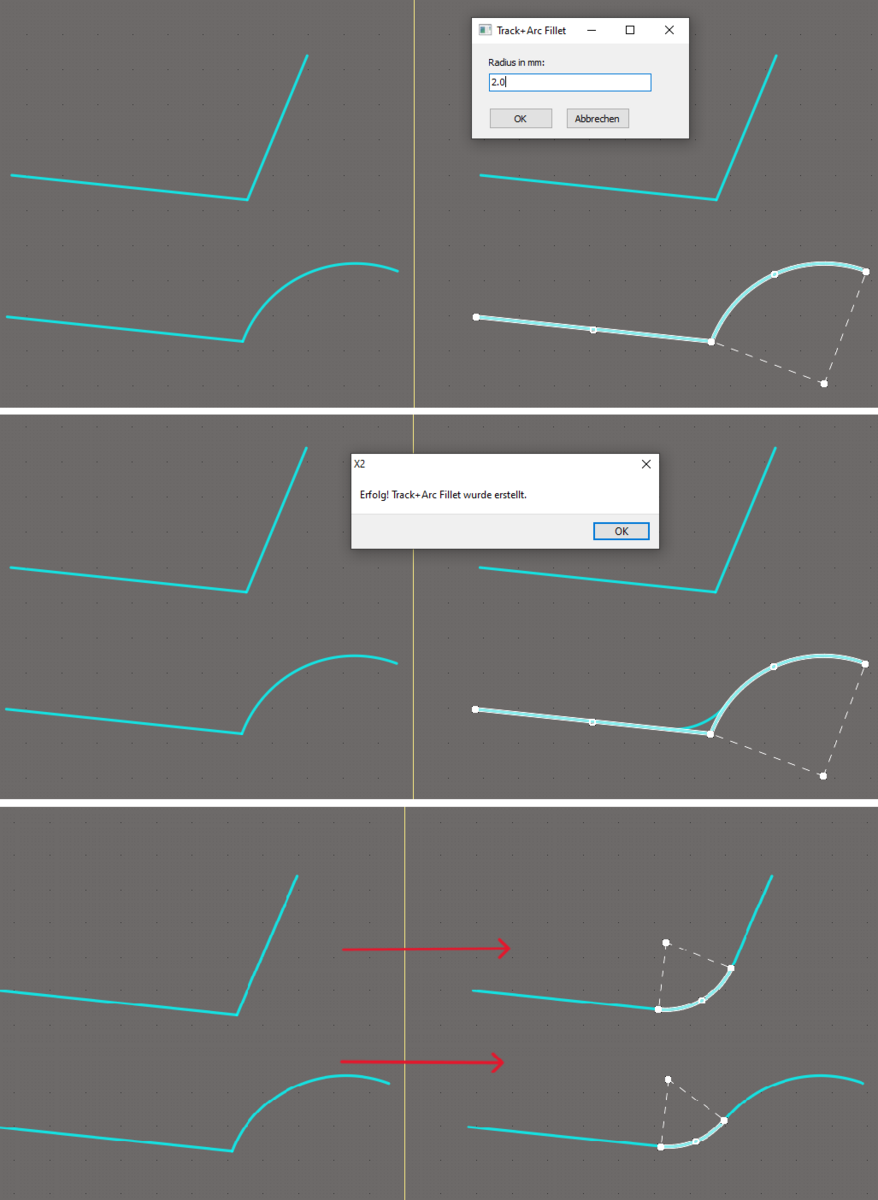
- Enter the desired radius in millimeters.
- The script calculates the vector geometry, adds the perfect arc, and trims the original traces automatically.
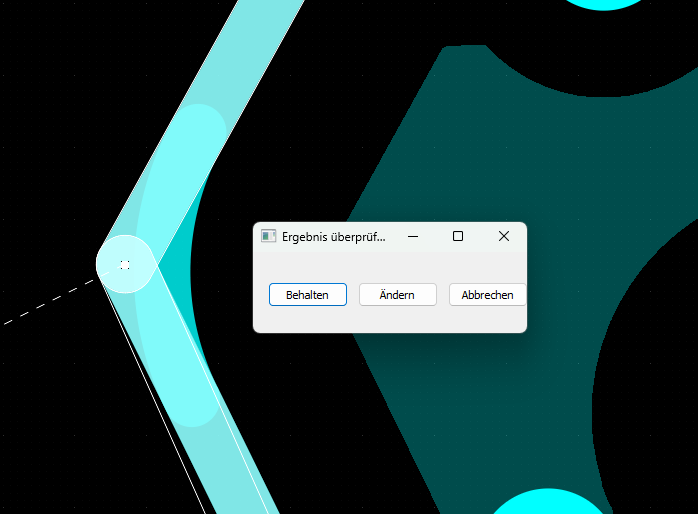
- (new) script shows changes (round corner) and asks you to accept these changes (see:
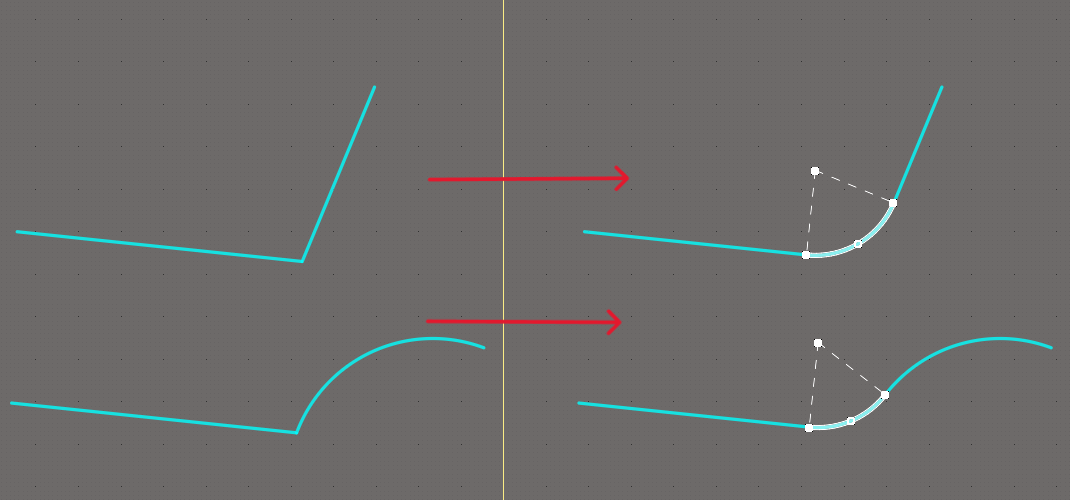
Example Results: These images show before and after examples of the script in action.
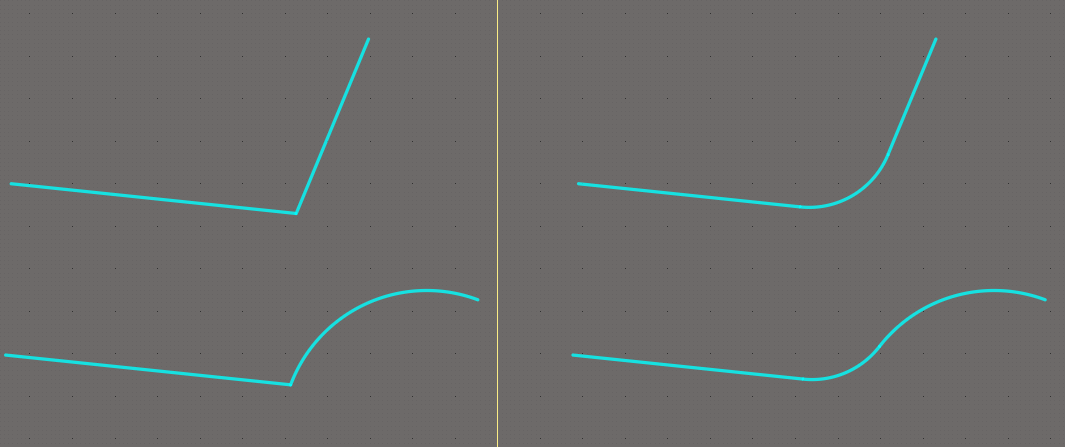
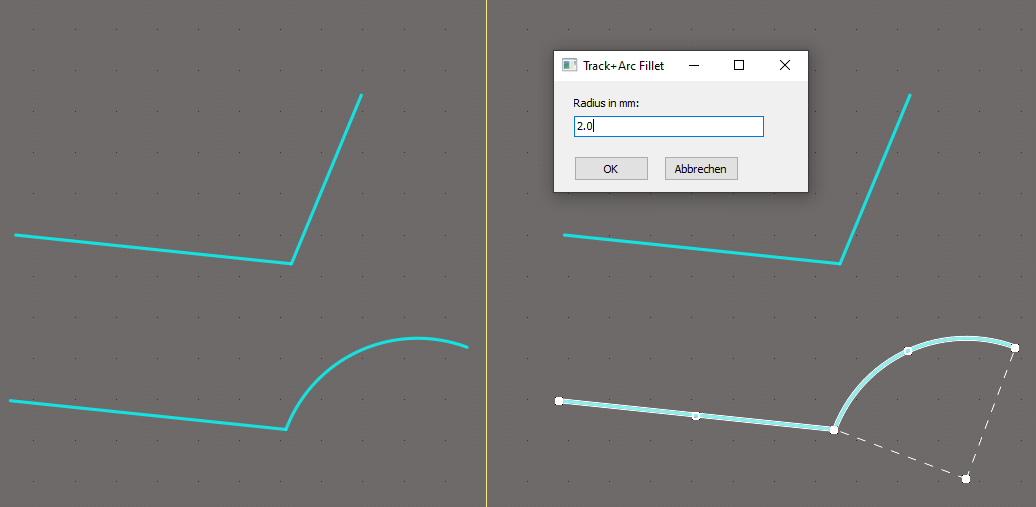
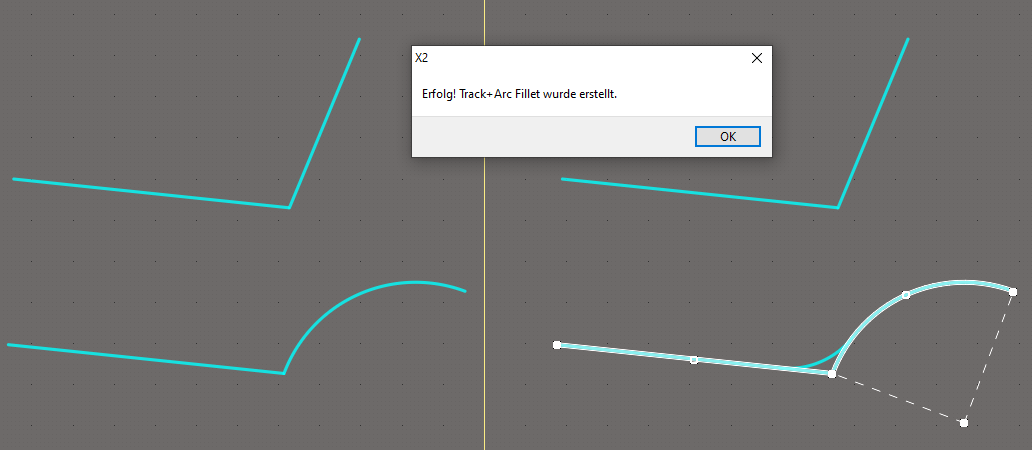
Benefits
- Saves time
- Creates clean, overlap-free transitions
- Ideal for aesthetic layouts, RF designs, and tight spaces.