

Catalog · How the catalog works
NThing-UI

- ★ 1 on GitHub
Anyone may press Interesting, signed in or not. It helps others find this project.
README
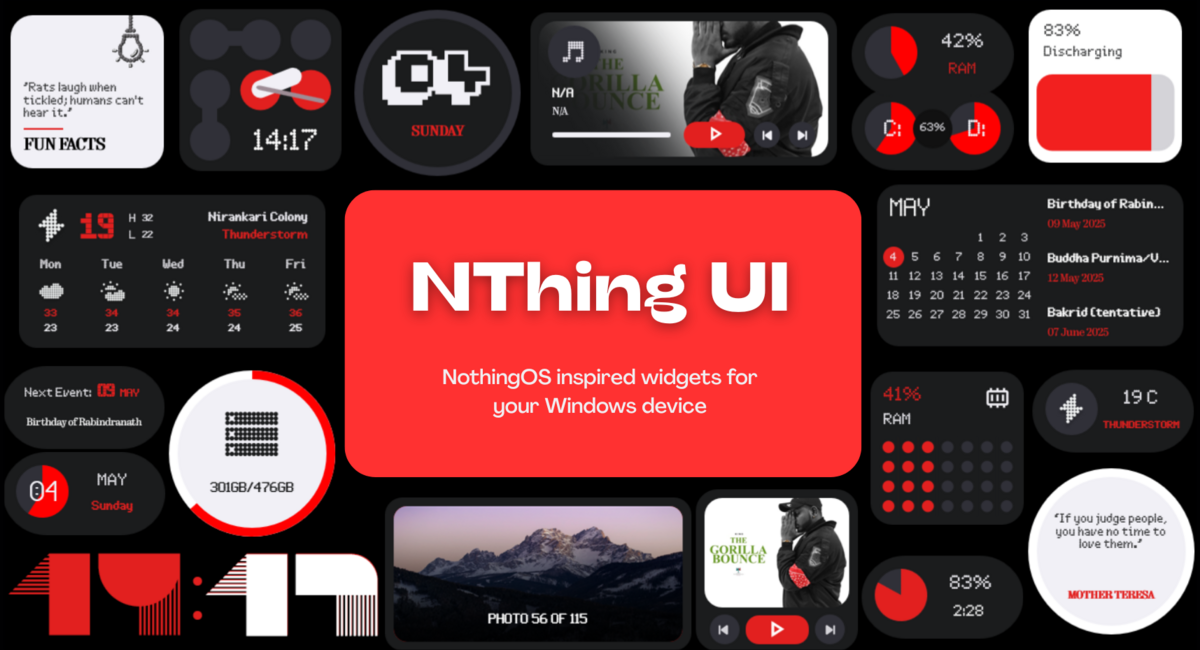
NThing UI
A rainmeter based project featuring NothingOS inspired widgets, taskbar, menus and more for your Windows desktops. Works on Windows 7 and above.
<h3 align="center"> Download NThing UI
</br>
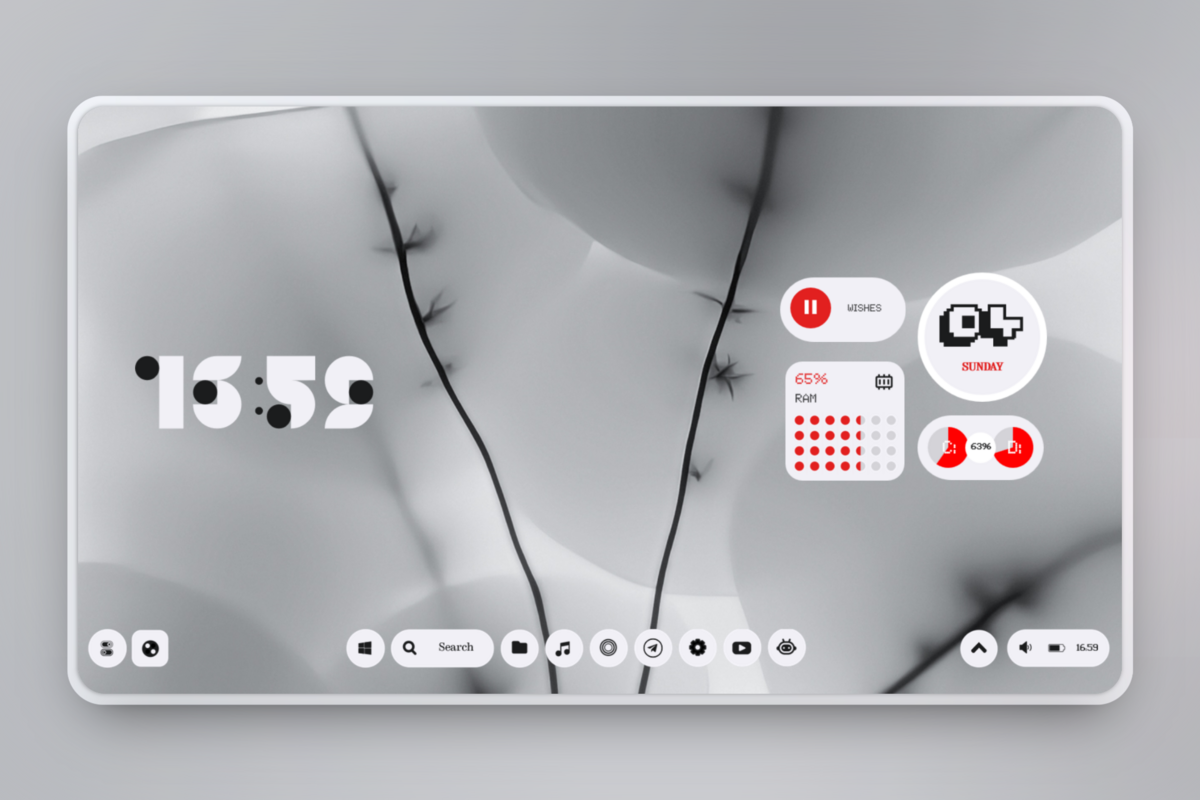
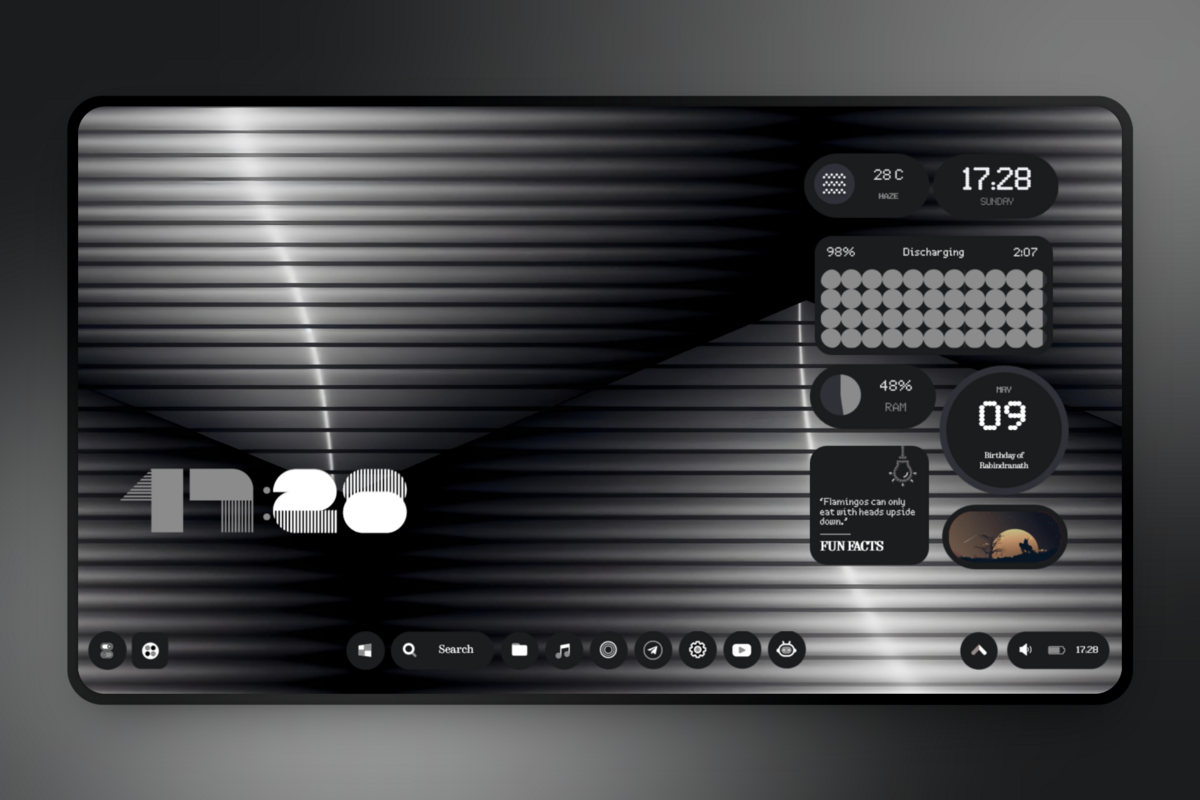
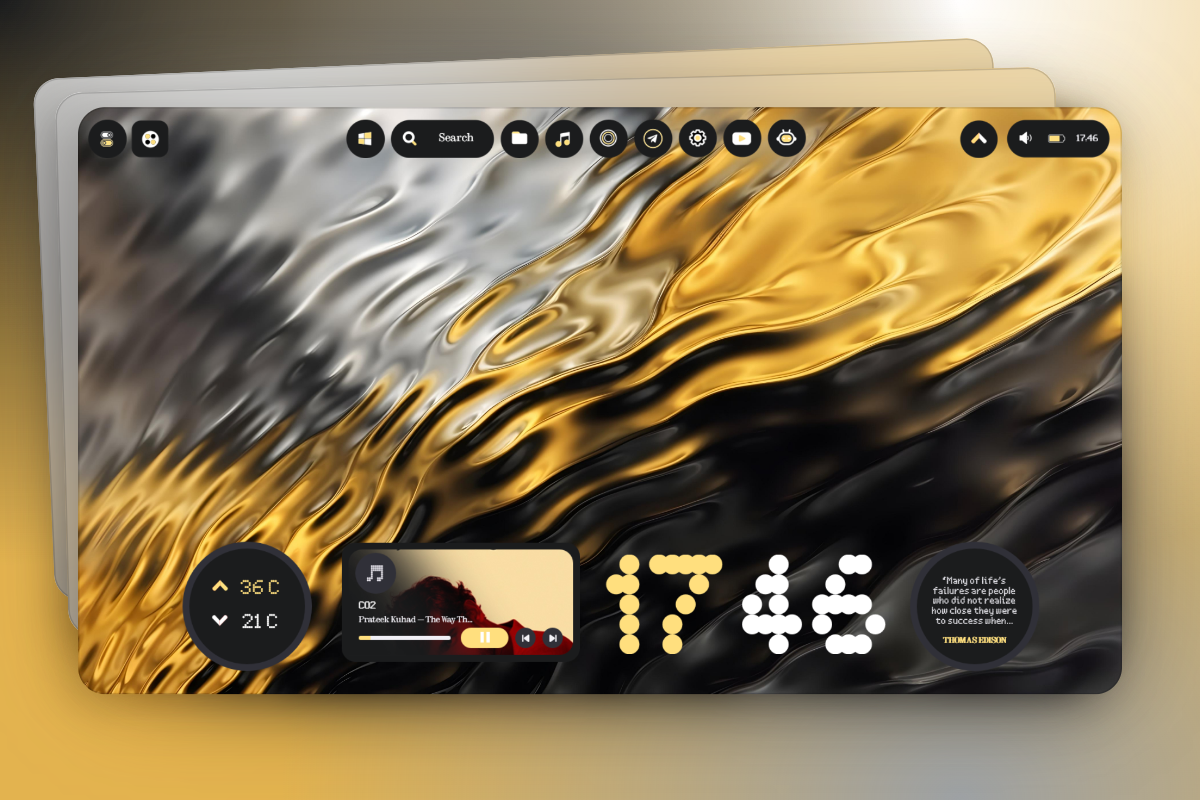
Features of NThing UI
- Clock: Shows time of your region with 6 different styles.
- Date: Shows current date with 3 different styles.
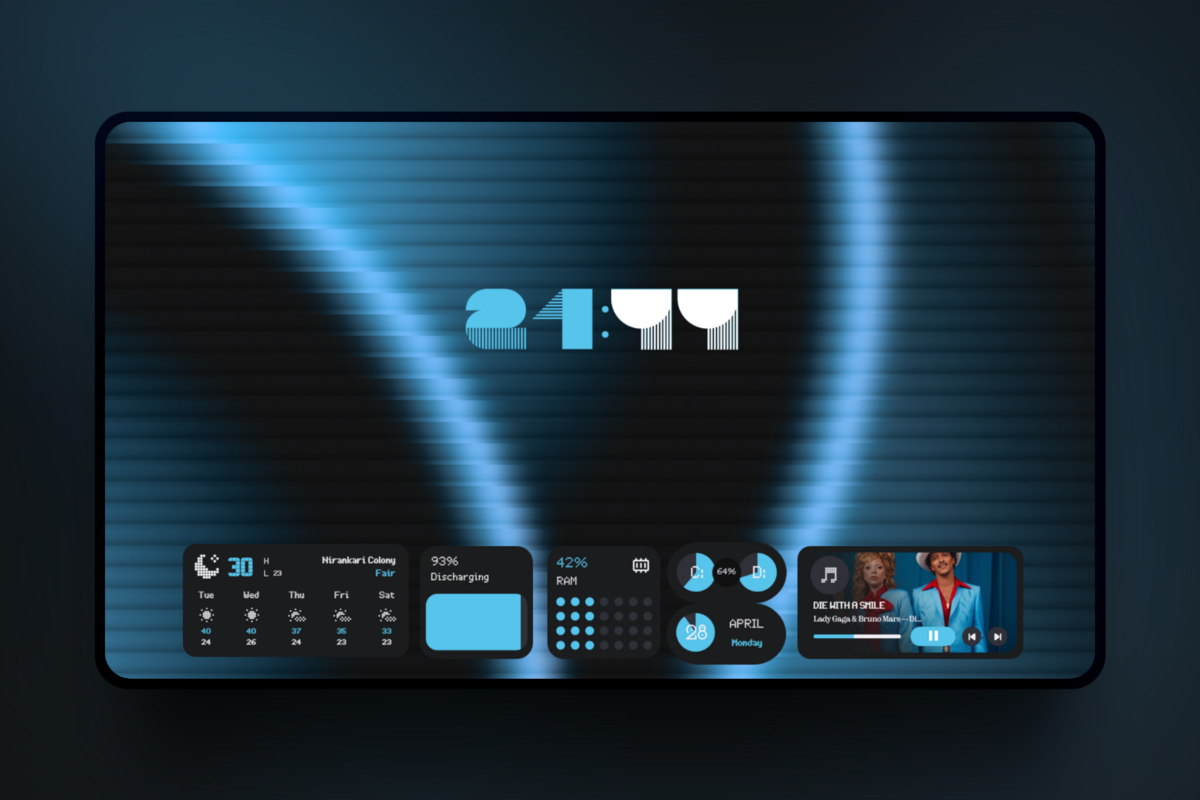
- Weather: Shows weather of your location with 4 different styles.
- Music: Displays current music playing along with album art, song and artist name with 4 different styles + Circular Equalizer visualizer.
- Battery: Displays current battery level of your pc, along with some more battery related info with 4 different styles.
- Events: Shows upcoming holiday events along with their dates and time with 4 different styles.
- Monitor: Shows status of RAM, CPU, HDD and SWAP memory with 7 different styles.
- Photos: Slideshow of all random photos from your chosen photo library/folder with 4 different styles.
- Quotes & Facts: Shows random quotes & facts to motivate you & brainstorm your knowledge with 2 different styles.
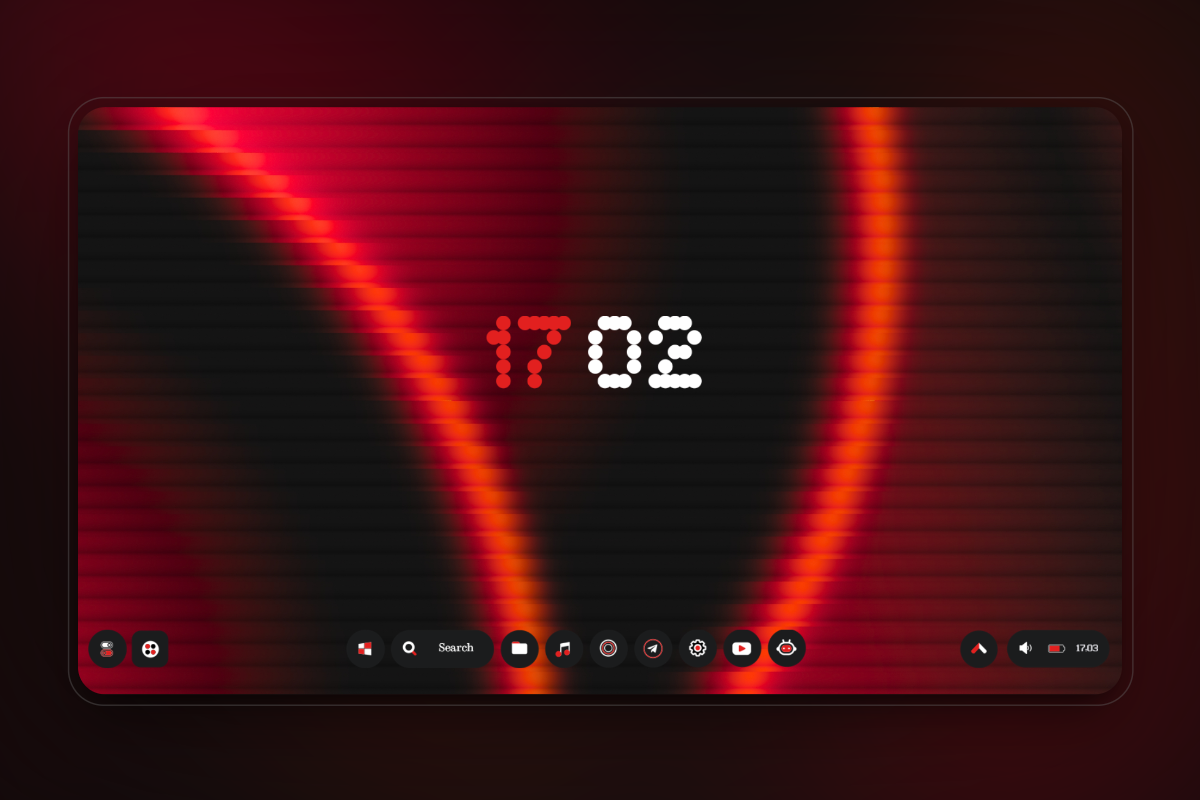
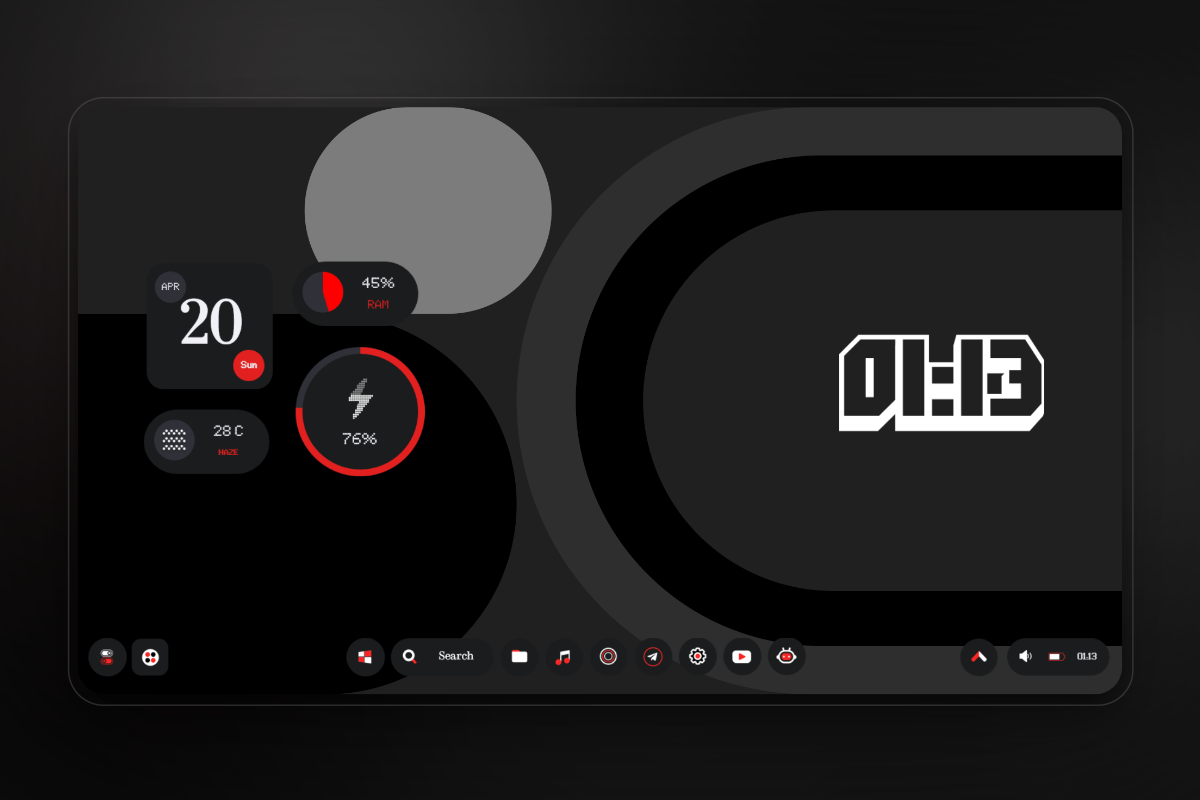
- Taskbar: A custom NothingOS inspired taskbar to fit the overall aesthetics.
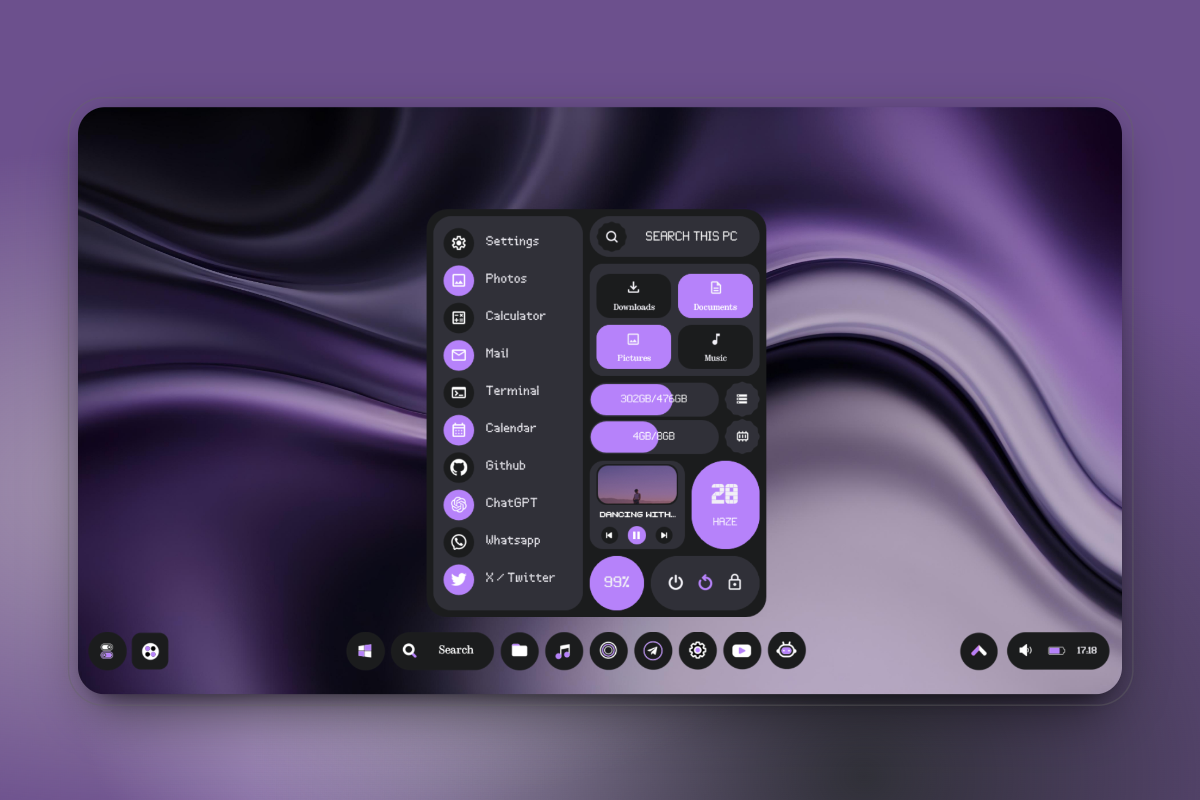
- Start Menu: A custom NothingOS start menu to replace boring default one.
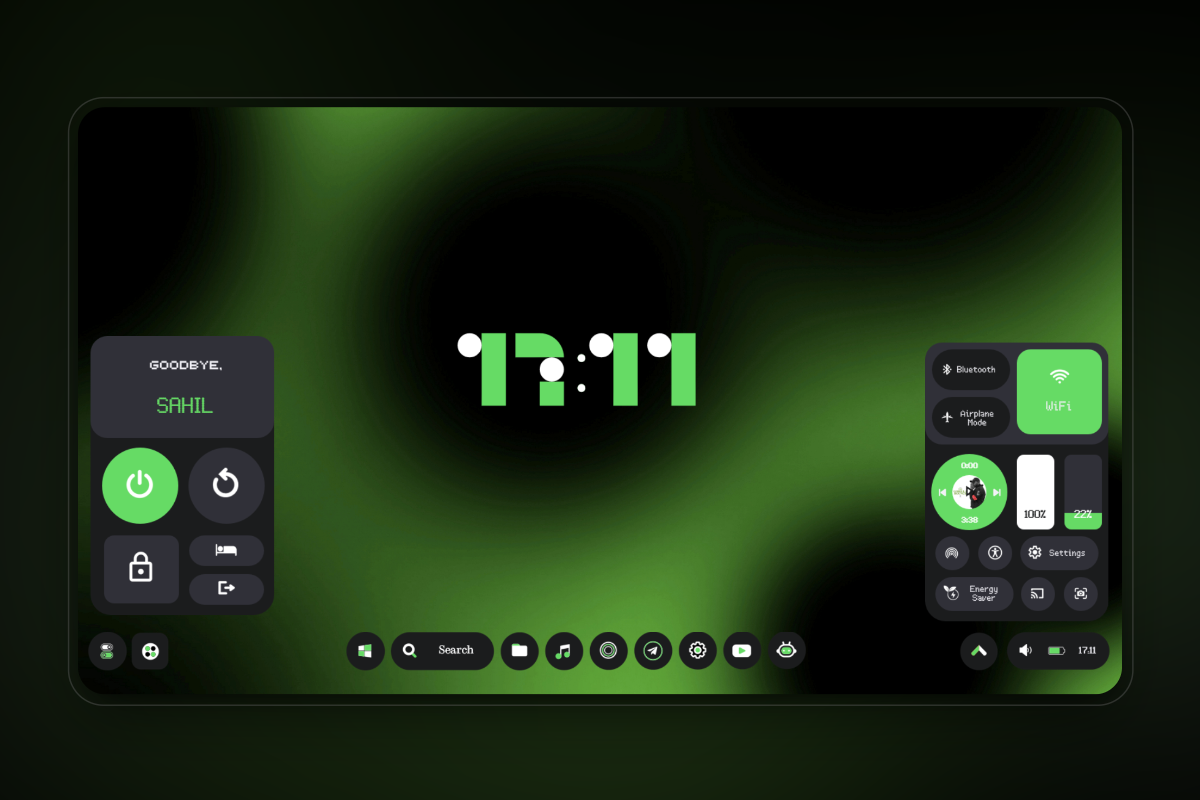
- Power Menu: A custom NothingOS power menu to ease out your way to shut down computer.
- Tools Menu: A custom NothingOS tools menu with useful quick tiles/settings replacing your windows+A key.
- Wallpapers: 30 exclusive NothingOS inspired wallpapers.
- Dynamic Theme: A custom dynamic theme which auto adapts to your wallpaper color.
Screenshots
Important Notes
-
Notes related to widgets and taskbar are shared in txt file inside the zip, do read them before installing skin.
</br>
-
Sizing: DO NOT TRY TO RESIZE WIDGETS BY EDITING SKIN FILES OR VARIABLE FILES, THIS MAY BREAK YOUR WIDGET.
Installation
- Install/ Update Rainmeter for Windows.
- Download the latest release of NThing UI.
- Double click the downloaded
.rmskinfile and it should open the skin install dialog.If you have a portable Rainmeter install, your file may not open by default by the skin installer. If so, open the
.rmskinfile with theSkinInstaller.exefile in the Rainmeter install directory. - Continue with on screen options and you are done! In case your skin didn't load on install, open Rainmeter skin manager and manually load the skin and layouts.
Credits
- Gadgets by SilverAzide for Weather widgets.
- Rainmeter forum community to help fix some issues.
- A bit of google and AI for ideas and suggestions.
- All testers for early testing of the project.
Feedback
If you find any bugs or want to add suggestions, please open a new issue or text me on Telegram @ZamanSheikh
Do star this repo to show your support and share as well, means a lot. Thanks, see yaa 💝