

Catalog · How the catalog works
TSizeCtrl

Non-visual Delphi component to enable runtime moving and resizing of controls.
- ★ 12 on GitHub
Anyone may press Interesting, signed in or not. It helps others find this project.
README
TSizeCtrl
Non-visual Delphi component to enable runtime moving and resizing of controls.
Original author: Angus Johnson
http://angusj.com/delphi/sizectrl.html
Tested on:
Delphi 3, 4, 5, 6, 7, 10.1 Berlin, 10.2 Tokyo
Version:
This is a fork since the last version of the author (7.2 - 3 September 2006)
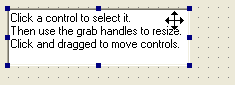
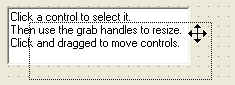
TSizeCtrl Component Screenshots:
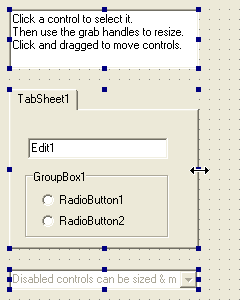
Sizing:
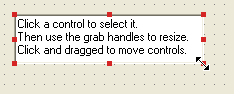
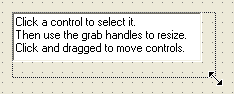
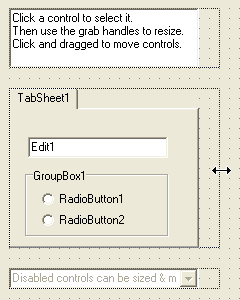
Moving:
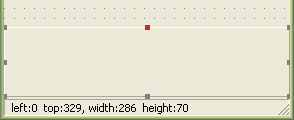
Aligned Controls have disabled "grab button" handles along fixed borders:
Multiple controls can be moved or resized together:
BASIC USAGE:
- Add a TSizeCtrl component (SizeCtrl1) to your form.
- Set SizeCtrl1 properties (button colors etc) as desired.
- Assign event methods (start, during & end size/move events) as desired.
- In the form's OnCreate method, SizeCtrl1.RegisterControl() all possible targets.
- In an assigned menuitem method, toggle the SizeCtrl1.Enabled property.
- Once enabled:
- Click or Tab to select targets.
- Hold the Shift key down to select multiple targets.
- Resize targets by click & dragging a target's resize buttons or by holding the Shift key down while use the arrow keys.
- Move controls by click & dragging a target or by using the arrow keys.
MISCELLANEOUS NOTES:
Capturing the WM_SETCURSOR messages of Listview headers requires hooking the header's message handler too. I don't think this minor improvement in cursor management justifies the considerable extra programming effort.