

Catalog · How the catalog works
many-cubes

- ★ 1 on GitHub
Anyone may press Interesting, signed in or not. It helps others find this project.
README
Many Cubes, Simple add / remove / modify
Simplest cube creation / modification / removal for https://forum.castle-engine.io/t/drawing-many-cubes-faster/ .
Functionality:
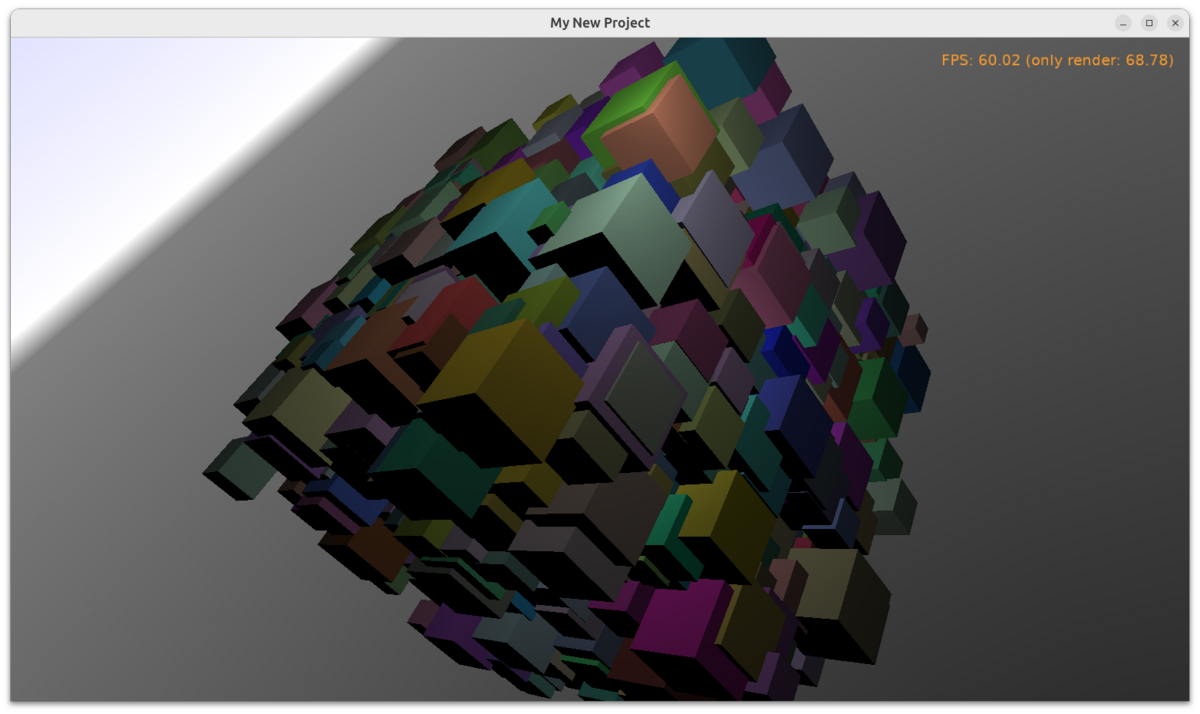
- Creates 1000 cubes by default (edit code to easily increase it).
- Key Q removes cube under the mouse cursor.
- Key E changes random cube's color.
- Key O toggles occlusion culling.
- You can also use standard "Examine" navigation with mouse and keyboard.
Please note that this doesn't try to be fast / optimal. And all cubes here have different size and color. E.g.
- This example doesn't try to group cubes and render them using
TCastleTransformReference. In many actual cases, you don't have 1000 different objects, you have 1000 instances of the few same object(s), and you can optimize it withTCastleTransformReference. - It doesn't use LOD.
- It doesn't use batching.
- It doesn't instantiate a design using
TCastleComponentFactorymentioned in that thread. In many practical cases,TCastleBoxwill not be enough, instead: instantiate designs with https://castle-engine.io/reuse_design and/or createTCastleScenewith generated node graph inside. - Here, each cube is separate
TCastleBoxinstance (which is internally separateTCastleSceneinstance). This is sometimes enough, but sometimes you can put multiple cubes in one scene.
It's just a simplest example how to easily create / modify / remove many cubes.
It uses https://castle-engine.io/occlusion_culling . Though it doesn't have a city-on-foot view that would best benefit from occlusion culling. Your view may be better for occlusion culling.
Using Castle Game Engine.
Building
Compile by:
- CGE editor. Just use menu items "Compile" or "Compile And Run".
- Or use CGE command-line build tool. Run
castle-engine compilein this directory. - Or use Lazarus. Open in Lazarus
many_cubes_standalone.lpifile and compile / run from Lazarus. Make sure to first register CGE Lazarus packages. - Or use Delphi. Open in Delphi
many_cubes_standalone.dprojfile and compile / run from Delphi. See CGE and Delphi documentation for details.