

IFuture

API.Future - Asynchronous Future Implementation in Delphi
- Quiet · last change 10-22-2024
- ★ 1 on GitHub
README
API.Future - Asynchronous Future Implementation in Delphi
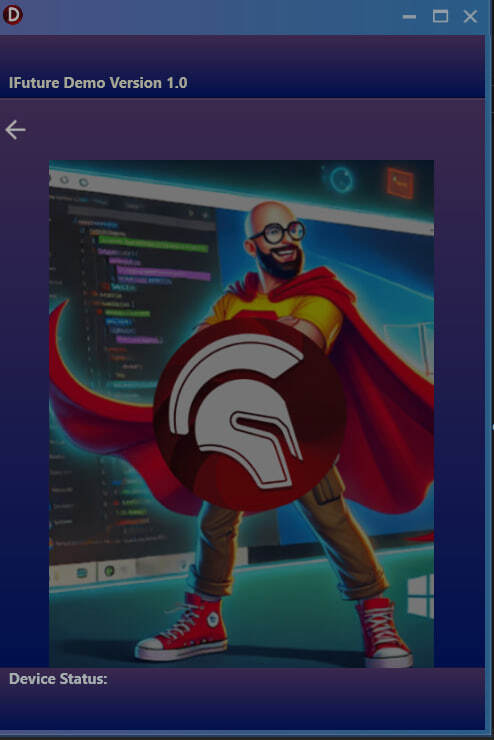
This library provides an easy-to-use, thread-safe way to run asynchronous tasks using Delphi's TTask and IFuture. It allows you to handle long-running operations without freezing the user interface (UI).
Features
- Non-blocking execution: Asynchronous operations that keep your UI responsive.
- Generic support: Easily handles different types of data like
string,Integer, andBoolean. - Thread-safe logging: Updates to UI components (such as logs) are handled on the main thread.
- Task management: Run multiple tasks simultaneously and wait for their completion.
How to Use
1. Add the Unit to Your Project
To use this library in your Delphi project, simply include the API.Future.pas file in your project and reference it in your forms or units where you need asynchronous task handling.
uses
  API.Future;
2. Initialize an Asynchronous Request
In your form or unit, initialize the future request handler (IAsyncFuture) by providing a logging procedure for UI updates (e.g., adding log entries to a TMemo).
procedure TMainView.FormCreate(Sender: TObject);
begin
  fAsyncStrRequest := GetAsyncStrFutureReply(
    procedure (aLogMsg: string; aNewLine: Boolean) begin
      Memo_Log.Lines.Append(aLogMsg);
    end);
end;
3. Add the Query and Run the Future Task
Use the AddQuery method to define what asynchronous operation should be performed. Then, call RunFuture to execute the task without freezing the UI.
procedure TMainView.Btn_RunClick(Sender: TObject);
var
  LPicXPATHLink: string;
begin
  LPicXPATHLink := Format(PICTURE_XPATH_LINK, [LoadBase64ImageFromResource]);

  Btn_Run.Enabled := False;
  try
    fAsyncStrRequest.AddQuery(
      function: string
      begin
        Result := QueryReply(LPicXPATHLink);  // Execute this asynchronously
      end)
      .RunFuture(
      procedure(aResultFuture: string)
      begin
        try
          if aResultFuture <> '' then
          begin
            Img_Future.Picture.LoadFromBase64(aResultFuture);
            fAsyncStrRequest.Log('Image loaded successfully from Base64 string.');
          end
          else
            fAsyncStrRequest.Log('No valid Base64 image string found.');
        finally
          Btn_Run.Enabled := True;
        end;
      end);
  finally
    // Optional: Additional cleanup if needed
  end;
end;
4. Logging and UI Updates
Logs and UI updates inside asynchronous tasks should always be handled in a thread-safe manner. Use TThread.Queue (which is done internally by the library) to ensure any log messages or UI updates are posted back to the main thread.
Examples:
Example: Fetching Base64 Image Data Asynchronously Here’s a full example that fetches Base64-encoded image data asynchronously and displays the result in a TImage component without freezing the UI.
procedure TMainView.Btn_FetchImageClick(Sender: TObject);
var
  Base64URL: string;
begin
  Base64URL := 'https://example.com/base64image';

  Btn_FetchImage.Enabled := False;  // Disable button while processing
  try
    fAsyncStrRequest.AddQuery(
      function: string
      begin
        // Simulate fetching Base64 data (this can be an API call)
        Result := FetchBase64ImageData(Base64URL);
      end)
      .RunFuture(
      procedure(aResultFuture: string)
      begin
        try
          if aResultFuture <> '' then
          begin
            Img_Future.Picture.LoadFromBase64(aResultFuture);
            fAsyncStrRequest.Log('Image loaded successfully.');
          end
          else
            fAsyncStrRequest.Log('No valid Base64 image found.');
        finally
          Btn_FetchImage.Enabled := True;  // Re-enable button after task completion
        end;
      end);
  finally
    // Optional: Additional code here if needed
  end;
end;
Installation
- Clone the repository or download the API.Future.pas file.
- Include the API.Future.pas file in your Delphi project.
- Add the unit in your uses clause::
uses API.Future;