

Analog-Computer

- Active · last change 12-24-2024
- ★ 1 on GitHub
README
Analog-Computer
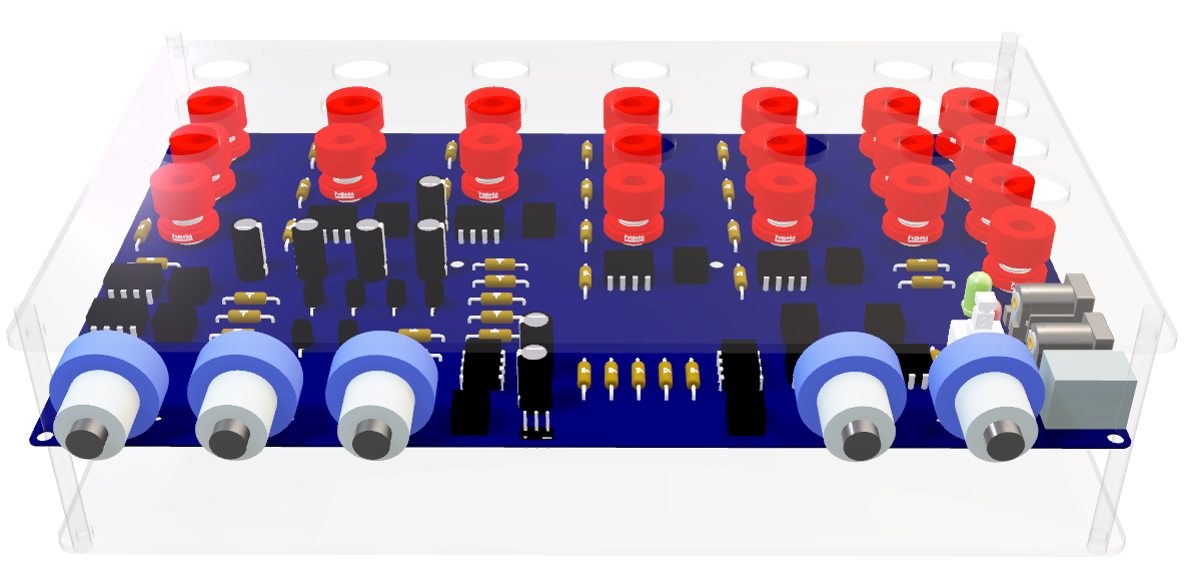
Project Overview
The Analog Computer project aims to design and implement a functional analog computer using various electronic components such as operational amplifiers, that can perform addition, subtraction, multiplication, integration, and differentiation. The project includes detailed simulations, PCB design files, and comprehensive documentation outlining the system design, component specifications, and testing procedures.
Project Structure
The project is organized into several directories, each containing different components of the analog computer:
- Simulations: Contains various simulation files for different components and configurations of the analog computer.
- Adder Subtractor: Simulations for adder and subtractor circuits.
- Multiplier: Simulations for different types of multipliers including opamp multipliers, Gilbert cell multipliers, and more.
- Power Supply: Simulations for power supply circuits.
- PCB Design: Contains files related to the PCB design of the analog computer.
- Analog_Computer: Main directory for the PCB design files.
- ActiveBOM.BomDoc: Bill of materials document.
- Analog_Computer.PrjPcb: Project file for the PCB design.
- Analog_Computer.PrjPcbStructure: Structure file for the PCB project.
- Analog_Computer: Main directory for the PCB design files.
Getting Started
To get started with this project, you will need to have the following software installed:
- LTspice: For running the simulation files.
- Altium Designer: For viewing and editing the PCB design files.
Running Simulations
Before running simulations, ensure the LM747 operational amplifier model file, located in the resources folder of this repository, is added to LTspice.
- Open LTspice.
- Navigate to the Simulations directory.
- Open any of the
.ascfiles to view and run the simulations.
Viewing PCB Designs
- Open Altium Designer.
- Navigate to the
PCB Design/Analog_Computerdirectory. - Open the
.PrjPcbfile to view the PCB design.
Project Components
Adder Subtractor
Contains simulation files for adder and subtractor circuits. These circuits are fundamental building blocks in analog computing.
Multiplier
Contains various types of multipliers including:
- Opamp Multiplier: Uses operational amplifiers to perform multiplication.
- Gilbert Cell Multiplier: A type of analog multiplier circuit. (For the implementation of the circuit we ahve used the Gilbert Cell Multiplier circuit)
Power Supply
Contains simulation files for power supply circuits which are essential for powering the analog computer.
PCB Design
Contains the design files for the printed circuit board (PCB) of the analog computer. This includes the schematic, layout, and bill of materials.
License
This project is licensed under the MIT License. See the LICENSE file for details.
Contact
For any questions or inquiries, please contact naveensanjayab@gmail.com, himasha2k2@gmail.com , keshawa36@gmail.com add emails.