

Catalog · How the catalog works
DelphiHorseAPI-UnitTests

- ★ 1 on GitHub
Anyone may press Interesting, signed in or not. It helps others find this project.
README
Delphi Backend Application with Horse Framework :globe_with_meridians:
This project consists of a backend application built with Delphi using the Horse framework, along with a frontend developed with React, Vite, and TailwindCSS. The backend also includes unit tests to ensure the correctness and reliability of the code.
Features
Backend
- :white_check_mark: RESTful API using Horse
- :white_check_mark: JSON handling
- :white_check_mark: CORS support
- :white_check_mark: Unit tests using DUnitX
- :white_check_mark: Tray icon support for Windows
- :white_check_mark: Configurable middleware
- :white_check_mark: Error handling
Frontend
- :white_check_mark: React for building user interfaces
- :white_check_mark: Vite for fast development and bundling
- :white_check_mark: TailwindCSS for styling
- :white_check_mark: Responsive design
Getting Started
Prerequisites
- :arrow_up: Delphi (version that supports Horse)
- :arrow_up: FireDAC for database connections
- :arrow_up: DUnitX for unit testing
- :arrow_up: Node.js (for frontend development)
- :arrow_up: npm or yarn (for managing frontend dependencies)
Installation
Backend
-
Clone the repository: :heavy_plus_sign:
git clone https://github.com/lucasdefreitasroberto/DelphiHorseAPI-UnitTests.git cd DelphiHorseAPI-UnitTests -
Install dependencies:
Ensure you have the necessary Delphi packages installed, including Horse, FireDAC, and DUnitX.
-
Configure database connection:
Configure your database connection in
Providers.Connection.pas.procedure TProviderConnection.DataModuleCreate(Sender: TObject); begin try con.Connected; except on E: Exception do begin var auxError := Copy(E.Message, 20, 500); MessageDlg('Erro ao conectar com o base de dados.' + sLineBreak + 'Motivo:' + sLineBreak + auxError, TMsgDlgType.mtWarning, [TMsgDlgBtn.mbOK], 0); end; end; end; -
Running the Application:
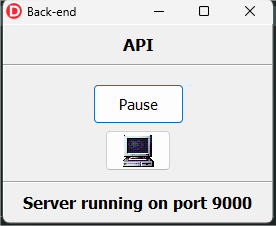
Open the project in Delphi and run the application. The server will start on the configured port (default is 9000).
Frontend
-
Navigate to the frontend directory:
cd frontend -
Install dependencies:
npm installor
yarn install -
Run the development server:
npm run devor
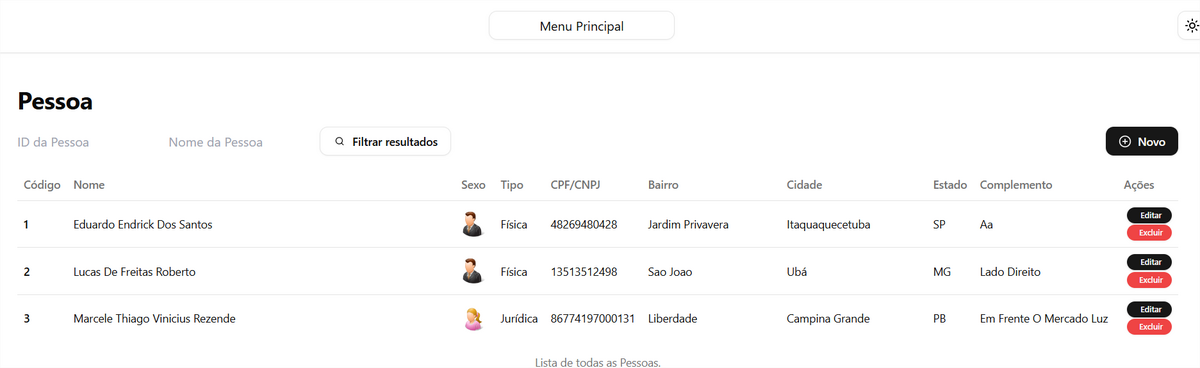
yarn devThe frontend will be available at
http://localhost:3000.
API Endpoints
HOME
GET /: Returns a welcome message indicating the API is running.
PERSON
GET /person: Returns a list of all persons.GET /person/:id: Returns details of a specific person by ID.POST /person: Creates a new person.PUT /person/:id: Updates details of a specific person by ID.DELETE /person/:id: Deletes a specific person by ID.
Example Usage
To access the API, open your browser or use a tool like curl or Postman to send requests to http://localhost:9000/.
Unit Testing
Unit tests are written using DUnitX. To run the tests, open the test project in Delphi and run it.
Example test for the ExecuteScalar method:
procedure TProviderConnectionTest.TestExecuteScalar;
var
  result: Variant;
begin
  result := ProviderConnection.ExecuteScalar('SELECT 1');
  Assert.AreEqual(1, result);
end;
Running Tests
- Open the test project in Delphi (
Tests.dproj). - Run the test project to execute all unit tests.
Sample Unit Test for Person Class
unit TestPerson;

interface

uses
  TestFramework, FireDAC.Comp.Client, Utilities, Person, DUnitX.TestFramework;

type
  TestTPersonTest = class(TTestCase)
  strict private
    FPersonTest: TPersonTest;
    FPerson: TPerson;
  public
    procedure SetUp; override;
    procedure TearDown; override;
  published
    procedure TestIDtreatment;
    procedure TestGetNextPersonID;
  end;

implementation

procedure TestTPersonTest.SetUp;
begin
  FPersonTest := TPersonTest.Create;
  FPerson := TPerson.Create;
end;

procedure TestTPersonTest.TearDown;
begin
  FPersonTest.Free;
  FPersonTest := nil;

  FPerson.Free;
  FPerson := nil;
end;

procedure TestTPersonTest.TestIDtreatment;
var
  ReturnValue: Integer;
begin
  ReturnValue := FPersonTest.IDtreatment(FPerson.GetNextPersonID);
  Assert.IsTrue(ReturnValue >= 0, 'IDtreatment returned an invalid value');
end;

procedure TestTPersonTest.TestGetNextPersonID;
var
  ReturnValue: Integer;
begin
  ReturnValue := FPerson.GetNextPersonID;
  Assert.IsTrue(ReturnValue >= 1, 'GetNextPersonID returned an invalid ID');
end;

initialization
  RegisterTest(TestTPersonTest.Suite);

end.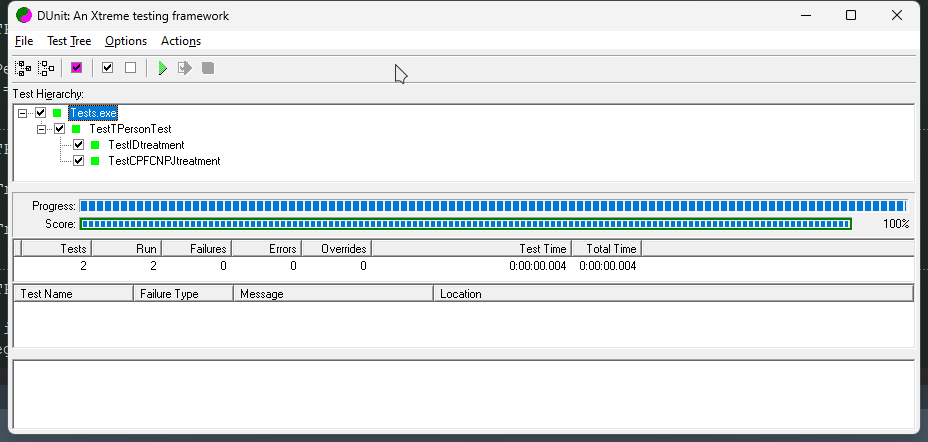
Contributing
Contributions are welcome! Please open an issue or submit a pull request for any bugs or improvements.
License
This project is licensed under the MIT License.
Acknowledgements
- Horse - The backend framework used
- DUnitX - The unit testing framework used
- React - The frontend library used
- Vite - The build tool used for the frontend
- TailwindCSS - The utility-first CSS framework used for styling
This README provides a clear and comprehensive overview of your project, including setup instructions, API endpoints, and information on running unit tests. Adjust any specific details and URLs as necessary.