

GraphPointCollector-lazarus

- Quiet · last change 12-25-2023
- ★ 1 on GitHub
README
Snake Game in Pascal
Overview
This Pascal program implements a Snake game with a graphical interface. The player can choose between two difficulty levels ("Lahke" for Easy and "Tazke" for Hard) and navigate a snake on the screen. The objective is to collect targets, avoid obstacles, and achieve a high score.
Features
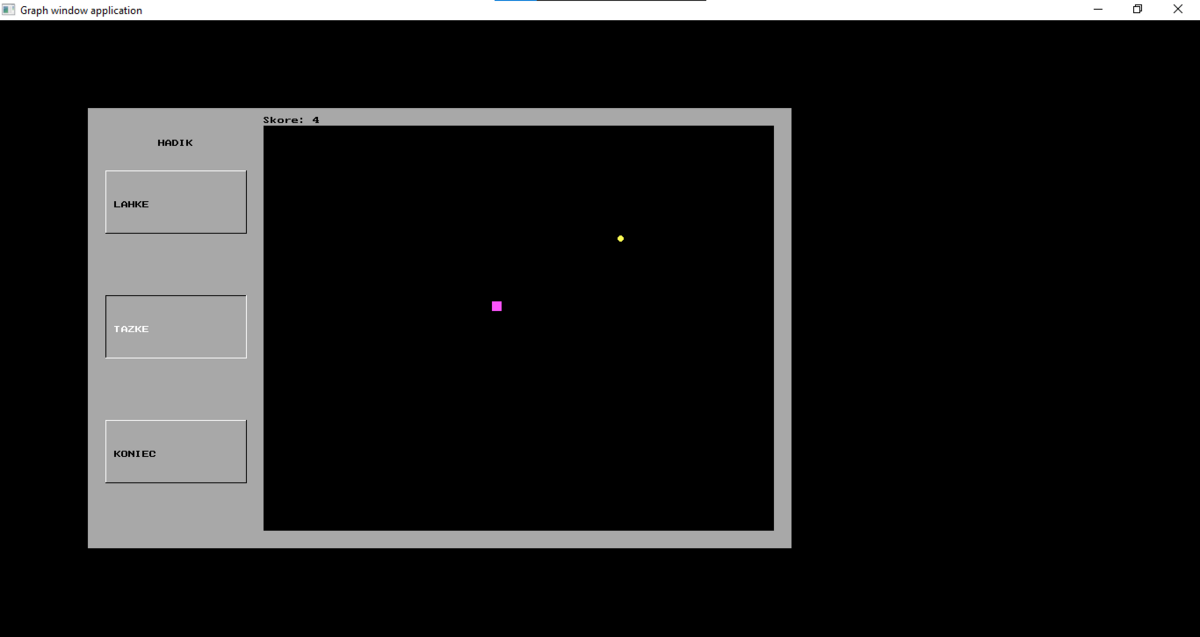
- Difficulty Levels: Choose between "Lahke" (Easy) and "Tazke" (Hard).
- Dynamic Menu: Navigate through the menu using arrow keys and make selections with the Enter key.
- Graphical Interface: The game employs Pascal's graph unit to provide a visual gaming experience.
- Score Display: Track your score as you collect targets and overcome obstacles.
- Game Over Message: Displays a victory or defeat message at the end of the game.
Controls
- Arrow Keys: Navigate through the menu and control the snake's movement during the game.
- Enter Key: Confirm selections in the menu.
Getting Started
- Copy the program code into your Pascal environment.
- Ensure that the Pascal environment supports the graph unit.
- Compile and run the program.
Difficulty Levels
- Lahke (Easy): Lower speed and simpler gameplay.
- Tazke (Hard): Higher speed and additional obstacles for a more challenging experience.
Gameplay Instructions
- Navigate the menu using the arrow keys.
- Confirm selections with the Enter key.
- In the game, control the snake's movement with the arrow keys.
- Collect targets to increase your score.
- Avoid collisions with obstacles and the game boundaries.
- The game ends when you reach the specified score or collide with an obstacle.
Screenshots
License
This project is licensed under the MIT License - see the LICENSE file for details.