

MNIST-live-tester

Small tool help you test your MNIST hand written recognition model.
- Quiet · last change 6-22-2021
- ★ 1 on GitHub
README
MNIST live tester
This small tool help you test your MNIST hand written recognition model.
Build
This project is depend on Python4Lazarus package, version >= 1.4. FPC version >= 3.2 is also required. Lazarus version >= 2.0 is recommended.
Download and Install
You can download the latest versions from this project release page.
The zip file contains a standalone executable file. You can launch it directly without any installation.
How to use
This tool was written in Free Pascal. But, to test your pre-built classification model, we must load your model in python. So, Python 3 must be installed. Besides, some packages and modules PIL, io, pickle are required for this tool to work properly.
To make your model compatible with this tool, your model must receive an array of MNIST images as input. More precisely, this tool will input your model with a NumPy array of shape (1, 28, 28). Your model must have the function 'predict' as this tool will benefit it to ask your model to work. Your model also has to output an array of numbers. This tool expects the result of shape (1, ) as the prediction.
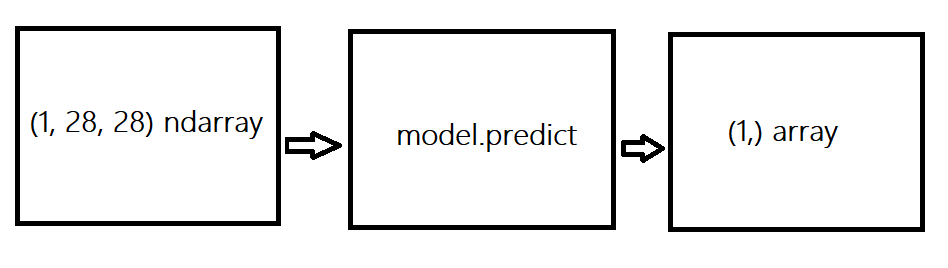
To construct a model that satisfied the above restriction, you can make use of sklearn pipeline. Let's just build a pipeline that receives mnist images, does some pre-processing, and lets some machine learning algorithm make a prediction. Finally, pickle it.
One more critical note is that your model sometimes required your code to be successfully run. For example, you use some custom pre-processing in the form of some function or class definition. Your model relies on it to make a prediction, but pickle does not save those function/class definitions. You will be asked to import those definitions in a ".py" file.
Now, all are set. Enjoy my tool.