

Catalog · How the catalog works
LazNodeEditor

A full-featured, cross-platform node-based visual editor component for Lazarus IDE (works on Windows and Linux).
- ★ 24 on GitHub
Anyone may press Interesting, signed in or not. It helps others find this project.
README
LazNodeEditor — Powerful visual node graph editor component for Lazarus (Free Pascal)
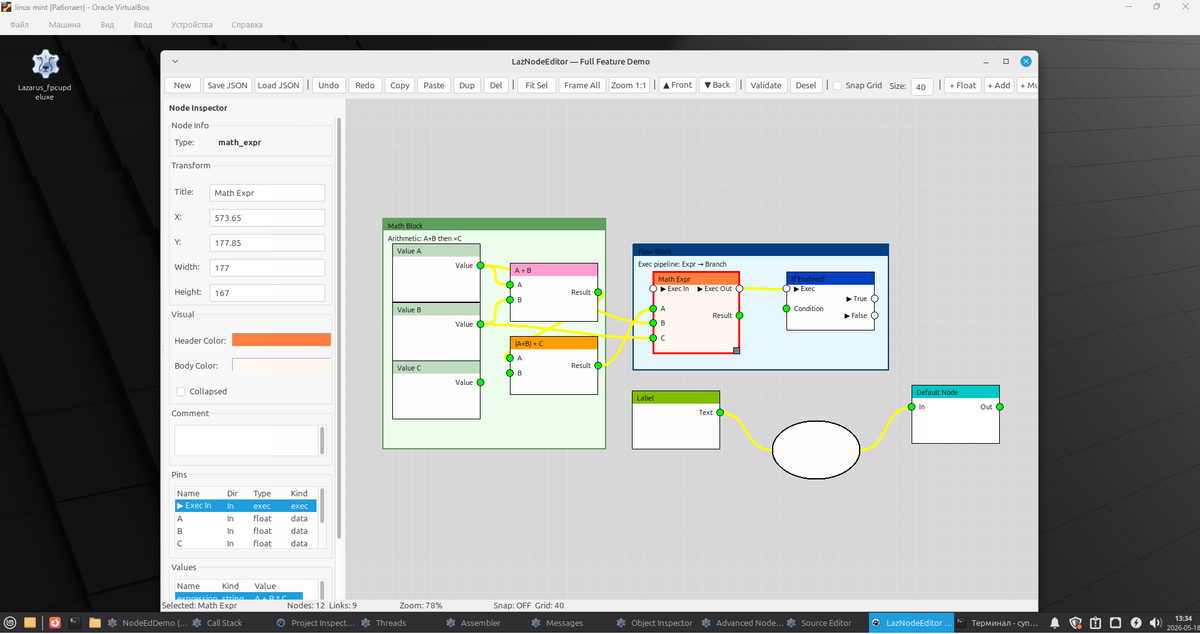
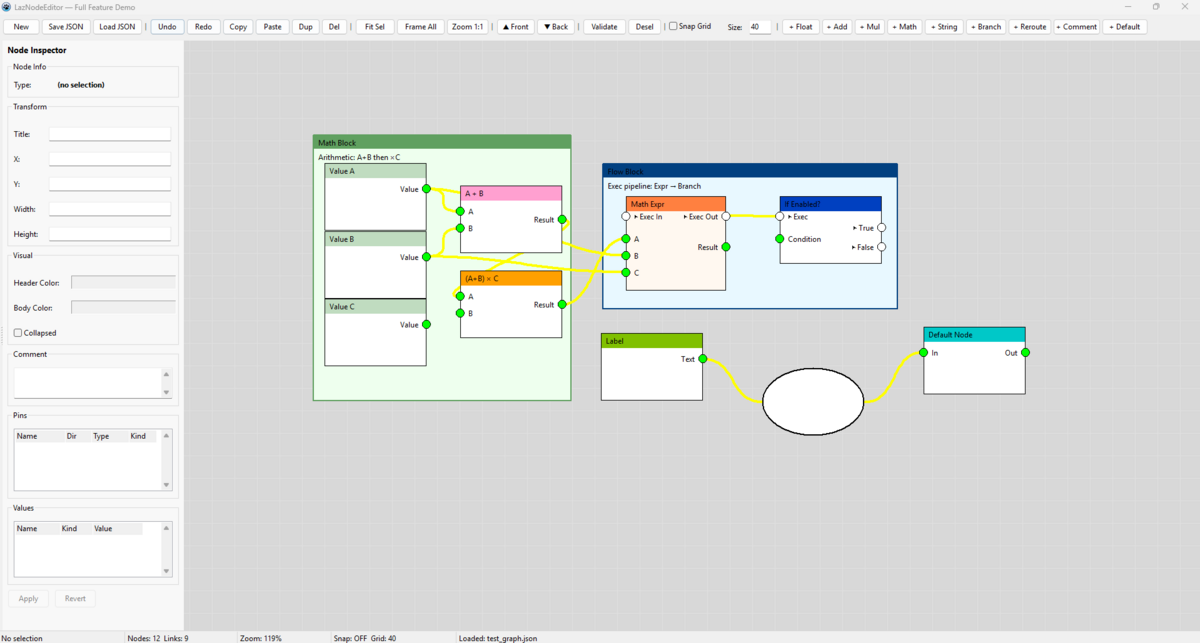
A full-featured, cross-platform node-based visual programming / dataflow editor component for Lazarus IDE (works on Windows and Linux).
Perfect for creating visual scripting tools, shader editors, game logic editors, automation tools, or any application that needs a node graph UI.
✨ Features
- Modern node UI with customizable header/body colors
- Two pin types:
pkExec(flow) andpkData(values) - Rich inspector — edit node properties, pins, values (float, int, string, boolean, JSON)
- Full undo/redo system with command pattern
- Save / Load as JSON (compatible with custom nodes)
- Snap to grid, zoom, pan, frame all, fit to selection
- Copy / Paste / Duplicate nodes (with links)
- Reroute nodes, Comment / Frame nodes
- Drag & drop node creation from context menu or toolbar
- Validation system
- Highly extensible — easy to register your own node classes
- Cross-platform (Windows + Linux tested)
📋 Requirements
- Lazarus 2.2+ or 3.0+
- Free Pascal 3.2.2+
- No external dependencies (pure LCL)
🚀 Installation
- Clone or download the repository
- Just add
laznodeeditor.pasto your project.
🛠️ Basic Usage
uses LazNodeEditor;

procedure TForm1.FormCreate(Sender: TObject);
begin
  Editor := TLazNodeEditor.Create(Self);
  Editor.Parent := Self;
  Editor.Align := alClient;

  // Optional: connect inspector
  Inspector.Editor := Editor;

  // Register custom nodes
  Editor.Graph.Registry.RegisterNodeEx(
    'my_custom_node', 'My Node', 'Category',
    'Description here', 'tag1,tag2', TMyCustomNode, $00FF8000);
end;
📌 Creating Custom Nodes
1. Inherit from TCustomNode
type
  TMyCustomNode = class(TCustomNode)
  public
    constructor Create(ATitle: string; AX, AY: Single;
      AWidth: Integer = 200; AHeight: Integer = 160); override;
    procedure SetupPins; override;
  end;
2. Implement constructor and SetupPins
constructor TMyCustomNode.Create(ATitle: string; AX, AY: Single; ...);
begin
  inherited;
  NodeType := 'my_custom_node';
  HeaderColor := $00FF4080;
  BodyColor   := $00FFF0F8;

  // Add values shown in inspector
  AddValue('threshold', nvkFloat).FloatValue := 0.5;
  AddValue('enabled', nvkBoolean).BooleanValue := True;
end;

procedure TMyCustomNode.SetupPins;
begin
  ClearPins;

  // Exec pins
  AddInput ('▶ Exec In',  'exec', pkExec, 35);
  AddOutput('▶ Exec Out', 'exec', pkExec, 35);

  // Data pins
  AddInput ('Value', 'float', pkData, 75);
  AddOutput('Result', 'float', pkData, 110);
end;
🎨 Node Types Included
| Node Type | Purpose |
|---|---|
default |
Basic node |
float |
Float constant |
add |
Math addition |
multiply_node |
Custom multiply example |
math_expr |
Advanced math with values |
string_node |
String constant |
branch_node |
Exec flow control |
reroute |
Reroute connection |
comment |
Visual frames / comments |
🔧 Key Properties & Methods
TLazNodeEditor
SnapToGrid,GridSizeZoom,OffsetX,OffsetYSaveToFile/LoadFromFileUndo,RedoCopySelectionToClipboard,PasteFromClipboardFrameAll,FitToSelectionValidateGraphToStrings
TLazNodeInspector
- Automatically shows selected node properties, pins, and values
- Color pickers, editors, grids for pins/values
🧪 Tested On
- Windows 10/11 (Lazarus 3.0)
- Linux (Ubuntu 22.04/24.04, GTK2/GTK3/Qt5/Qt6)
📄 License
MIT License.
🤝 Contributing
Contributions are welcome!
- Report bugs
- Add new example nodes
- Improve documentation
- Add more features (pin colors per type, sub-graphs, etc.)