

Catalog · How the catalog works
Envision

Run FLUX2 (klein, dev, base) or ZImage models natively in your Delphi , FPC or Lazarus IDE, written in pure pascal, no dependencies.
- ★ 32 on GitHub
Anyone may press Interesting, signed in or not. It helps others find this project.
README

Envision
A Lightweight FLUX2 or ZImage Inference engine
Written in Pure Pascal for (FPC, Lazarus or Delphi)
[!NOTE]
- Natively parses .Safetensors and .JSON files.
- Runs out‑of‑the‑box with no external dependencies.
- uses lazy loading and Disk Memory Mapping
mmap()significantly saving memory for systems with low RAM.- Hand written Intel x86_64 assembly code to squeeze out the best CPU performance possible.
- [Windows/Linux] if OpenBLAS is present on it will automatically bind to it and gain ~3× speed‑up.
- [MacOS] will automatically utilise the Accelerate Framework.
- Image edit support for FLUX2 ( reference image to image, multi ref images to image )
Table of Contents
Why pure pascal?
- Zero Runtime – The binary can be shipped to any machine without requiring a Pascal compiler or DLLs.
- Safety & Readability – Pascal’s strong typing and modularity reduce bugs in tensor manipulation.
- Cross‑Platform – Works on Windows, Linux, macOS with minimal changes.
- Concise Executable - The output executable is self-dependent, less than 4MB (Windows)
Supported Models
Currently only the following weights are shipped:
| Model | Model Format | Distilled | Ref img2img | Size |
|---|---|---|---|---|
| FLUX2‑Klein-4B | SafeTensors | :white_check_mark: | :white_check_mark: | ~14 GB |
| FLUX2‑Klein-9B | SafeTensors | :white_check_mark: | :white_check_mark: | ~20 GB |
| FLUX2‑Klein-base-4B | SafeTensors | :x: | :white_check_mark: | ~14 GB |
| FLUX2‑Klein-base-9B | SafeTensors | :x: | :white_check_mark: | ~20 GB |
| ZImage‑Turbo-9B | SafeTensors | :white_check_mark: | :x: | ~40 GB |
Installation
Requirement
Any of the two mainstream object pascal compilers :
(Optional for Windows and Linux) : Installing OpenBLAS will improve the CPU performance by ~X2 to 3 on x86_64 processors.
OpenBLAS is not required on MacOS (Intel or Silicon) since it will automatically use the native Accelerate framework.
Building
[Windows / Linux /MacOS]
- Use the "Download" menu or place the downloaded model folder in "Examples/models"
- Open the provided Project from the Example folder (If using Lazarus I recommend trying EnvisionGUI ) and hit run ▶️ (Debug or Release)
Showcase
Text To Image
on linux (GTK2)
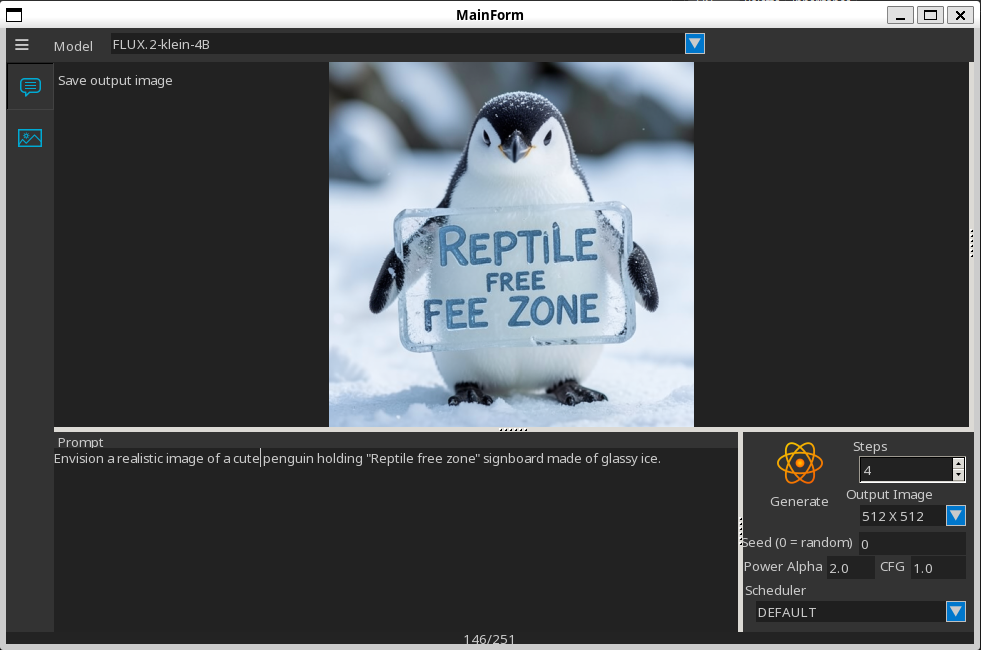
Image to Image
Windows
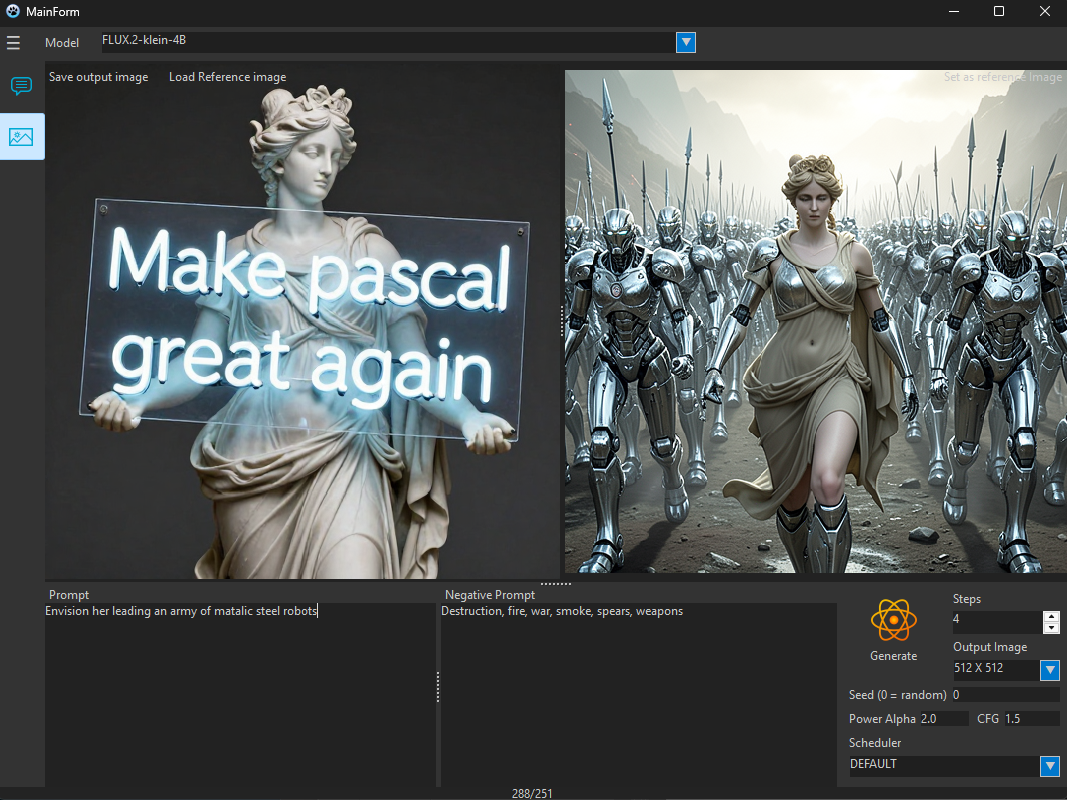
| Prompt | Originale Image | Generated Image |
|---|---|---|
| Make it smile and cartoonish! |  |
 |
| *Make her leading an army of steel robots, | ||
| holding the same signboard.* | 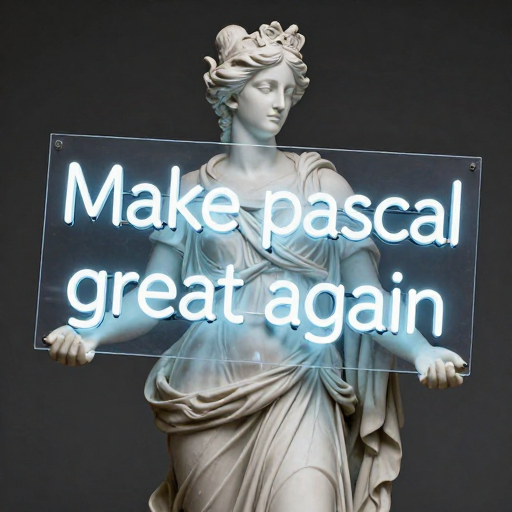 |
 |
Work in progress
(always in pure pascal)
- Vulkan support
- CUDA support
- More models support (working on Microsoft Mage and Krea2 now so stay tuned).
- Lightweight MCP Server for AI Agents.
- Further Optimisation
- LoRA Support.
Contribution
Issues and suggestions are welcome.
Star :star: this repository if you wish to see it improving.
Pull requests are welcome too, please consider the following guidelines :
- Rely on no external libraries or components, if you have to, make it optional not mandatory.
- Stay with-in the FreePascal/Lazarus/Delphi native units and ensure that the code works the same on both Lazarus and Delphi.
- if you have to use an optional dynamic linked (.so .dll .dylib) library, load it dynamically using
loadlibrary(), do not declare functions withexternal, let the program load them if they were detected in the system.
Donations (This will help improving this further):
Submit what improvements/features you would like to see in the issues section.
Contribution will be acknowledged, generous donations will get your name recognised in the about forms.