

Catalog · How the catalog works
duckdb-fp

A clean and intuitive wrapper for DuckDB in FreePascal, providing easy database operations and DataFrame-like result handling.
- ★ 35 on GitHub
Anyone may press Interesting, signed in or not. It helps others find this project.
README
🦆 DuckDB for FreePascal: An Intuitive Database Wrapper
A simple interface to work with DuckDB in FreePascal applications, featuring a DataFrame-like structure for handling query results similar to R or Python pandas.
Versioning: duckdb-fp releases track the DuckDB version they bundle — release
1.5.5bundles DuckDBv1.5.5. Wrapper-only fix releases add a fourth digit (for example1.5.5.1).
📚 Table of Contents
- 🦆 DuckDB for FreePascal: An Intuitive Database Wrapper
✅ Project Status
duckdb-fp is stable and maintained. Releases track the DuckDB version they bundle, so 1.5.5 is built and tested against DuckDB v1.5.5.
- Complete DuckDB 1.5.5 C API bindings (546 functions / 108 types)
- Test suite: 59 tests, 13 intentional exception tests, 0 failures
- CI builds the package and test suite, runs the tests, and compiles all examples on every push and pull request
- Verified with FreePascal 3.2.2 and Lazarus 4.8 on Windows x64
If you run into a problem, please open an issue — bug reports and contributions are welcome.
🚀 Getting Started with DuckDB for FreePascal
This guide will help you get started with the DuckDB FreePascal wrapper, covering the most common use cases.
📋 Prerequisites
- FreePascal 3.2.2 or later
- Lazarus 4.0+ (to run examples and tests; developed and tested with 4.8)
- DuckDB DLL v1.5.5 or later
🔧Installation
- Add these files to your project:
src/DuckDB.Wrapper.passrc/DuckDB.DataFrame.passrc/DuckDB.SampleData.pas(optional, for sample datasets)src/libduckdb.pas
- Ensure the DuckDB library (DLL/SO) is in your application's path
- Add the required units to your project:
uses
  DuckDB.Wrapper, DuckDB.DataFrame;
🆕 Getting Started from Scratch
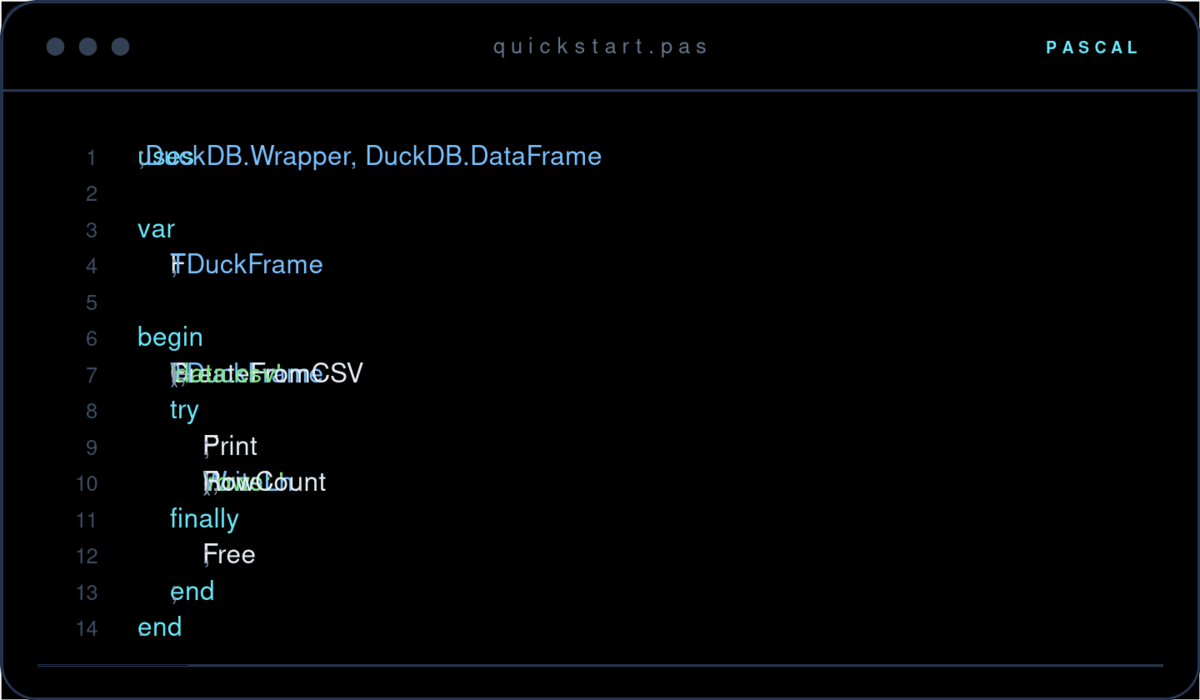
Create a new DataFrame with custom columns and add data:
var
  DuckFrame: TDuckFrame;
begin
  // Create DataFrame with specified columns and types
  DuckFrame := TDuckFrame.CreateBlank(['Name', 'Age', 'City'],
                                    [dctString, dctInteger, dctString]);
  try
    // Add rows
    DuckFrame.AddRow(['John', 25, 'New York']);
    DuckFrame.AddRow(['Alice', 30, 'Boston']);

    // Display the DataFrame
    DuckFrame.Print;

    // Save to CSV if needed
    DuckFrame.SaveToCSV('output.csv');
  finally
    DuckFrame.Free;
  end;
end;
🦆 Getting Started with DuckDB Tables
Connect to a DuckDB database and query existing tables:
var
  DB: TDuckDBConnection;
  Frame: TDuckFrame;
begin
  DB := TDuckDBConnection.Create;
  try
    // Connect to database (use ':memory:' for in-memory database)
    DB.Open('mydata.db');

    // Query existing table
    Frame := DB.Query('SELECT * FROM my_table');
    try
      // Basic operations
      Frame.Print;                    // Display data
      Frame.Describe;                 // Show statistical summary
      Frame.Info;                     // Show structure info

      // Basic analysis
      WriteLn('Row count: ', Frame.RowCount);

      // Access specific values
      WriteLn(Frame.ValuesByName[0, 'column_name']);

    finally
      Frame.Free;
    end;
  finally
    DB.Free;
  end;
end;
📄 Getting Started with CSV Files
Load data from CSV files and analyze it:
var
  DF: TDuckFrame;

begin
  // Basic usage - default settings (has headers, comma delimiter)
  DF := TDuckFrame.CreateFromCSV('data.csv');
  try
    DF.Print;  // Display the data
    WriteLn;

    DF.Describe; // Show summary statistics
    WriteLn;

    DF.UniqueCounts('country').Print; // Show unique counts of country
  finally
    DF.Free;
  end;
end.
📄 Working with Parquet Files
Create a DataFrame from Parquet files:
var
  Frame: TDuckFrame;
begin
  // Load single Parquet file
  Frame := TDuckFrame.CreateFromParquet('data.parquet');
  try
    Frame.Print;  // Display the data
  finally
    Frame.Free;
  end;
end;
Load multiple Parquet files as a single DataFrame:
var
  Frame: TDuckFrame;
  Files: array of string;
begin
  SetLength(Files, 3);
  Files[0] := 'data1.parquet';
  Files[1] := 'data2.parquet';
  Files[2] := 'data3.parquet';

  // Load multiple files
  Frame := TDuckFrame.CreateFromParquet(Files);
  try
    WriteLn('Total rows: ', Frame.RowCount);
    Frame.Print;
  finally
    Frame.Free;
  end;
end;
🔍 Common Operations
📊 Analyzing Data
// Statistical summary
Frame.Describe;

// Structure information
Frame.Info;

// Missing value analysis
Frame.NullCount.Print;

// First/last rows
Frame.Head(5).Print;  // First 5 rows
Frame.Tail(5).Print;  // Last 5 rows

// Correlation analysis
Frame.CorrPearson.Print;  // Pearson correlation
Frame.CorrSpearman.Print; // Spearman correlation
🔗 Combining DataFrames
var
  Combined: TDuckFrame;
begin
  // Union with duplicate removal
  Combined := Frame1.Union(Frame2);

  // Union keeping all rows
  Combined := Frame1.UnionAll(Frame2);

  // Union modes:
  // umStrict - Requires exact column match
  // umCommon - Only common columns
  // umAll    - All columns (NULL for missing)
  Combined := Frame1.Union(Frame2, umCommon);
end;
🚨 Error Handling
Always use try-finally blocks and handle exceptions:
try
  // Your DuckDB operations here
except
  on E: EDuckDBError do
    WriteLn('DuckDB Error: ', E.Message);
  on E: Exception do
    WriteLn('Error: ', E.Message);
end;
🚶 Next Steps
- Check the examples folder for more detailed examples
- Read the API documentation for other features
- Check the TESTING.md file for information on how to run and maintain the test suite
🧱 Building the Examples
A single script builds every example project and collects the binaries, the DuckDB library, and the sample datasets into example-bin/:
pwsh -File scripts/build-examples.ps1Options:
# release builds, fresh output folder, custom lazbuild
pwsh -File scripts/build-examples.ps1 -BuildMode Release -Clean -LazBuild C:\lazarus\lazbuild.exe
The compiled executables are placed in example-bin/ together with duckdb.dll and sample_data/, so they can be run directly. A build.log with the full compiler output is written there as well.
📑 API Reference
✨Features
- Native DuckDB Integration 🦆
- Seamlessly connect and interact with DuckDB databases for efficient data processing.
- Comprehensive DataFrame Operations 📊
- Perform operations similar to pandas (Python) or data frames (R), enabling intuitive data manipulation.
- File Handling 📁
- CSV Files:
- Read CSV files with automatic type inference (
TDuckDBConnection.ReadCSV). - Save DataFrames to CSV with RFC 4180 compliance (
TDuckFrame.SaveToCSV).
- Read CSV files with automatic type inference (
- Parquet Files:
- Load single or multiple Parquet files into a DataFrame (
TDuckFrame.CreateFromParquet).
- Load single or multiple Parquet files into a DataFrame (
- CSV Files:
- Data Analysis Capabilities 🔍
- Basic Statistics:
- Calculate mean, standard deviation, minimum, maximum, and quartiles (
Describe).
- Calculate mean, standard deviation, minimum, maximum, and quartiles (
- Correlation Analysis:
- Compute Pearson (
CorrPearson) and Spearman (CorrSpearman) correlation matrices.
- Compute Pearson (
- Frequency Counts:
- Generate frequency counts of unique values (
ValueCounts). - Count the number of unique entries in a column (
UniqueCounts).
- Generate frequency counts of unique values (
- Missing Value Handling:
- Remove rows with any null values (
DropNA). - Fill null values with a specified value (
FillNA).
- Remove rows with any null values (
- Basic Statistics:
- DataFrame Combination Techniques 🔗
- Join Operations:
- Perform joins with another DataFrame based on different join modes (
Join).
- Perform joins with another DataFrame based on different join modes (
- Union Operations:
- Combine DataFrames and remove duplicates (
Union). - Combine DataFrames while keeping all rows, including duplicates (
UnionAll). - Remove duplicate rows (
Distinct).
- Combine DataFrames and remove duplicates (
- Flexible Union Modes:
umStrict: Requires an exact match of column names and types.umCommon: Includes only columns that exist in both DataFrames.umAll: Includes all columns, filling missing values withNULLwhere necessary.
- Join Operations:
- Data Access Methods 🔑
- Retrieve column information by index or name (
GetColumn,GetColumnByName). - Access and modify data using row and column indices or names (
Values,ValuesByName,SetValue). - Find the index of a column by its name (
FindColumnIndex).
- Retrieve column information by index or name (
- Data Manipulation Methods 🛠️
- Row Operations:
- Clear all data from the DataFrame (
Clear). - Add new rows with specified values (
AddRow).
- Clear all data from the DataFrame (
- Column Operations:
- Add new columns with specified names and types (
AddColumn). - Rename existing columns (
RenameColumn). - Select and retain specific columns (
Select).
- Add new columns with specified names and types (
- Filtering and Sorting:
- Filter rows based on column values and comparison operators (
Filter). - Sort DataFrames by one or multiple columns in ascending or descending order (
Sort).
- Filter rows based on column values and comparison operators (
- Row Operations:
- Sampling 📊
- Sample the first few rows (
Head) or the last few rows (Tail) of the DataFrame. - Retrieve random samples of data either by count or percentage (
Sample).
- Sample the first few rows (
- Descriptive Statistics and Information 📈
- Display a comprehensive statistical summary of the DataFrame (
Describe). - Show basic information such as the number of rows, columns, data types, and memory usage (
Info). - Count null values per column (
NullCount).
- Display a comprehensive statistical summary of the DataFrame (
- Visualization 🎨
- Plot histograms for numeric columns to visualize data distribution (
PlotHistogram).
- Plot histograms for numeric columns to visualize data distribution (
- Helper Methods 🧰
- Type Conversion:
- Attempt to convert values from one data type to another (
TryConvertValue).
- Attempt to convert values from one data type to another (
- Statistical Calculations:
- Calculate statistical metrics for columns (
CalculateColumnStats). - Determine specific percentiles within data (
CalculatePercentile).
- Calculate statistical metrics for columns (
- Type Conversion:
- Pretty Printing ✨
- Display DataFrame contents in a formatted table with customizable row limits (
Print).
- Display DataFrame contents in a formatted table with customizable row limits (
- Error Handling and Resource Management 🛡️
- Utilize try-finally blocks to ensure proper memory management.
- Handle exceptions gracefully to maintain robust applications.
- Flexible Data Loading 📥
- Load data from DuckDB result sets (
LoadFromResult). - Support for both single and multiple Parquet files, facilitating scalable data processing.
- Load data from DuckDB result sets (
- Data Export 📤
- Export processed and analyzed data to CSV files, ensuring compatibility and ease of data sharing.
- Integration with DuckDB Connection 🦆
- Directly query and manipulate data from DuckDB databases, enhancing data workflow efficiency.
🤝 Contributing
Contributions are welcome! Please feel free to submit a Pull Request.
📜 License
This project is licensed under the MIT License - see the LICENSE.md file for details.
🙏 Acknowledgments
- DuckDB Team for the amazing database engine.
- Free Pascal Dev Team for the Pascal compiler.
- Lazarus IDE Team for such an amazing IDE.
- rednose🇳🇱🇪🇺 of the Unofficial Free Pascal discord server for providing the initial DuckDB Pascal bindings via Chet.
- The kind and helpful individuals on various online platforms such as;