

Eschecs
UCI chess GUI
- Active · last change 4-12-2025
- ★ 5 on GitLab
README
Eschecs
Overview
Eschecs is an application to play chess against UCI engines.
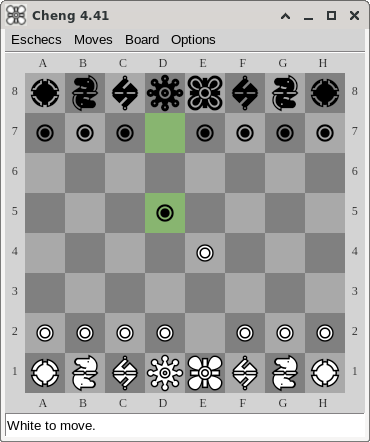
Usage
Eschecs is shipped with at least one engine (Cheng).
If you wish to use another one, start Eschecs with the engine path as parameter. For example, if you want to play against CT800, you can do something like this (on Linux, but the principle is the same for Windows):
./eschecs /home/roland/chess/engines/CT800_V1.42You can find here a list of UCI engines that you could use with Eschecs.
Keyboard Controls
| Key | Effect |
|---|---|
| ↑ | Go to last position |
| ↓ | Go back to first position |
| ← | Go back to previous position |
| → | Go to next position |
| D | Open debug window |
| Ctrl+Q | Quit |
When you quit the program by pressing Ctrl+Q, the current game and options are automatically saved. To quit the program without saving, use the window Close button.
Book
Eschecs uses a Polyglot opening book.
The default book is the small Polyglot book by Olivier Deville.
If you wish to use another one, please open config/eschecs.ini in a text editor and change this line:
book=books/gm2001.binCommand line options
The behaviour and the appearance of Eschecs can be customized using command line parameters. Please see available options.
Build
You can build Eschecs by yourself, provided that you have the Free Pascal compiler installed. If it will be easier if you also have git.
Please see instructions.
Authors
Eschecs is a program written by Roland Chastain, with contributions by Johann Elsass and Fred van Stappen.
Thanks to Sandy Veerabadren for testing patiently the application and sending detailed reports.
Cheng is a chess engine written by Martin Sedlák. CT800 is a chess engine written by Rasmus Althoff.
Alternatives
Migration warning
The project has moved to Codeberg.