

DzDirSeek

- Quiet · last change 4-29-2019
- ★ 1 on GitHub
README
DzDirSeek
Delphi non-visual component to search files in directories
Introduction
When using Delphi and working with files and directories, eventually you need to search and get a list of files in a directory, or even search files in sub-directories.
This could be a little difficult using old FindFirst and FindNext functions. Now we have new methods overloads TDirectory.GetFiles, available at System.IOUtils unit.
But, even using GetFiles methods, if you need some advanced parameters like include sub-directories, you will need to iterate all directories. Also if you want to specify mask that include some part of path string, you will need to work with strings in your code every time you need this resource.
So, I decided to build this component to become an easy way to search files.
Installing
Auto install
Close Delphi IDE and run CompInstall.exe app to auto install component into Delphi.
Manual install
- Open DzDirSeek package in Delphi.
- Ensure Win32 Platform and Release config are selected.
- Then Build and Install.
- If you want to use Win64 platform, select this platform and Build again.
- Add sub-path Win32\Release to the Library paths at Tools\Options using 32-bit option, and if you have compiled to 64 bit platform, add sub-path Win64\Release using 64-bit option.
Supports Delphi XE2..Delphi 10.3 Rio
How to use
Just fill desired properties and call method Seek.
Then you can read the public property List (TStringList) to get all found files.
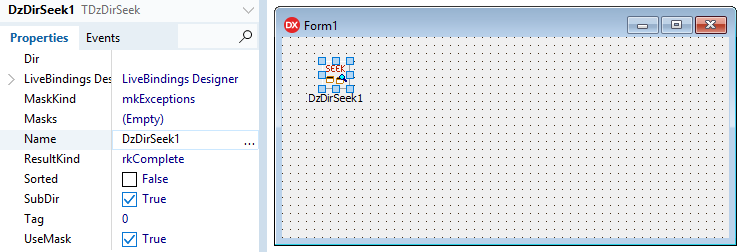
Properties
Dir: String = Path to search
MaskKind: TDSMaskKind =
- mkInclusions: Only the masks specified at Masks property will be included in results. If you leave Masks property blank, no file will be retrieved.
- mkExceptions (default): All files will be included in results, except the files which matches Masks properties. If you leave Masks property blank, all files will be retrieved.
Masks: TStrings = The list of masks using Windows Masks typing, each mask per line. Some allowed masks:
*.txt
myapp.exe
*xyz*.doc
myfile?.rtf
*\sub_path\*
first_path\*
path1\path2\file.avi
<F>*abc*
If you use the string
<F>with a mask, it will be considered only the file name part of the path. This is useful when the mask could be confused with the directory part.
Example: Let's assume there is a path C:\MyApp. Inside this folder there is another folder C:\MyApp\SubFolder. Inside this last folder, there is a file called my_app_file.txt.
So, if we need to exclude all files that contains the text "app", we can specify at Masks property: *app*. But in this case, the folder will be excluded too, because they matches the expression *app*, and assuming that we want to include this directory because there are another files with other different names. In this case, we can use <F>*app*. This will consider only the file name part when the component checks the masks.
This property depends on UseMask property enabled. Also it will work according to MaskKind property definition.
ResultKind: TDSResultKind =
- rkComplete (default): The result will include the full file path (search path + sub-directories + file name)
- rkRelative: The result will include only the relative path, without the search path (sub-directories + file name)
- rkOnlyName: The result will include only the file name, without search path or sub-directories.
Sorted: Boolean = If enabled, it will retrieve directories and files alphabetically sorted. (default False)
SubDir: Boolean = If enabled, it will scan files in all sub-directories inside search path. (default True)
UseMask: Boolean = If enabled, it will consider Masks and MaskKind properties. If disabled, it will retrieve always all files. (default Enabled).