

Catalog · How the catalog works
CustomLineNumbers

Notepad++ plugin to display line numbers in a custom format
- ★ 1 on GitHub
Anyone may press Interesting, signed in or not. It helps others find this project.
README
CustomLineNumbers plugin for Notepad++
Builds for 32 and 64 bits Notepad++ installations available
Author: Andreas Heim, 2018
Features
With this plugin you can display line numbers in the line number margin of Notepad++ in a customizable format, e.g. as hex numbers. You can also configure the starting line number.
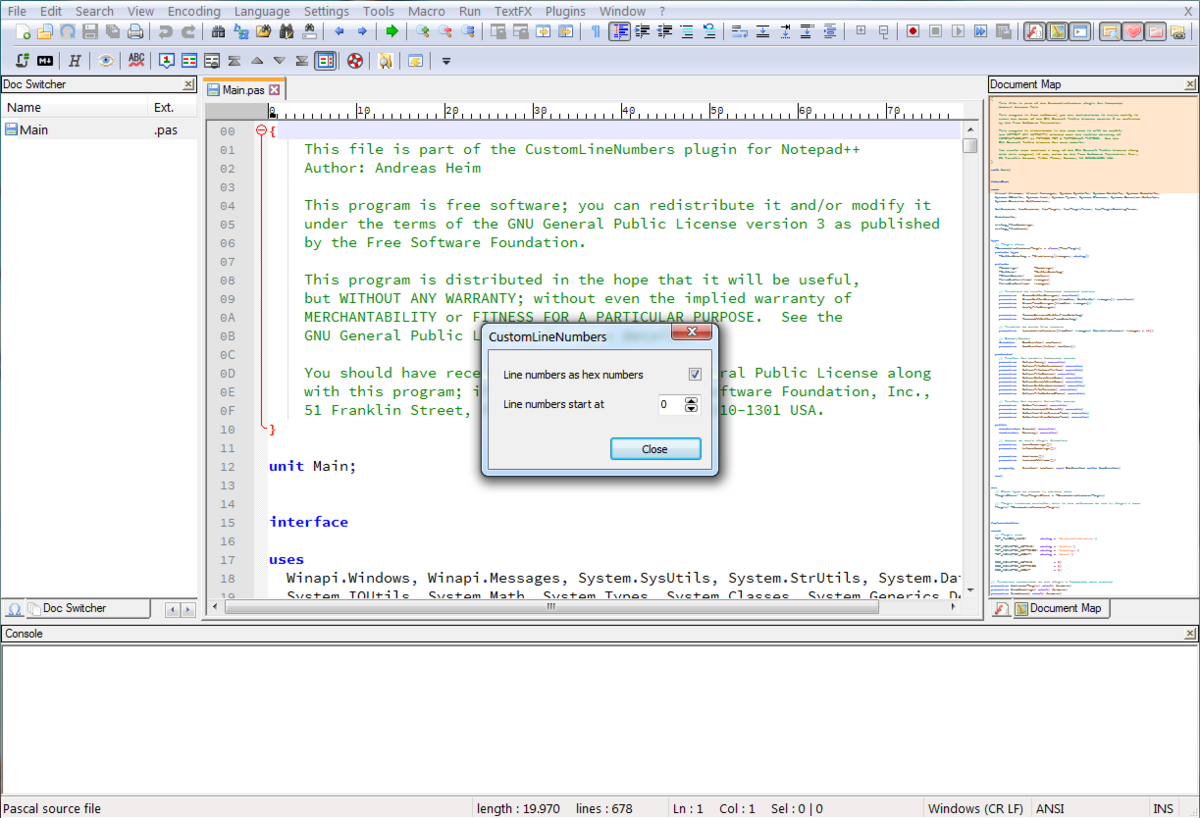
Manual installation
- Download the latest release. If you run a 32 bits version of Notepad++ take the file "CustomLineNumbers_vX.X_UNI.zip". In case of a 64 bits version take the file "CustomLineNumbers_vX.X_x64.zip".
- Unzip the downloaded file to a folder on your harddisk where you have write permissons.
- Copy the file "WinXX\CustomLineNumbers.dll" to the "plugins" directory of your Notepad++ installation. You can find the "plugins" directory under the installation path of Notepad++.
- Copy the file "CustomLineNumbers.txt" to the directory "plugins\doc". If it doesn't exist create it.
History
v1.1.5 - September 2018
- fixed: Still problems with missing line numbers when changing height of Notepad++ window.
v1.1.4 - September 2018
- fixed: Missing line numbers when increasing height of Notepad++ window.
v1.1.3 - September 2018
- fixed: Severe performance decrease when editing files with even a few hundred lines.
- changed: Cursor feedback while line numbering removed.
v1.1.2 - September 2018
- fixed: Notepad++ hangs for a while when it shuts down.
- enhanced: The plugin provides cursor feedback while line numbering.
v1.1.1 - September 2018
- fixed: Line numbers disappear after reloading a file.
v1.1 - September 2018
- enhanced: Displaying line numbers as hexadecimal numbers and line numbers offset can be configured now.
- enhanced: Reduced superfluous calls to line numbering function, useful especially when working with large files.
v1.0 - September 2018
- Initial version