

Catalog · How the catalog works
Delphi-VCL-Indy-Rest-Client-Pricing-App

Delphi Indy Rest Client Application Part 3
- ★ 1 on GitHub
Anyone may press Interesting, signed in or not. It helps others find this project.
README

Part 3 VCL Rest Pricing Client Application
Background
This is a VCL Rest Pricing Client Application at a fundamental working level. This App can easily be incorporated into a functional Windows Ribbon Styled or Modern Windows 10 styled Application. This App will fast track your development should you lack experience in Rest Client Development.
A rest server application is live and this application will connect directly to the live server for testing.
Scope
- The Application required the REST calls to be made in JSON.
- The Application must be able to send a GET REST call to receive the actual SERVER Price List.
- View in a Grid.
- Must be able to save the Web-Site Pricelist directly to application’s LOCAL DB.
- View the LOCAL DB Pricelist in Grid.
- Perform the CRUD (Create, Read, Update, Delete) functions to the Local-DB Pricelist.
- Must update the Web-Server Pricelist.
Required
- Delphi IDE VCL with the latest INDY library loaded.
- superobject Library for JSON processing.
What Libraries are created?
- Delete Rest Response library and
- JSON Parser library
Application
This application requires a Database to operate so a simulated json.txt database is used. The Clientdataset is used as the in-memory database to communicate to the DBgrids.
A pagecontrol is added to the mainform with two tabs:-
- App(db) table – interacts with the local database
- Webserver (data) table – interacts with the data in the rest server.
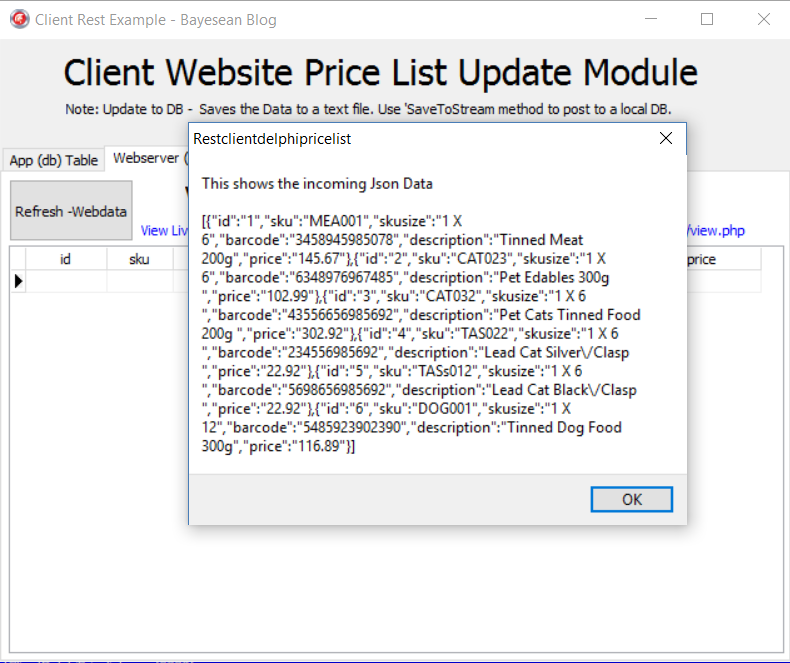
The Application will start with the Webserver data being updated in a grid. The purpose is to compare the local pricing with the Webserver pricing. This data can also be transferred to the App side pricing to edit change and send back to the webserver and then synchronise the webserver with the local database.
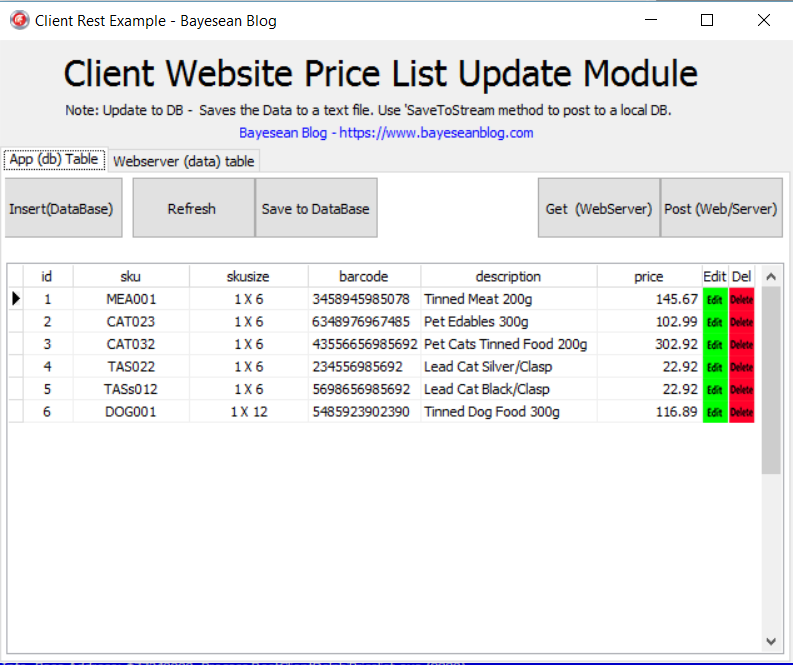
The App(db) table - has the CRUD functions where all the editing takes place.
Two libraries DatasetUtils.pas and JsonDatasetConverter.pas are used for Dataset calls…
UnMarshalltoDataset, ClientDatasetToJson, CreateField and CreateDatasetField.
All data is converted to Json for database saving and for sending to the rest-server.
-
Instead of creating a local DB parser to compare the two database tables (local and Server) which would require synchronising of changed data followed by making a multitude of PUT and POST calls to the Webserver to synchronise the data.
-
The easiest option is as follows:-
- First Delete all the data in the REST Server Database. In Part 1 it has a REST call to Delete all …Delete /0 which truncates (clears the contents and sets the index key to 0) the Restserver Database table.
- A call is made to first Delete all data followed by a call to POST the Edited local DB data to the now empty REST Server Database table.
-
Now both the Local Application Database and Rest Server Database are synchronised.
On PostwebserverbtnClick, the data is saved to the simulated Database then the DBGrid is reloaded.
{code}
procedure Tfmmain.PostwebserverbtnClick(Sender: TObject);
var
http: TIDHttp;
response: string;
jsonresponse: string;
jsontoweb: Tstream;
begin
// save to simulated DB before sending Post data
SavetosimulatedDB;
LoadfromsimulatedDB;
begin
http := TIDHttp.Create(nil);
http.HandleRedirects := true;
http.ReadTimeout := 5000;
http.MaxAuthRetries := 0;
http.HTTPOptions := [hoKeepOrigProtocol];
{ for using Header Authorization
//Http.HTTPOptions := [hoInProcessAuth];
// Http.Request.CustomHeaders.Clear;
// Http.Request.CustomHeaders.AddStrings('');
//http.Request.BasicAuthentication := true;
// Http.Request.Username := '';
// Http.Request.Password := ''; }
http.Request.Accept := 'http';
http.Request.ContentType := 'application/json';
try
// need to have delete/all in API for this to work and clear the id's
response := http.Delete
('http://www.bayeseanblog.com/blog/public/demo/salesrest/public/api/pricing/delete/0');
// Showmessage(response);
except
on E: EIdHTTPProtocolException do
Showmessage('Could not Connect to the Internet - Connection error!');
// connection with a client in a "peaceful" way
on E: EIdConnClosedGracefully do
Showmessage
('Could not connect to the Internet - Connection was closed gracefully!');
// this exception class covers all the low level socket exceptions
on E: EIdSocketError do
Showmessage
('Could not Connect to the Internet - Connection socket error!');
// this exception class covers all exceptions thrown by Indy library
on E: EIdException do
Showmessage
('Could not connect to the Internet - Connection error exception!');
// all exceptions different from those listed above
on E: Exception do
Showmessage('Unable to connect to the Internet!');
end;
response := '';
if not(ClientDataSet1.Active) then
fmmain.ClientDataSet1.CreateDataSet;
jsontoweb := TStringStream.Create(ClientDataSetToJSON(ClientDataSet1),
System.SysUtils.TEncoding.UTF8);
try
// sends all data to rest api
jsonresponse :=
http.Post(
'http://www.bayeseanblog.com/blog/public/demo/salesrest/public/api/pricing/add/all''
jsontoweb);
except
on E: EIdHTTPProtocolException do
Showmessage('Could not Connect to the Internet - Connection error!');
// connection with a client in a "peaceful" way
on E: EIdConnClosedGracefully do
Showmessage
('Could not connect to the Internet - Connection was closed gracefully!');
// this exception class covers all the low level socket exceptions
on E: EIdSocketError do
Showmessage
('Could not Connect to the Internet - Connection socket error!');
// this exception class covers all exceptions thrown by Indy library
on E: EIdException do
Showmessage
('Could not connect to the Internet - Connection error exception!');
// all exceptions different from those listed above
on E: Exception do
Showmessage('Unable to connect to the Internet!');
end;
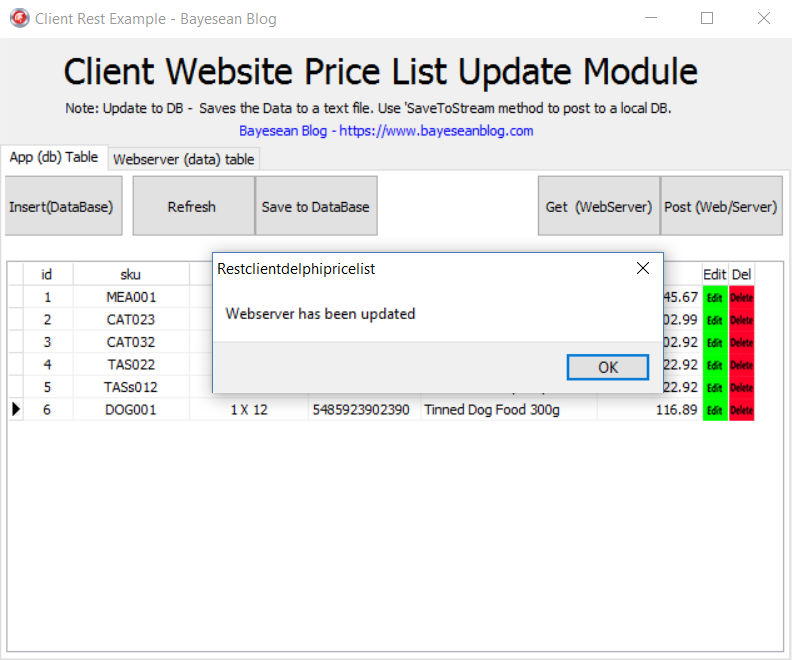
Showmessage('Webserver has been updated');
end;
http.Free;
jsonresponse := '';
end;
{/code}
Testing
The VCL Application is set to call directly to the Live Webserver. Live calls to save all are as follows:- 'http://www.bayeseanblog.com/blog/public/demo/salesrest/public/api/pricing/add/all'
The Application should function 100% . You may have to deactivate your Antivirus should it block the calls.
Happy Coding…