

Catalog · How the catalog works
FactoryX-RDJ

Digital DJ Studio for Delphi
- ★ 2 on GitHub
Anyone may press Interesting, signed in or not. It helps others find this project.
README
RDJ & DJSuite
RDJ
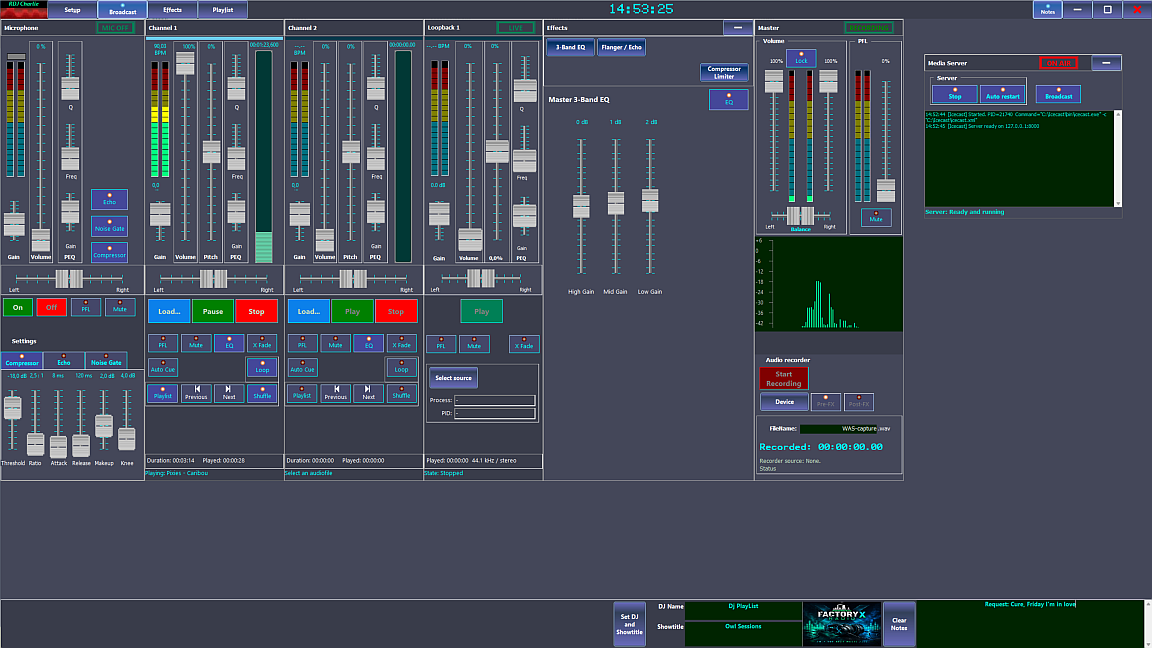
This application is a multi-channel audio mixer with effects.
The Mixer is fully adjustable for audio endpoint assignments, mixer decks and loopback decks.
This mixer is primarily intended for live music, but it's capable of WAN/LAN broadcasting with Caddy/IceCast.
Note:
Before compiling this sample make sure, you have all needed components installed first (see instructions).
RDJ Pro
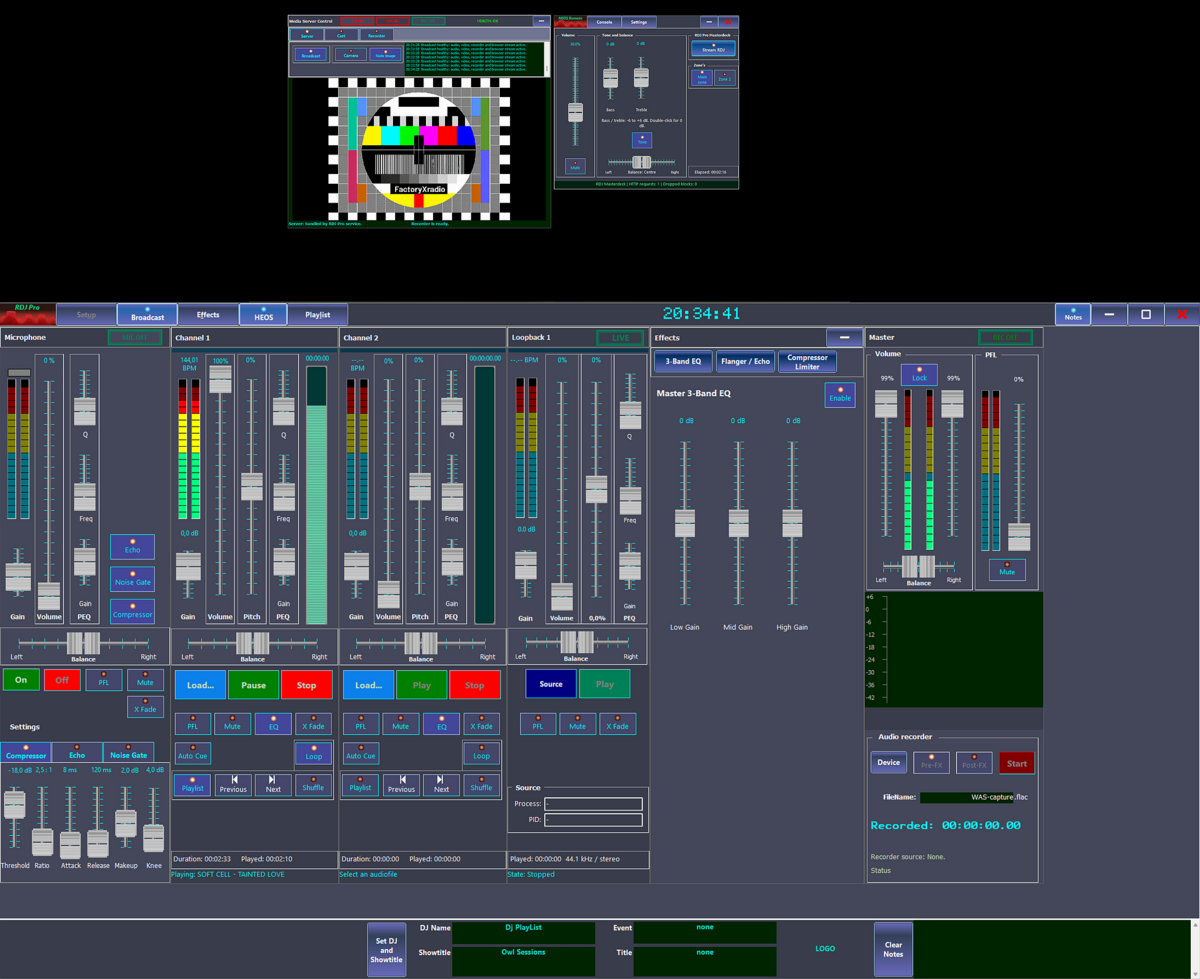
RDJ Pro is the extended version of RDJ.
Where RDJ mainly demonstrates DJ-style audio playback and mixing,
RDJ Pro adds a complete live broadcast layer around the mixer.
RDJ Pro provides all RDJ functions: Channel decks, loopback decks, microphone input, effects,
PFL/cue monitoring, playlist editing, tag editing, and local recording.
The Pro version expands this into an audio/video streaming application.
It can combine the live program audio with camera video or a static video source,
encode the result with Microsoft Media Foundation, and publish it as a browser-playable stream.
The main technical difference is the broadcast pipeline.
RDJ Pro uses Media Foundation Sink Writer and the MPEG-4 media sink to create fragmented MP4 chunks.
RDJ Pro observes the generated MP4 byte stream, extracts and patches fMP4 fragments,
writes a rolling live.json manifest and serves the result through FxServe or an alternative proxy server like Caddy.
Modern browsers can then play the stream using Media Source Extensions.
RDJ Pro also writes now-playing metadata, artwork links, on-air state, and
listener counts to JSON files for the web interface.
It includes safeguards for long-running broadcasts, such as bounded queues,
fragment cleanup, FxServe mirroring, sleep prevention options, and clean shutdown handling.
RDJ Pro supports casting to Cromecast devices on your local network using the MfPack Cast V2 protocols.
RDJ Pro also streams the live Masterdeck mix to Denon/Marantz HEOS devices. Open HEOS and toggle Stream RDJ to start or stop. RDJ Master Volume and balance affect the outgoing audio; HEOS Remote volume independently sets the receiver's listening level. See the HEOS integration notes.
An extra tool, FxRecord, is provided for broadcast stations that needs to record their broadcasts for a period by law. FxRecord is designed to run on a local pc or server as a Windows service. FxRecordAdmin is a tool that is able to control FxRecord within the local network. An FxAlert App running on smartphones or pc's is provided to watch FxRecord and alert admins of the recording/server status.
Note:
Before using this sample make sure, you have all needed components installed (see instructions).
Dependencies for Delphi development
- MfPack Version 4.0.0 or higher.
- FactoryX HEOS CLI for Delphi, for RDJ Pro HEOS streaming.
- Delphi XE7 up to and including Delphi 13.1.
- Windows 10 22H2 or higher.
Important note:
The latest Windows 11 versions do not support Dolby AC-3 and H.265 (hvec) encoders.
Those you can buy from Microsoft Store or download elsewhere.
Binaries
DJSuite
Current installer: FactoryX-DJSuite-4.0.0.5-Setup.exe, including the updated RDJ Pro HEOS integration and guides.
DJSuite is a Windows setup application for installing RDJ or RDJ Pro and the optional tools needed to broadcast, serve and record a radio station. It can be used on a studio PC, server or another recording PC. An installation includes either RDJ or RDJ Pro. DJSuite applications run on Windows 10 22H2 and above.
What's included
- RDJ — audio radio broadcasting application.
- RDJ Pro — audio and video radio broadcasting application.
- FxServe — optional web and broadcast server (recommended for RDJ Pro only).
- FxServe Admin — optional FxServe administration tool (recommended for RDJ Pro only).
- FxRecord — optional broadcast recorder for desktop or Windows service use.
- FxRecord Admin — optional recorder administration tool.
- Caddy — optional web server.
- Icecast — optional streaming server, installed through its own setup wizard.
- Web applications and supporting files — player, FxAlert, website assets, SQLite libraries and setup guides.
The applications include 32-bit and 64-bit releases. Bundled Caddy and Icecast packages are 64-bit. Users needing 32-bit versions should check the Caddy and Icecast sites for compatible downloadsand install them separately.
Setup lets users choose components, application and data folders, recording locations, network access and optional service registration. Existing settings, customized website files and recordings are preserved.
See the Setup guide for installation instructions.
Download the Windows Installer here
Project: Media Foundation - MFRDJ
Project location:
https://github.com/FactoryXCode/FactoryX-RDJ
https://sourceforge.net/projects/MFPack
First release date: 08/05/2026
Final release date: 03/11/2026
Copyright © FactoryX. All rights reserved.