

Catalog · How the catalog works
Frosted-Glass

A premium, minimalist desktop suite for Rainmeter with luxury glassmorphism effects.
- ★ 2 on GitHub
Anyone may press Interesting, signed in or not. It helps others find this project.
README
❄️ Frosted Glass Suite
A Premium, Minimalist Desktop Experience for Rainmeter
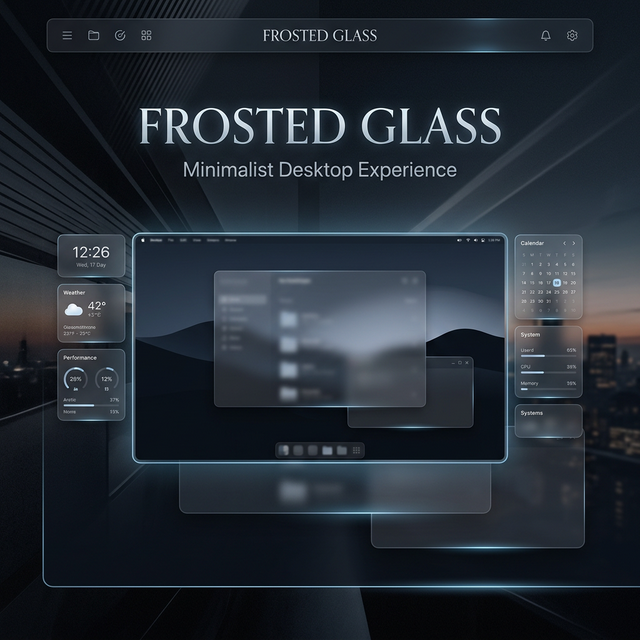
Frosted Glass is a sophisticated Rainmeter suite designed with a "dark luxury" aesthetic. It utilizes advanced glassmorphism effects, smooth micro-animations, and a refined editorial layout to transform your desktop into a professional workstation.
Explore Features • Quick Start • Customization
✨ Features
- 💎 Glassmorphism UI: High-fidelity frosted glass effects with dynamic blurring.
- 📊 System Monitoring: Real-time CPU, RAM, and Network tracking with sleek visualizations.
- 🕒 Minimalist Clock: Elegant time and date display with customizable formats.
- 🚀 Quick Launch Dock: Interactive application dock with hover states.
- 🌦️ Weather Integration: Live weather updates with custom-designed iconography.
- ⚡ Optimized Core: Re-engineered for minimal resource impact and high performance.
🚀 Installation
- Prerequisites: Ensure you have Rainmeter (v4.5.17 or higher) installed.
- Download: Clone this repository or download the
.rmskinpackage from the Releases page. - Setup: Move the
Frost Glass Skinfolder to your Rainmeter Skins directory:C:\Users\<YourUser>\Documents\Rainmeter\Skins\ - Load: Open Rainmeter Manager and load the desired
.inifiles from the suite.
🛠️ Customization
The suite is highly configurable via the @Resources variables:
- Colors & Transparency: Global accent colors and glass opacity can be tuned in
Variables.inc. - Scaling: Full support for High-DPI displays with adjustable scale factors.
- Global Settings: Use the included (!) Settings skin for a GUI-based configuration experience.
📸 Preview
[!NOTE] For the best visual experience, use a minimalist dark wallpaper to accentuate the frosted glass transparency.
Designed with ❤️ by SINdomX
Elevate your digital space.