

Catalog · How the catalog works
dgit

This is a git version control UI for Delphi.
- ★ 2 on GitHub
Anyone may press Interesting, signed in or not. It helps others find this project.
README
# DGit - Native Git Integration for Delphi IDE
DGit is a fully native, dockable Git plugin for the Delphi IDE that brings modern Git workflows directly into your development environment. Manage repositories, commits, branches, and Git configuration without leaving the IDE.
Delphi developers often rely on external Git clients for everyday version control operations. DGit eliminates context switching by bringing a modern Git experience directly into the Delphi IDE.
Screenshots
Features
Smart Change Detection
- Automatically monitors project files.
- Detects changes in the background.
- No IDE freezing or UI flickering.
Fast Staging
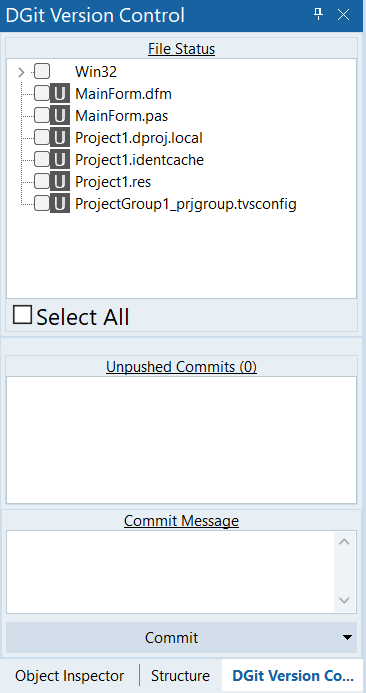
- VS Code-inspired TreeView
- Folder-based staging
- Select All / Unselect All
- Automatic refresh
Commit & Push
- Split-button Commit
- Commit & Push
- Automatic branch name configuration for new repositories
Pull & Merge
- View incoming commits in real time
- Pull incoming commits
- Overwrite the file
- Perform a merge operation (coming soon)
History & Commit Tracking
- Unpushed/Incoming Commits Panel: Dedicated, resizable bottom panel displaying pending local commits and incoming commits.
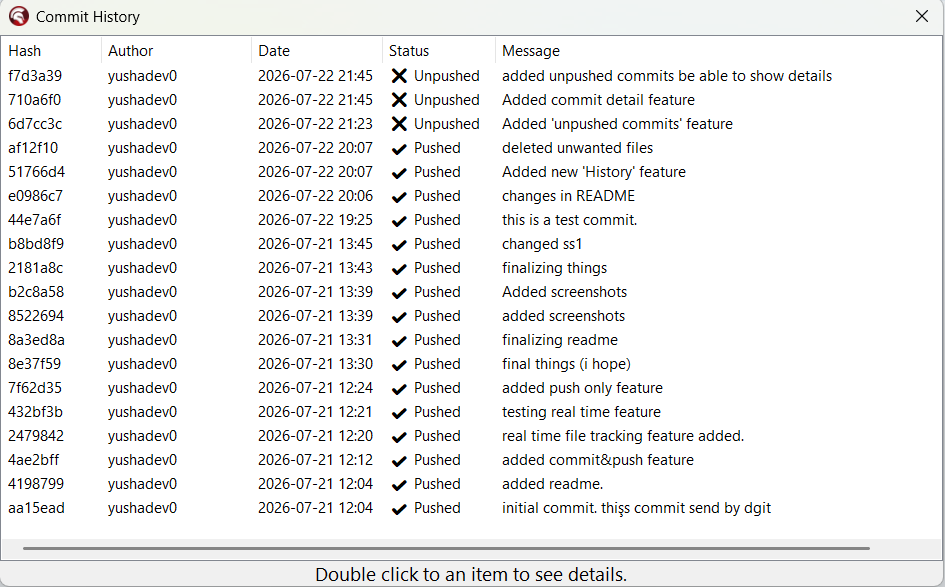
- Git History Screen: Complete log view detailing Hash, Author, Date, Message, and Push Status.
- Commit Details View: Double-click any commit to instantly see file changes and line statistics (+ / -) in a dynamic, terminal-styled window.
Branch Management
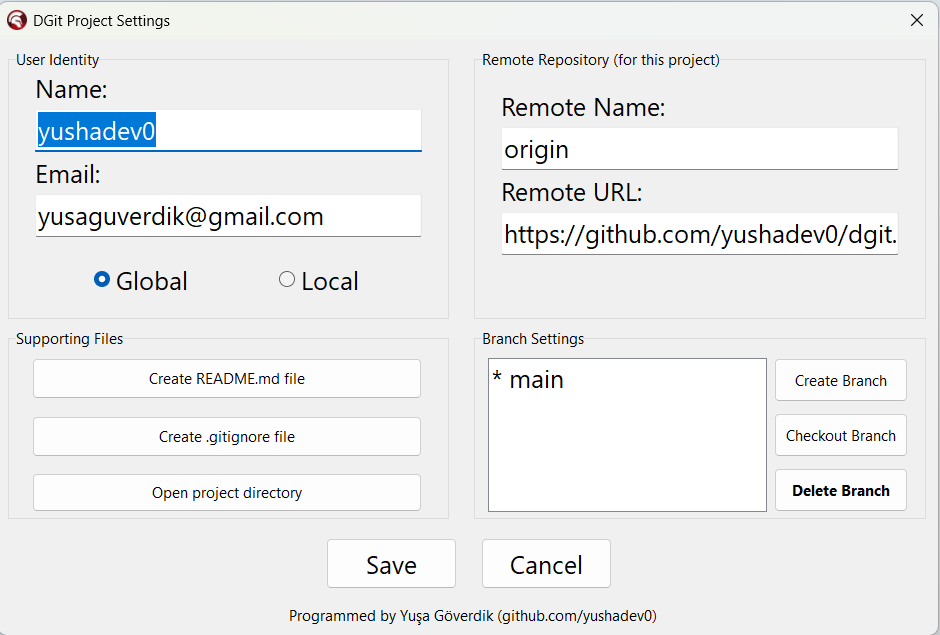
- Create branches
- Checkout branches
- Delete inactive branches safely
- Active branch protection
Git Configuration
- Global user name/email
- Local user name/email
- Origin URL configuration
Project Helper Files
- Generate
.gitignore - Generate
README.md
Why DGit?
- ✔ Native VCL interface
- ✔ No external Git GUI
- ✔ Integrated into Delphi IDE
- ✔ Lightweight
- ✔ VS Code inspired workflow
Installation
- Clone the repository.
git clone https://github.com/yushadev0/dgit.git- Open dgit.droj in Delphi.
- Build dgit.bpl.
- Install the package.
- Open DGit -> Open DGit Panel.
Usage
- Open your Delphi project.
- Open the DGit panel (you can dock it anywhere you want).
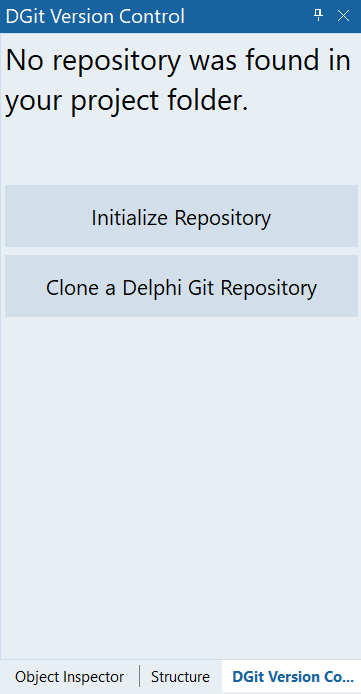
- If the project is not a Git repository, click Initialize Repository.
- Stage your changes.
- Enter a commit message.
- Click Commit or Commit & Push.
Roadmap
Pull- Visual Diff
Git HistoryUnpushed Commits- Conflict Resolution
- Much beautiful track icons
Contributing
Pull requests, bug reports, and feature suggestions are welcome.
Licence
This project uses MIT License
Developed by Yuşa Göverdik for Delphi Community.