

Catalog · How the catalog works
fpc-aoc

Learning free pascal while playing around with Amiga
- ★ 2 on GitHub
Anyone may press Interesting, signed in or not. It helps others find this project.
README
Advent of Code - Amiga Edition
Cross-platform Advent of Code solver written in Free Pascal with the ability to compile for and run on vintage Commodore Amiga hardware.
Solve puzzles on your PC (x64 Linux/Windows/macOS), test and debug with native tools, then automatically export and cross-compile to Amiga m68k. Same Pascal source code runs on both modern systems and 1980s hardware.
Screenshots
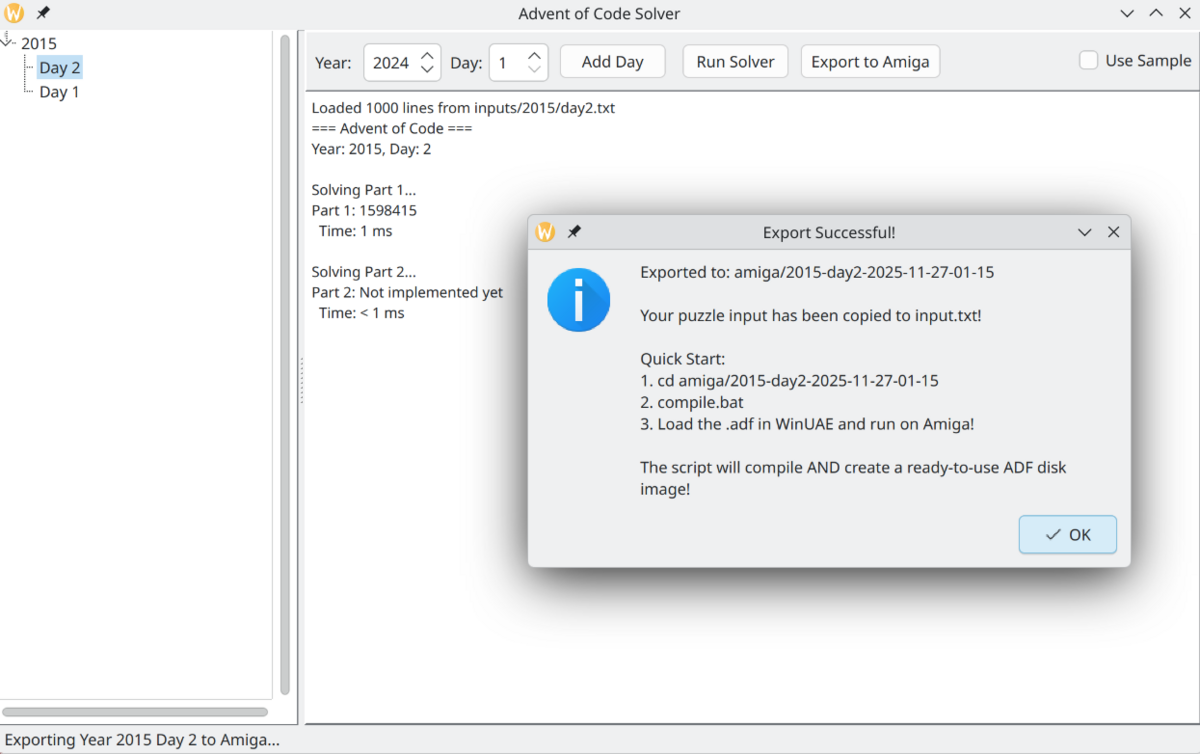
GUI Application
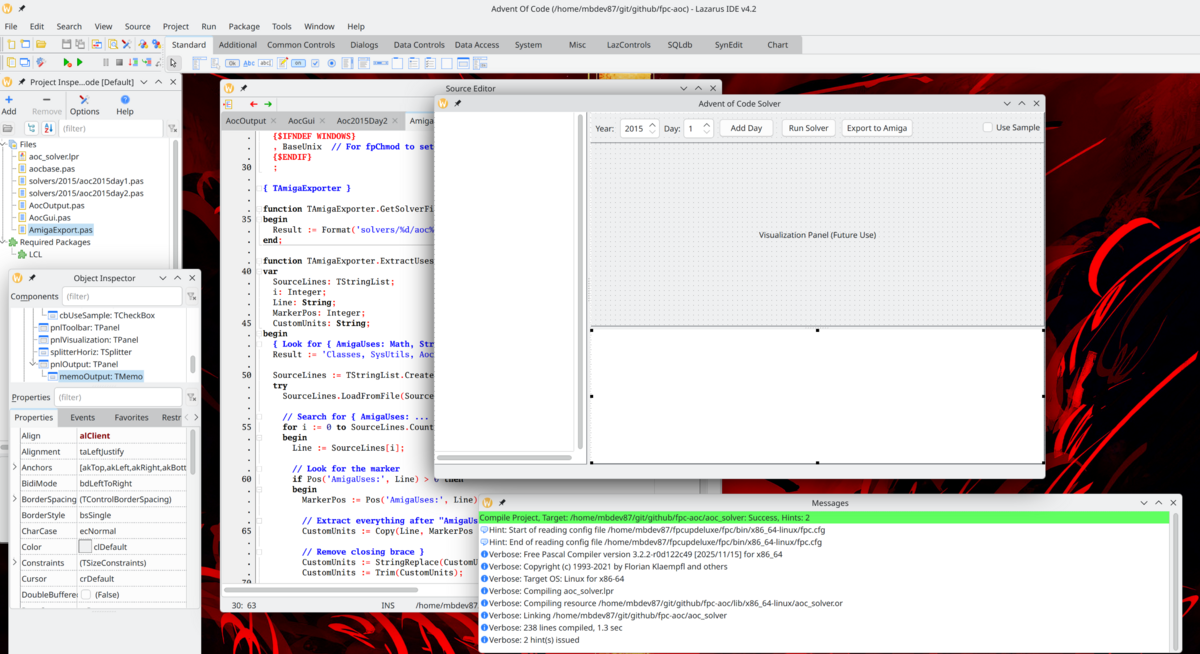
Lazarus IDE
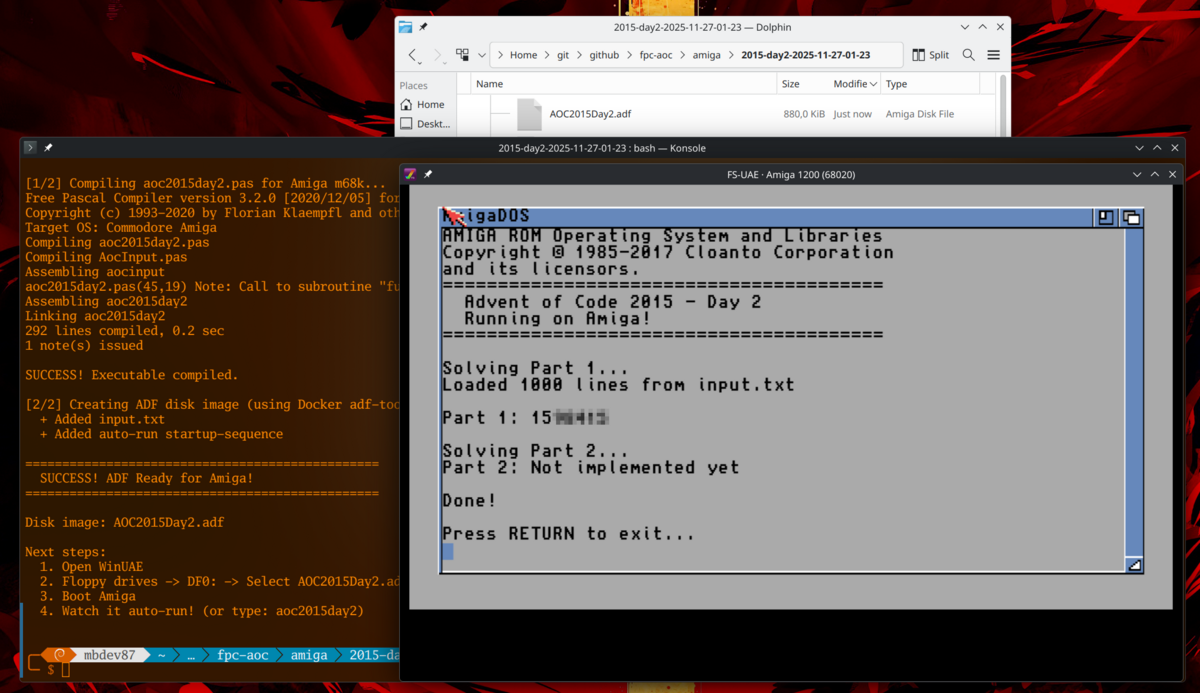
Running on Amiga
Features
- Advent of Code solver written in Free Pascal
- GUI application (Windows, Linux, macOS)
- Cross-compilation to Amiga m68k (68000/68020/68030+)
- Bootable ADF disk image generation
- Docker-based build pipeline
- Configurable CPU targeting
Project Structure
fpc-aoc/
????????? solvers/              # AOC puzzle solutions by year
???   ????????? 2015/
???       ????????? aoc2015day1.pas
???       ????????? aoc2015day2.pas
????????? inputs/               # Puzzle inputs (not included, add your own)
???   ????????? 2015/
???       ????????? day1.txt
????????? templates/            # Templates for Amiga exports
???   ????????? AocInputAmiga.pas
???   ????????? compile-amiga.sh.template
????????? AmigaExport.pas       # Amiga export logic
????????? AocBase.pas           # Core solver framework
????????? AocGui.pas            # GUI application
????????? aoc_solver.lpr        # Main program
????????? Dockerfile.adf-tools  # Docker image for ADF creation
????????? amiga.config          # Amiga build configuration
Requirements
For Modern Development
- Free Pascal Compiler (FPC) 3.2.0+
- Lazarus IDE (optional, for GUI)
- Git
For Amiga Cross-Compilation
- Docker
- The project's Docker images (see Setup section)
For Running on Real Amiga
- Amiga with 68000/68020/68030 CPU
- 8MB+ RAM recommended
- Kickstart 1.3+ (3.0+ recommended)
- WinUAE emulator for testing
Setup
1. Clone the Repository
git clone https://github.com/mbdev87/fpc-aoc.git
cd fpc-aoc
2. Add Your Puzzle Inputs
Create input files for your puzzles:
mkdir -p inputs/2015
# Add your puzzle input from adventofcode.com
echo "your input here" > inputs/2015/day1.txt
3. Build Docker Images (for Amiga cross-compilation)
Build the ADF tools image:
docker build -t adf-tools:latest -f Dockerfile.adf-tools .Pull the Free Pascal Amiga cross-compiler:
docker pull alb42/crossamigalazarus:latest4. Configure CPU Target (Optional)
Edit amiga.config to match your Amiga hardware:
# CPU Target Options:
# - 68000: All Amigas (A500, A600, A1000, A2000)
# - 68020: A1200, A3000, A4000, accelerated A500/600
# - 68030: Accelerated Amigas with 68030+
CPU_TARGET=68020

# Optimization Level (1-3)
OPTIMIZATION=2
Usage
Native Solving (Linux/Windows)
Compile and run the solver:
# Linux
lazbuild aoc_solver.lpi
./aoc_solver --year 2015 --day 1

# Windows
lazbuild aoc_solver.lpi
aoc_solver.exe --year 2015 --day 1
GUI Mode
# Linux
./aoc_solver --gui

# Windows
aoc_solver.exe --gui
The GUI allows you to:
- Select year and day
- Run solvers
- Export to Amiga format
- View results
Amiga Cross-Compilation
Method 1: Via GUI
- Launch GUI:
./aoc_solver --gui - Select year and day
- Click "Export to Amiga"
- Find generated ADF in
amiga/YYYY-dayN-TIMESTAMP/
Method 2: Manual Export
After exporting via GUI, compile for Amiga:
cd amiga/2015-day1-2025-11-27-12-00/
./compile.sh
This will:
- Cross-compile the Pascal code to m68k
- Create a bootable ADF disk image
- Include your puzzle input
- Add auto-run startup sequence
Method 3: Direct Docker Compilation
docker run --rm \
  -v $(pwd):/sources \
  -w /sources \
  alb42/crossamigalazarus:latest \
  /usr/bin/ppcross68k \
    -Tamiga \
    -Cp68020 \
    -Avasm \
    -XV \
    -Xs \
    -XX \
    -O2 \
    yourprogram.pas
Running on Amiga
WinUAE (Emulator)
- Open WinUAE
- Go to Floppy Drives
- DF0: → Select the generated
.adffile - Configure:
- CPU: 68020+ (or 68000 if compiled for it)
- Chip RAM: 2MB
- Fast RAM: 8MB minimum
- Kickstart: 3.0+ recommended
- Boot the Amiga
- Program auto-runs on boot
Real Amiga Hardware
- Transfer ADF to physical floppy using:
- Greaseweazle
- Kryoflux
- Amiga with Gotek drive
- Boot from the floppy
- Program auto-executes
Writing Your Own Solvers
Basic Template
unit Aoc2015Day1;

{$mode ObjFPC}{$H+}
{ AmigaUses: Math }  // Optional: add units needed for Amiga

interface

uses
  Classes, SysUtils, AocBase;

type
  TAoc2015Day1 = class(TAocSolver)
  public
    function SolvePart1: String; override;
    function SolvePart2: String; override;
  end;

procedure RegisterSolver;

implementation

{ AmigaExportBegin }
// Optional: Add helper functions here for Amiga export
procedure MyHelper(X: Integer);
begin
  // Helper code
end;
{ AmigaExportEnd }

function TAoc2015Day1.SolvePart1: String;
var
  Line: String;
begin
  for Line in InputLines do
  begin
    // Your solution here
  end;

  Result := IntToStr(answer);
end;

function TAoc2015Day1.SolvePart2: String;
begin
  // Part 2 solution
  Result := IntToStr(answer);
end;

procedure RegisterSolver;
begin
  SolverRegistry.RegisterSolver(2015, 1, TAoc2015Day1);
end;

initialization
  RegisterSolver;

end.
Amiga Export Markers
Use these special comments to control Amiga exports:
Custom Units
{$mode ObjFPC}{$H+}
{ AmigaUses: Math, StrUtils }
Helper Functions
{ AmigaExportBegin }
procedure ParseLine(const S: String; out X, Y: Integer);
begin
  // This function will be included in Amiga export
end;
{ AmigaExportEnd }
How It Works
Cross-Compilation Pipeline
- Development: Write solvers in Free Pascal on modern system
- Testing: Run and debug using native compiler
- Export: GUI generates standalone Amiga program
- Compilation: Docker runs FPC cross-compiler for m68k
- ADF Creation: Docker runs xdftool to create bootable disk
- Deployment: Load ADF in emulator or transfer to real hardware
Technical Details
- Compiler: Free Pascal 3.2.0 with m68k target
- Assembler: VASM (included in crossamigalazarus image)
- ADF Format: 880KB DD floppy, FFS filesystem
- Auto-boot: Startup-sequence in S/ directory
- Input Handling: AocInput.pas provides common patterns
Memory Requirements
Amiga programs compiled with FPC need:
- Minimum: 4MB Fast RAM
- Recommended: 8MB+ Fast RAM
- Chip RAM: 2MB
Without sufficient Fast RAM, programs may crash silently.
Troubleshooting
Docker Image Not Found
# Build ADF tools
docker build -t adf-tools:latest -f Dockerfile.adf-tools .

# Pull Amiga compiler
docker pull alb42/crossamigalazarus:latest
Compilation Errors on Amiga
Check CPU target matches your hardware:
- Error about
fpc_mul_longint: Change CPU_TARGET to 68020+ - Program crashes: Increase Fast RAM in WinUAE config
- "Unknown compilerproc": Math unit requires 68020+
ADF Won't Boot
- Ensure ADF has bootblock:
xdftool yourfile.adf boot install - Check startup-sequence is in S/ directory
- Verify FFS format:
xdftool yourfile.adf format YourDisk ffs
Contributing
- Fork the repository
- Create a feature branch
- Add your solver in
solvers/YYYY/ - Test on both native and Amiga (if possible)
- Submit a pull request
Resources
License
MIT License - See LICENSE file for details
Acknowledgments
- ALB42 for the crossamigalazarus Docker image
- The Free Pascal team
- The Amiga community
- Eric Wastl for Advent of Code