

Catalog · How the catalog works
folderstyle

Generates file listings in different styles with advanced filters.
- ★ 2 on GitHub
Anyone may press Interesting, signed in or not. It helps others find this project.
README
FolderStyle
Generate hierarchical file listings in different styles with advanced filters, sorting methods, and multiple profiles
Features |
Download | Installation | License
Features
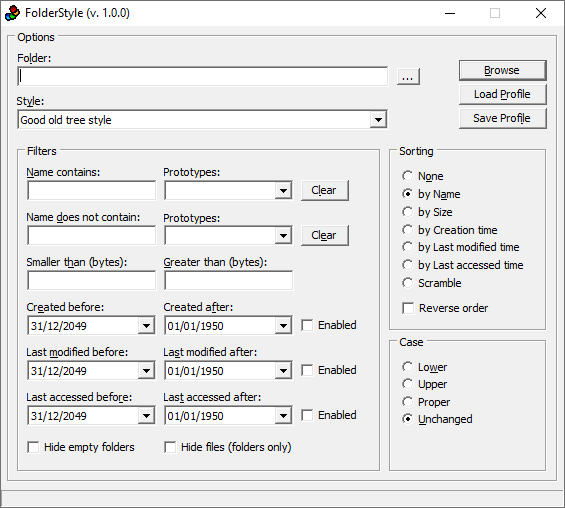
FolderStyle is a small application that's capable of generating hierarchical file listings by taking into account a wide range of filters.
Based on a single window that provides direct access to all available options, the interface is user-friendly. You can get started by selecting the drive or directory whose file contents you want to take into account for the listing, as well as pick the report style, such as a brief and printable HTML report, or Windows Media Player style playlist.
It's possible to compile information only for applications, archives, audio tracks, images, Office documents, or videos. FolderStyle lets you filter files by format, set a minimum and maximum size, as well as specify ranges when it comes to the date of creation, last modification and last access.
Empty folders can be hidden from display. What's more, you can sort the objects by name, size, creation, last modification or last accessed time, or scrambled, while the order can be reversed. The file name case can remain unchanged or get converted to lowercase or uppercase.
Profiles can be saved to file and later imported, which means that you can create multiple profiles with different settings. Once the task is completed, FolderStyle shows the new report in a text document that you can either save or dismiss.
Download
All versions of FolderStyle can be downloaded from here.
Installation
FolderStyle is portable: just expand the archive to a directory of your choice and run the FolderStyle.exe file.