

Catalog · How the catalog works
tag-programmer

UHF RFID Tag Programmer
- ★ 2 on GitHub
Anyone may press Interesting, signed in or not. It helps others find this project.
README
Tag Programmer
UHF RFID Tag Programmer
SYSTEM REQUIREMENTS
- Tag Programmer device
- Computer with Windows XP or higher
INSTALLATION
- Unpack ZIP file to any location on your hard drive.
- Install Tag Programmer device drivers from the "Drivers" subfolder run CP210xVCPInstaller.exe.
- Install "NumberOnly.ttf" font from "Install Font" subfolder.
- Plug in the Tag Programmer device into one of your USB ports. Make sure Windows assigns a COM port number between 1-9 in the Windows device manager.
- Run TagProgrammer.exe.
USAGE
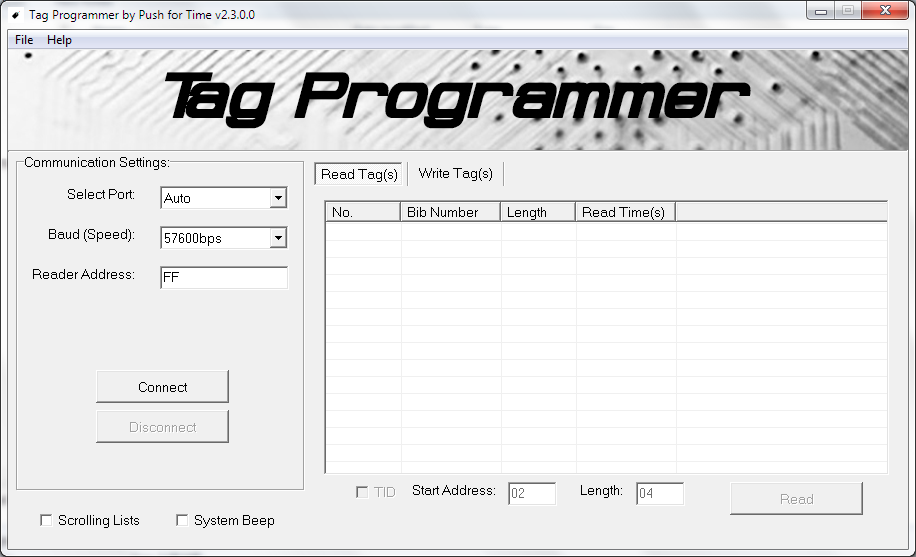
- In Read Tag(s) tab, click Read button to start reading the UHF RFID Tag or Timing Chip.
- To Read TID, check the TID checkbox and set the start address/length.
- In Write Tag(s) tab, type bib number to encode/program the UHF RFID Tag or Timing Chip and click Write button or press F2 key.
- To increment bib number, check the Auto increment checkbox.
- To automatically encode/program tag, check the Auto write checkbox.
- To adjust write speed, select in Write interval dropdown box.
- To clear all the items in the lists, Right-click and select 'Clear All'
- To remove selected item in the lists, Right-click and select 'Remove'
- Check Scrolling Lists to auto scroll Read Tag(s) and Write Tag(s) lists.
- Check System Beep to Emits a tone from the built-in PC speaker.