

PascalHelloLazarusDatabase

Hello World For Lazarus Pascal IDE with SQLite3 database access
- Quiet · last change 12-19-2023
- ★ 2 on GitHub
README
PascalHelloLazarus
This is a "Hello World" for an SQLite3 database coded using the free, opensource Lazurus, which includes the Free Pascal Compiler included. with the Free Pascal Compiler (see FreePascal.org. I undertook this project for two reasons:
- Because I was interviewing for a job requiring the use of Pascal (in 2023!)
- I wanted to review SQL databases.
Features Demonstrated
- Basic CRUD use of a relational SQL Database, including auto-create database file from a .sql resource file
- Use of Lazarus IDE forms and database aware components
- Basics of the Object Pascal Language including multiple units, classes, interfaces
Design Specifications
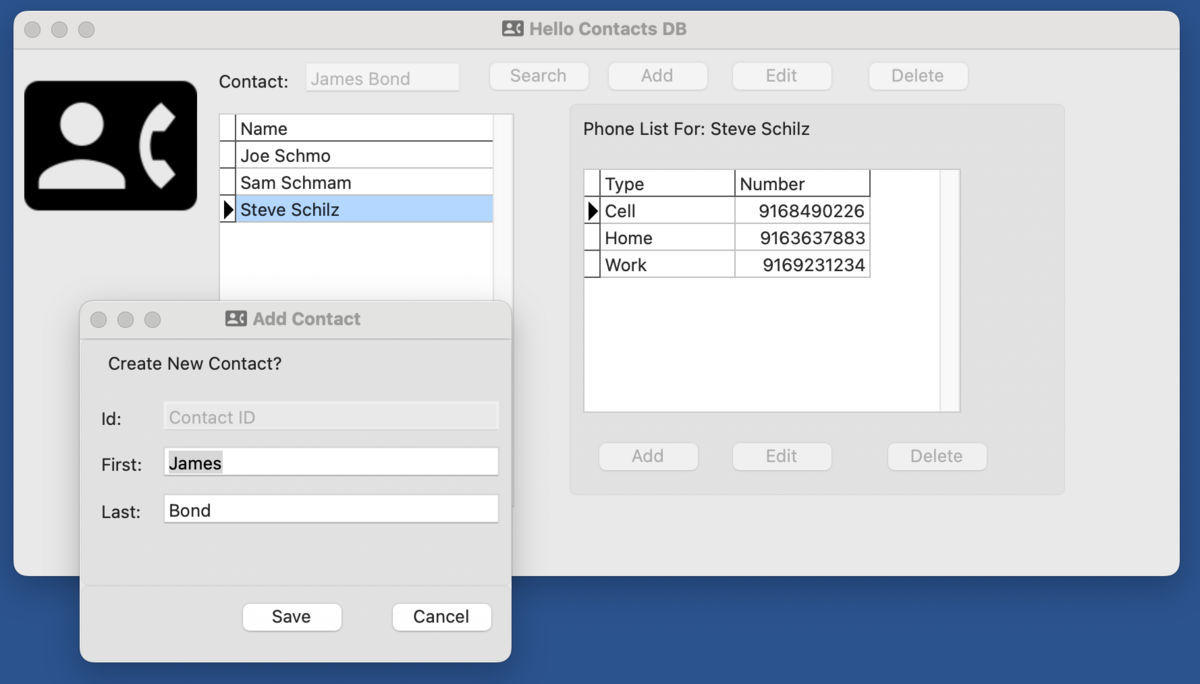
This is designed to be the simplest possible SQL database. There are three relational tables: People, PhoneNumbers, and PhoneTypes. You can Add, Edit, and Delete People and Phone Numbers.
The full design is available in the "Hello Contacts Database Design" repo. (TBD)
What I Learned
Although the IDE was sometimes glitchy, requiring restarts in order to create new form event methods, overall it was a decent programming experience. Cross-platform support is present, such as resource files for images, and ability to create the database file in an OS-Recommended location
The Pascal Language is a capable object oriented languge, and the "drag and drop" design experience is Familiar to anyone that has used Borland programming environments (Turbo-C anyone?) or Windows Forms.
While these environments are fun to program in, they tend to mash together UI code and core logic unless care is taken. I approached this as follows
- Minimize USE of SQL in the component designer and form files
- Instead, place most SQL in a separate "Utils" module
Attributions
- Contacts Icon from Stephen Hutchings Typicons-2 icon pack on IconFinder.com
- License is Creative Commons Attribution-Sharalike 3.0 Unported
- No Changes were made to the icon.