

Delphi-using-Environment-Variables-in-your-App

Delphi VCL understanding the use of environment variables
- Quiet · last change 8-2-2018
- ★ 2 on GitHub
README

Delphi using Environment Variables in your App
Environment Variables can help you extract data that require some in-depth coding to achieve the same result. So here is a simple way to replace lengthy legacy code or create some new code with
function GetEnvironmentVariable(const Name: string): string; found in the System.SysUtils library.
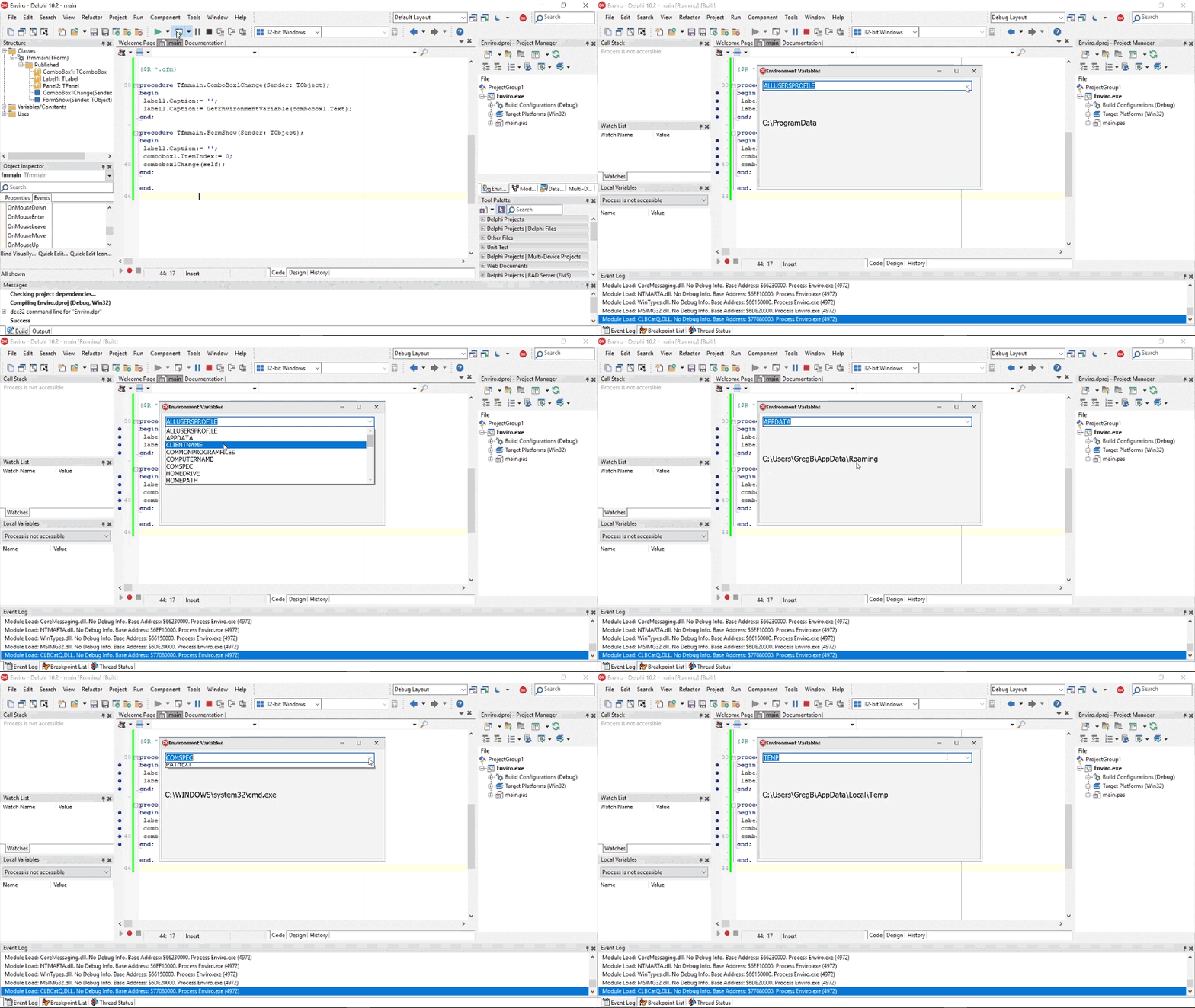
What it is?
The ‘GetEnvironmentVariable’ method is a way to retrieve the value of an environment variable passed as a string (name) for the current process using a standard list of Windows based variables that can be extracted.
How useful is it?
These Environment Variables are a standard across all OS’s and for different processors thereby ensuring that there is no requirements for ‘IFDEFs’.
I found it useful to extract :-
- certain directories such as ‘Appdata’ that calls the Roaming directory.
- to determine / show who has logged onto the Windows machine.
- extract the CMD.exe directory using ‘Comspec’.
- Obtaining the OS Processor info.
- obtaining the ‘Tmp / Temp’ drive for processing.
Check out the simple App that calls each Environment Variable via a combobox that shows the result real time on your Windows machine. Perhaps there are a few other options that you could find useful.
Here is the list of the Standard Environment Variables.
| Environment variable name | Environment value |
|---|---|
| ALLUSERSPROFILE | Generic user profile. |
| APPDATA | Path of the application data folder. |
| CLIENTNAME | Name of Client machine. |
| COMMONPROGRAMFILES | Path of common program files folder. |
| COMPUTERNAME | Name of Computer code is running on. |
| COMSPEC | Path of the cmd.exe program. |
| HOMEDRIVE | Current home drive designation, such as 'C:' |
| HOMEPATH | Path to current location for document storage. |
| LOGONSERVER | Specifies a domain controller for user logon authentication. |
| NUMBER_OF_PROCESSORS | Number of processors on current machine. |
| OS | Base name of the Operating System. |
| PATH | The current program path. |
| PATHEXT | Extension types of executable files. |
| PROCESSOR_ARCHITECTURE | Type of CPU architecture. For example, X86 for Intel Pentium processors. |
| PROCESSOR_IDENTIFIER | ID number of current machine. |
| PROCESSOR_LEVEL | More detailed description of the CPU architecture. |
| PROCESSOR_REVISION | Processor revision level. |
| PROGRAMFILES | Path of the program files folder. |
| SESSIONNAME | Name of the current OS session. |
| SYSTEMDRIVE | Drive the OS operates from. |
| SYSTEMROOT | Sets the system directory. |
| TEMP | Path of the temporary files folder. |
| TMP | Directory to store temporary files to. |
| USERDOMAIN | Specifies the domain of the current machine. |
| USERNAME | Name of the current user. |
| USERPROFILE | Path of the folder holding the current user's information. |
| WINDIR | Path of the Windows folder. |
Feel free to view this blog and others in Bayeseanblog…
Happy Coding