Arcade-System

Front-end for arcade emulator in delphi
- Quiet · last change 5-24-2019
- ★ 2 on GitHub
README
Arcade-System
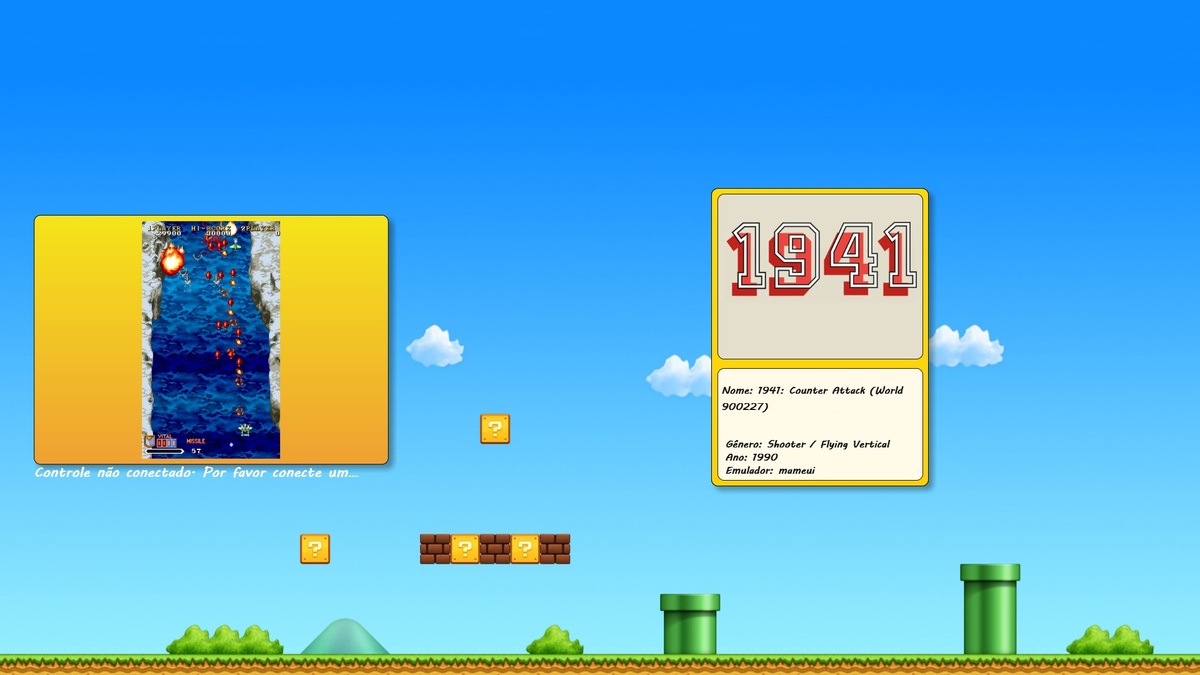 This front was developed at Tokyo delphi without using third party components, some of the concepts involved:
XML
INI files
Windows Processes
Windows API
API Joysticks
Class
the games will only be loaded if the Snaps and Wheels and roms have the same names
 if (
       (FileExists(Emuladores[II].DirectoryWhells + Match + '.png'))
         and (FileExists(Emuladores[II].DirectoryPrints + Match + '.png'))
           and (CheckExtension(Emuladores[II].DirectoryRoms,Match,Emuladores[II].RomsExtension))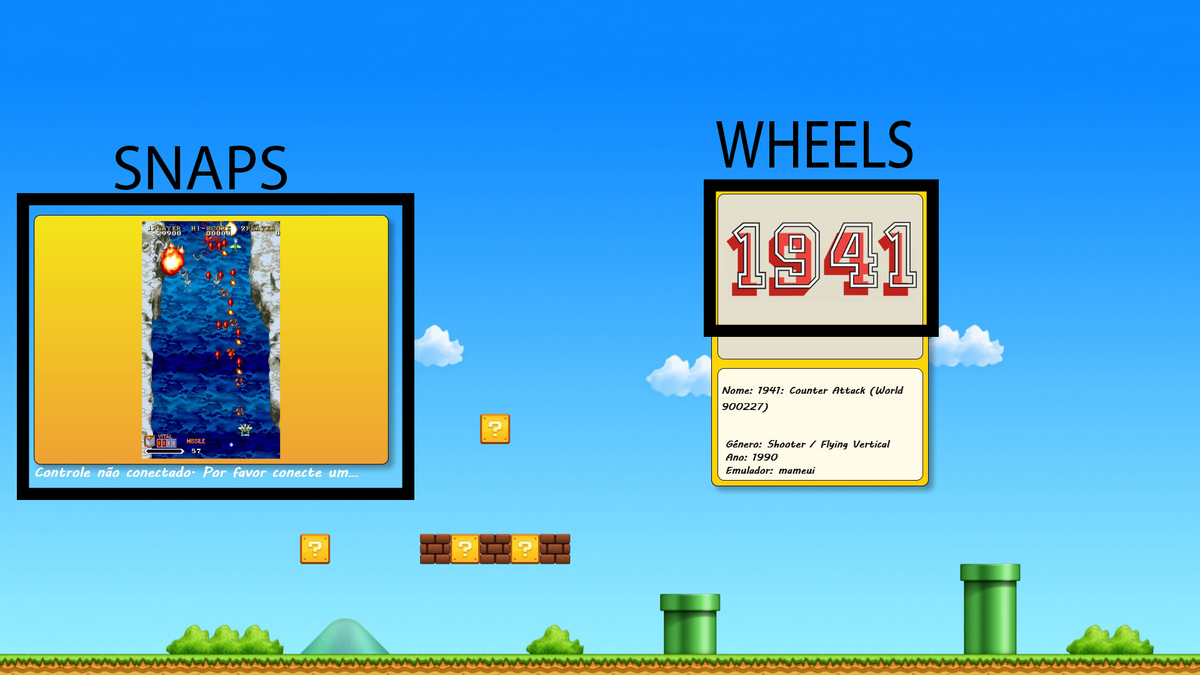
Link to download the Snaps https://github.com/ekeeke/no-intro-thumbnails
Link to download the Wheels https://www.arcadepunks.com/download-hyperspin-wheels/
Link to download Database XML https://hyperlist.hyperspin-fe.com/
Important
The emulators must be configured and working perfectly because the Arcade system only takes care of executing the emulators and their respective ROMS.
Exeed a wide variety of Roms registered in the xml of each emulator, it is important to remove the games that you do not belong for a faster loading.
It is possible to add other emulators however, you need to add in the sources the initialization and its initialization parameters of each emulator like: gen -auto -fullscreen. You need to know how to run the new emulators, but do not worry about Mameui, Snes9x and megadrive fusion are already working well.
[Fusion] location=C:\Emulators\Fusion\Fusion.exe command=%l %r -auto -fullscreen
[MAME] "C:\MAME\Emulator\mameui.exe" "C:\MAME\ROMS\169ROMs\sf2.7z"
  // abre o emulador selecionado precisa melhorar a forma que identifica o emulador
 procedure TF_Shift_Main.OpenEmulator(Emulator,RunGame,DirectoryEmulator:string);
  var
     parametro:string ;
     extension:string;
  begin
   try
        //Seta a extens�o correta para rodar a rom
       extension := '.'+GetExtension(Emuladores[Jogos[JI].ID].DirectoryRoms,RunGame,Emuladores[Jogos[JI].ID].RomsExtenssion);

       if Emulator = 'mameui.exe' then
            ShellExecute(1,'open',pchar(Emulator),pchar(RunGame),pchar(DirectoryEmulator), SW_SHOWNORMAL)
         else
       if Emulator ='Fusion.exe'  then
       begin
           parametro := '"'+Emuladores[Jogos[JI].ID].DirectoryRoms+RunGame+extenssion+'" -gen -auto -fullscreen';
           ShellExecute(1,'open',pchar(Emuladores[Jogos[JI].ID].DirectoryEmulator+Emulator),pchar(parametro),pchar(DirectoryEmulator), SW_SHOWNORMAL)
       end
         else
       if Emulator = 'snes9x.exe' then
       begin
           parametro := '-fullscreen "'+Emuladores[Jogos[JI].ID].DirectoryRoms+RunGame+extenssion+'"';
           ShellExecute(1,'open',pchar(Emulator),pchar(parametro),pchar(DirectoryEmulator), SW_SHOWNORMAL)
       end;
   except
      L_Info.Text := 'Erro ao carregar os jogos, nenhum emulador foi configurado.';
   end;
end;
Parameter INI
To add new emulators follows the structure of the ini file: EMULATOR_X where "X" is the number of the emulator, currently the system works with 3 types of emulators:
mameui, Snes9x e Fusion.
[EMULADOR_1]
XML=C:\Arcade System\XML\MAME.xml
DIRETORIOEMULADOR=C:\Arcade System\Emuladores\MAME\MameUI_0.183_32bit\
DIRETORIOROMS=C:\Arcade System\Emuladores\MAME\ROMs\ROMs\
DIRETORIOWHEELS=C:\Arcade System\Wheel\MAME\
DIRETORIOSNAPS=C:\Arcade System\Snaps\MAME\
NOMEEMULADOR=mameui.exe
EXTENSAO=7z|rar|zip
IMGEMULADOR=C:\Arcade System\Logos\MAME.png

[EMULADOR_2]
XML=C:\Arcade System\XML\Sega Genesis.xml
DIRETORIOEMULADOR=D:\Arcade System\Emuladores\SEGA\
DIRETORIOROMS=D:\Arcade System\Emuladores\SEGA\roms megadrive\
DIRETORIOWHEELS=C:\Arcade System\Wheel\SEGA\
DIRETORIOSNAPS=C:\Arcade System\Snaps\SEGA\
NOMEEMULADOR=Fusion.exe
EXTENSAO=md|7z|rar|zip
IMGEMULADOR=C:\Arcade System\Logos\SEGA.png

[EMULADOR_3]
XML=C:\Arcade System\XML\Super Nintendo Entertainment System.xml
DIRETORIOEMULADOR=D:\Arcade System\Emuladores\SNES\
DIRETORIOROMS=D:\Arcade System\Emuladores\SNES\Roms\
DIRETORIOWHEELS=C:\Arcade System\Wheel\SNES\
DIRETORIOSNAPS=C:\Arcade System\Snaps\SNES\
NOMEEMULADOR=snes9x.exe
EXTENSAO=sfc|smc|zip
IMGEMULADOR=C:\Arcade System\Logos\SNES.png
Note that at the end of each directory we have a "\" is extremely necessary to use this bar, the extensions of Emulator Rom are separated by "|"
EXTENSAO = sfc | smc | zip
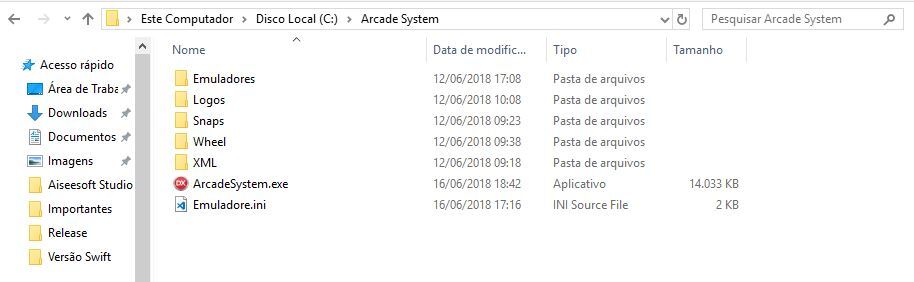
File system
Recommended organize images, emulators and roms into folders and subfolder for better organization.