

BilliardMaster

A simple billiard game built with Gorilla3D using physics for collision detection and game mechanics.
- Active · last change 9-21-2026
- ★ 3 on GitHub
README
Billiard Master
Billiard Master is a simple billiard game showing various features of the Gorilla3D framework. It uses physics for collision detection and game mechanics. The game was not fully implemented, but it's a good start to finish all the rules of a billiard game.
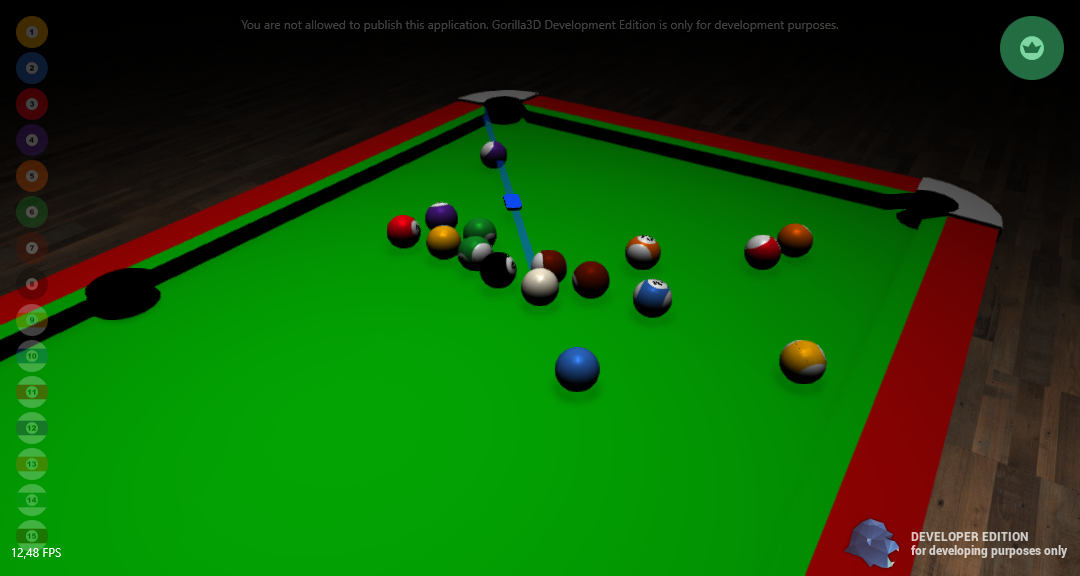
Features:
- Checks if balls fell into holes and marks them on the left side
- Checks if balls fell off the table and re-position them on the table
- Checks if the white ball fell into a hole and re-positions it
- Sound effect on ball collisions, depending on their intensity of crash (louder or softer clack-sound)
- Checks if balls are standing still to unlock shooting mode
NOTICE: The game was developed with a NVIDIA GeForce 720 GT (2014). Screenshots and videos material is very limited due to bad performance.
Used components:
- Realtime global illumination (not recommended for elder GPUs)
- Q3 Physics System (only in Developer Edition and GAMEPACKAGE available)
- TGorillaSphere with static vertices for fast rendering
- OBJ model loader
- Mesh collision detection (of the table)
- FMOD audio interface for music and sound effects
- Mouse interaction for game mechanics
- Auto-Camera adjustment to the white ball for a nice gameplay
##Requirements:
- You need to at least Delphi 10.1+ and Gorilla3D Developer Edition package to be installed
- A GPU with at least OpenGL 4.3
- Gorilla3D Developer Edition or GAMEPACKAGE
##Installation
- Install Gorilla3D from GetIt-Package-Manager
- Use the Gorilla3D Installer Tool from https://gorilla3d.de/download/Gorilla3DInstaller.zip
- Manual installation by downloading the package from https://gorilla3d.de/files/?dir=packages and reading installation guides at https://docs.gorilla3d.de/1.0.0/start
##Documentation Feel free to read the documentation at: https://docs.gorilla3d.de/1.0.0/