

Catalog · How the catalog works
raybrick

A simple Breakout-style game built with Free Pascal and Raylib
- ★ 3 on GitHub
Anyone may press Interesting, signed in or not. It helps others find this project.
README
RayBrick
A simple Breakout-style game built with Free Pascal and Raylib (via ray4laz).
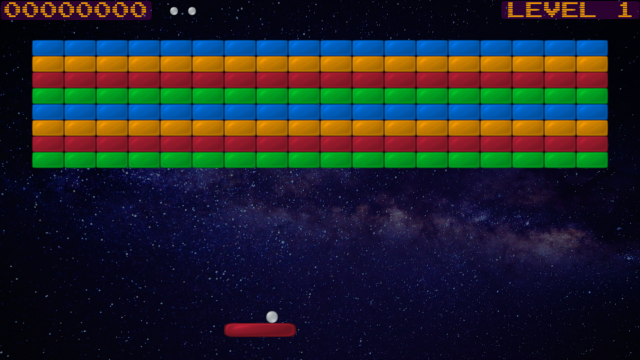
Running
Download the pre-built executables for Windows, Linux, or macOS from the GitHub Releases page.
Notes:
-
On Windows, the executable may trigger a UAC (User Account Control) warning. You’ll need to confirm to proceed.
-
On macOS, the app is not notarized by Apple, so it will likely be blocked by default on modern systems. To allow it to run, remove the quarantine flag:
xattr -dr com.apple.quarantine raybrick.app

If the pre-built executables don't work for your system — or if you'd prefer not to run unsigned binaries ??? you can build from source instead.

## Building from Source

### Requirements
- [Free Pascal Compiler (FPC)](https://www.freepascal.org/) v3.3.1 or later
- [Raylib](https://www.raylib.com/)
- [Ray4laz](https://github.com/GuvaCode/ray4laz/)

### Option 1: Using Lazarus
- Open `raybrick.lpi` in Lazarus.
- Add the `ray4laz.lpk` package (either from the `ray4laz` repository or the Online Package Manager).
- Build and run the project.

### Option 2: Using FPC (Command Line)
Build the project manually:
```sh
fpc raybrick.lpr -Fu"/path/to/ray4laz/source"
or use
lazbuildif available:
lazbuild raybrick.lpi --build-mode=Release --opt="-Fu/path/to/ray4laz/source"Make sure the linker can find the libraylib files appropriate for your system. If necessary, specify the library search path using the -Fl option:
-Fl/path/to/libraylib