

Catalog · How the catalog works
Dental-App

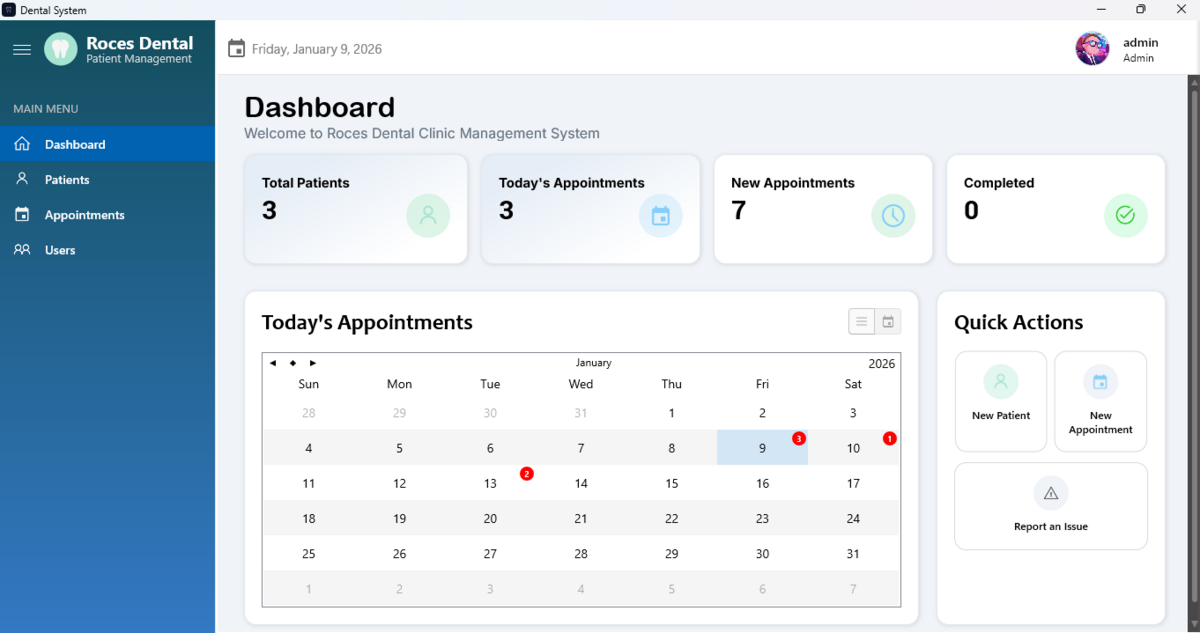
Roces Dental Patient Management is a Windows desktop application for dental clinics, providing an easy way to manage patient records and appointments. Built with Delphi and SQLite, it features a clean dashboard, user login, and reliable data storage in the user’s AppData folder.
- ★ 3 on GitHub
Anyone may press Interesting, signed in or not. It helps others find this project.
README
Roces Dental Patient Management System

Overview
Roces Dental Patient Management is a Windows application designed for dental clinics to efficiently manage patient records and appointment schedules. Built with Delphi and SQLite by a Computer Engineer, this system provides a clean and intuitive workflow for your clinic.
Features
- Patient registration and profile management
- Appointment scheduling and tracking
- Dashboard with appointment and patient statistics
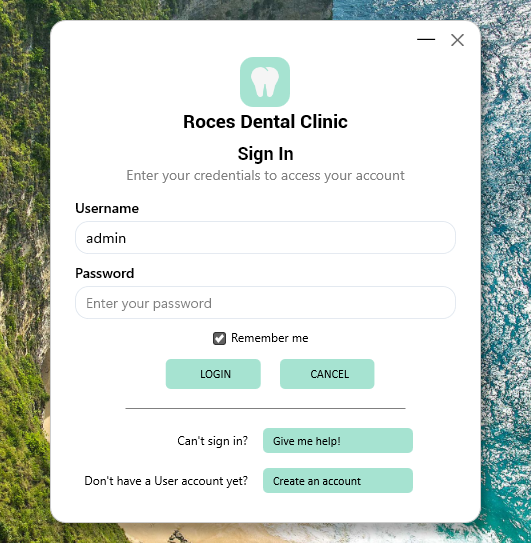
- User authentication (login system with admin and user roles)
- Secure data storage using SQLite
- Simple installation and upgrade process
Screenshots
Login Form:
Main Dashboard:
Installation
- Download the latest installer from the Output section or use the provided setup file.
- Run the installer (
Roces Dental setup.exe) and follow the on-screen instructions. - By default, user data (the SQLite database) is stored in your user's AppData folder to prevent data loss on updates or uninstall.
Getting Started
- Launch the application from your desktop or start menu.
- On the login screen, enter your username and password (default admin account:
admin). If you don’t have an account, use the Create an account option. - If you can't sign in, click Give me help! on the login form for assistance.
- Start creating patients and appointments using the main menu.
Data Backup & Restore
- The main database is located at
%AppData%\Roces Dental\dental.db. - Make regular backups of this file to secure your clinic data.
Support
For installation help, issues, or feature requests, please contact:
- Developer: Lance Madel S. Esureña, Software Developer / Computer Engineer
- Support: Facebook Page
License
This software is provided for clinic or educational use. Modification and redistribution require permission from the author.