

VFD-Studio2

Windows application to show various information on graphics-capable monochrome displays.
- Active · last change 2-10-2026
- ★ 3 on GitHub
README
VFD-Studio 2
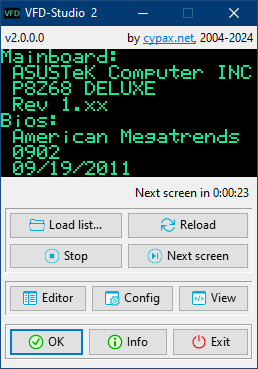
Greetings everyone and welcome to VFD-Studio 2! This is a free and open-source project to show system information on a VFD, LCD or OLED display.
If you would like to keep an eye on CPU load and memory usage during gaming, if you are a fan of (retro) case modding or if you just appreciate to have a little fancy additional display for your computer, then you've come to the right place.
Features
- Displays images, animations, charts, etc.
- Displays various system information
- Highly configurable - includes an Editor application for creating your own screen designs
- Intuitive user interface, including a preview-display and useful controls
Supported displays
- Noritake Itron GU-800 VFD Series
(tested with a GU128x64-800B) - Noritake Itron GU-300 VFD Series
(tested with a GU256x64-372, identical to GU256X64F-9900) - Basically any display supported by the Arduino U8glib library
(tested with SSD1309 and SSD1306 128x64 OLED displays)
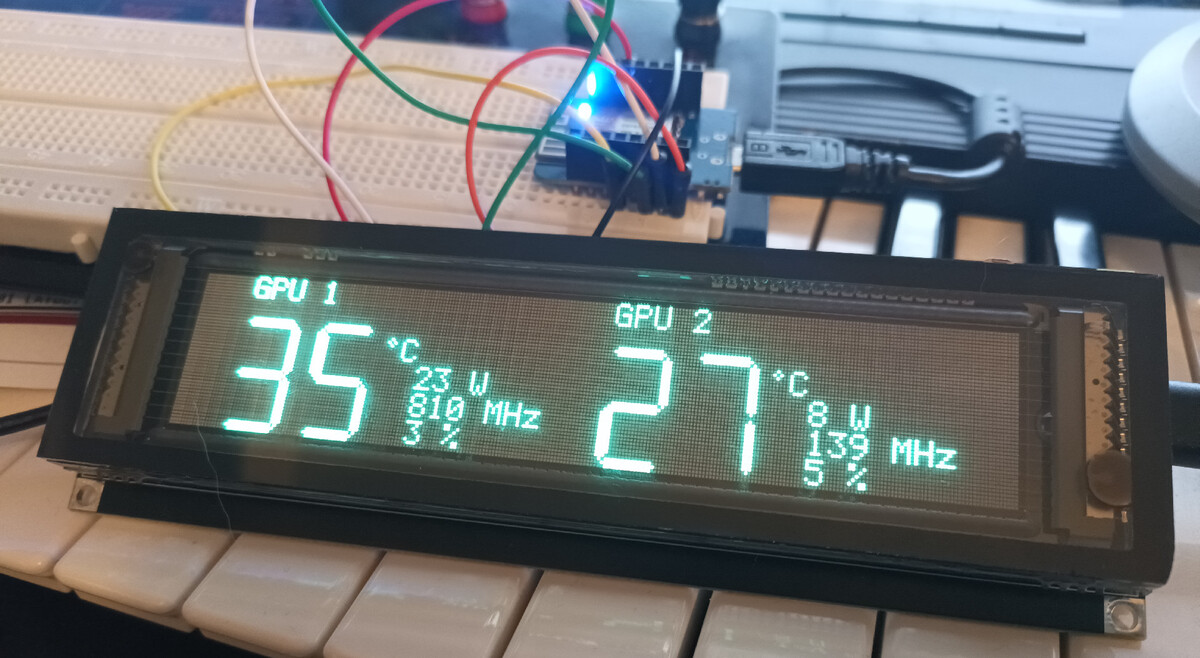
Here another example with a GP1287 VFD:
How it works
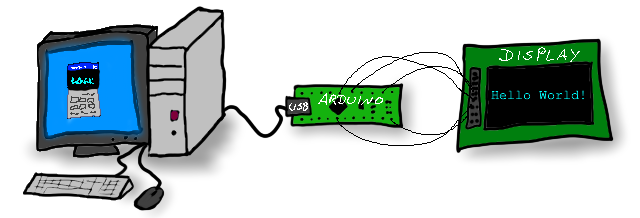
The general concept is that the display is connected to an Arduino-microcontroller (source and schematics are included in this project) which communicates via USB serial connection with a computer that runs VFD-Studio. Let me show this in a premium-quality illustration:
Once all installed and wired, simply start VFD-Studio, configure the type of display, it's resolution and select the serial port.
VFD-Studio processes Lists - basically just plain text files which contain instructions for the display - e.g. draw an image or print some text.
A set of instructions belongs to a Screen which is displayed for a certain duration before the next Screen is displayed.
VFD-Studio let's you load Lists, skip to the next Screen or stay at the current one and even provides a dedicated Editor application with a overview on all available display commands and system information for designing your own Lists and Screens .