

easydownload

EasyDownload is a free, ad-free, and open-source desktop application that allows you to download YouTube videos in the highest quality as MP4 or MP3 in seconds.
- Active · last change 7-9-2026
- ★ 3 on GitHub
README
العربية | Azərbaycanca | Deutsch | English | Español | Français | Italiano | Português | Русский | Türkçe
 EasyDownload
 is a free, ad-free, lightweight, and open-source desktop application that allows you to download YouTube and YouTube Music videos/songs in the highest quality in seconds.
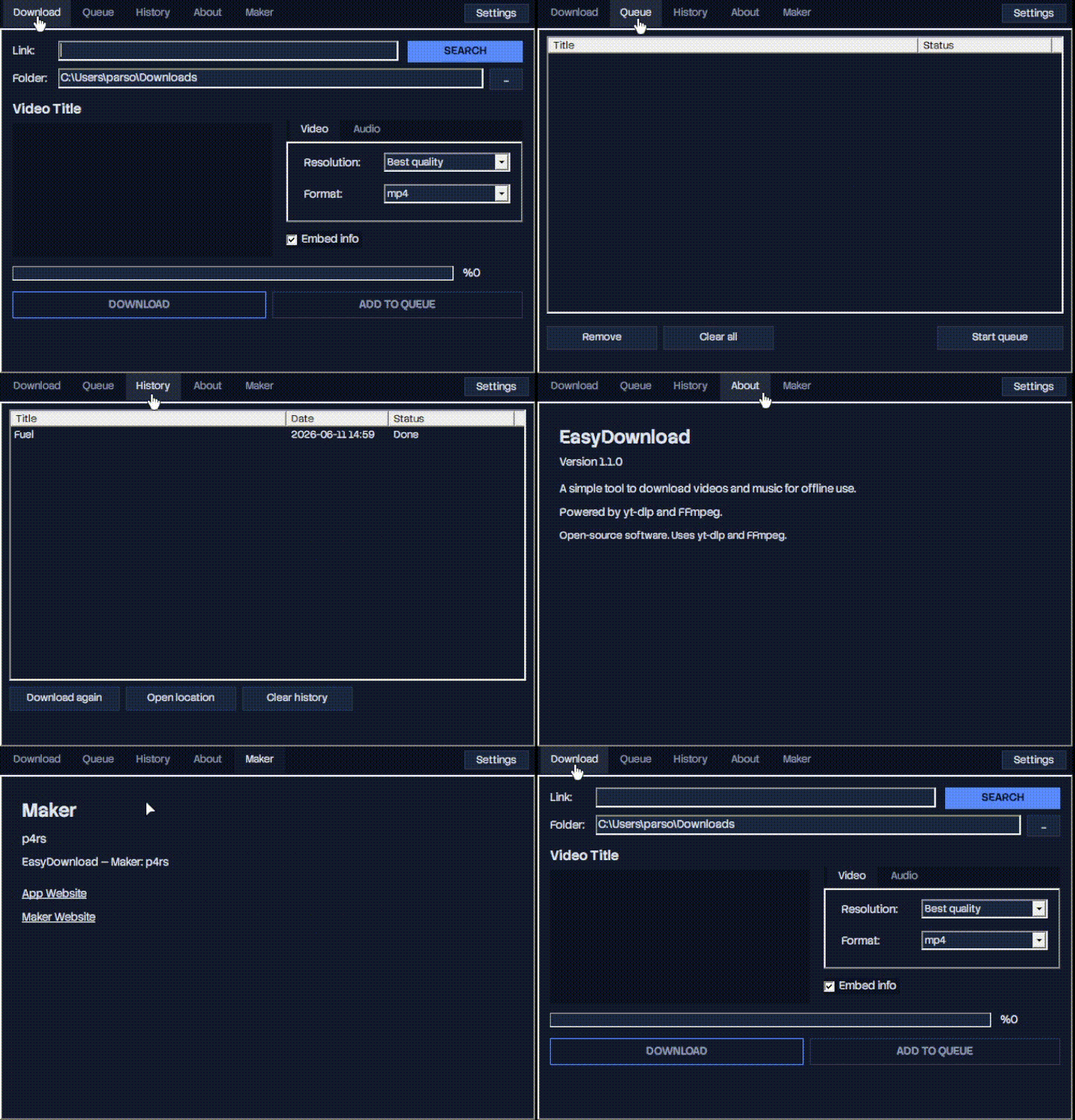
🚀 Features
- Best Quality Video Support: Download videos without losing their original quality up to 4K resolution in MP4, WebM, or MKV formats.
- Advanced Audio Converter: Convert YouTube videos or YouTube Music links to high-quality MP3 format with a single click.
- Embed Media Info (Embed Info): Automatically integrate metadata such as cover photo, artist name, and video title into downloaded files.
- Advanced Queue & History: Add multiple download tasks to the queue, watch them download sequentially in the background, and easily manage your old downloads from the history tab.
- Low Resource Consumption: Optimized to use minimum RAM and CPU, it never slows down your system while running in the background or downloading.
- Multi-Language Support: Localized usage with English, Turkish, German, French, Spanish, and many more language options.
📸 In-App Previews
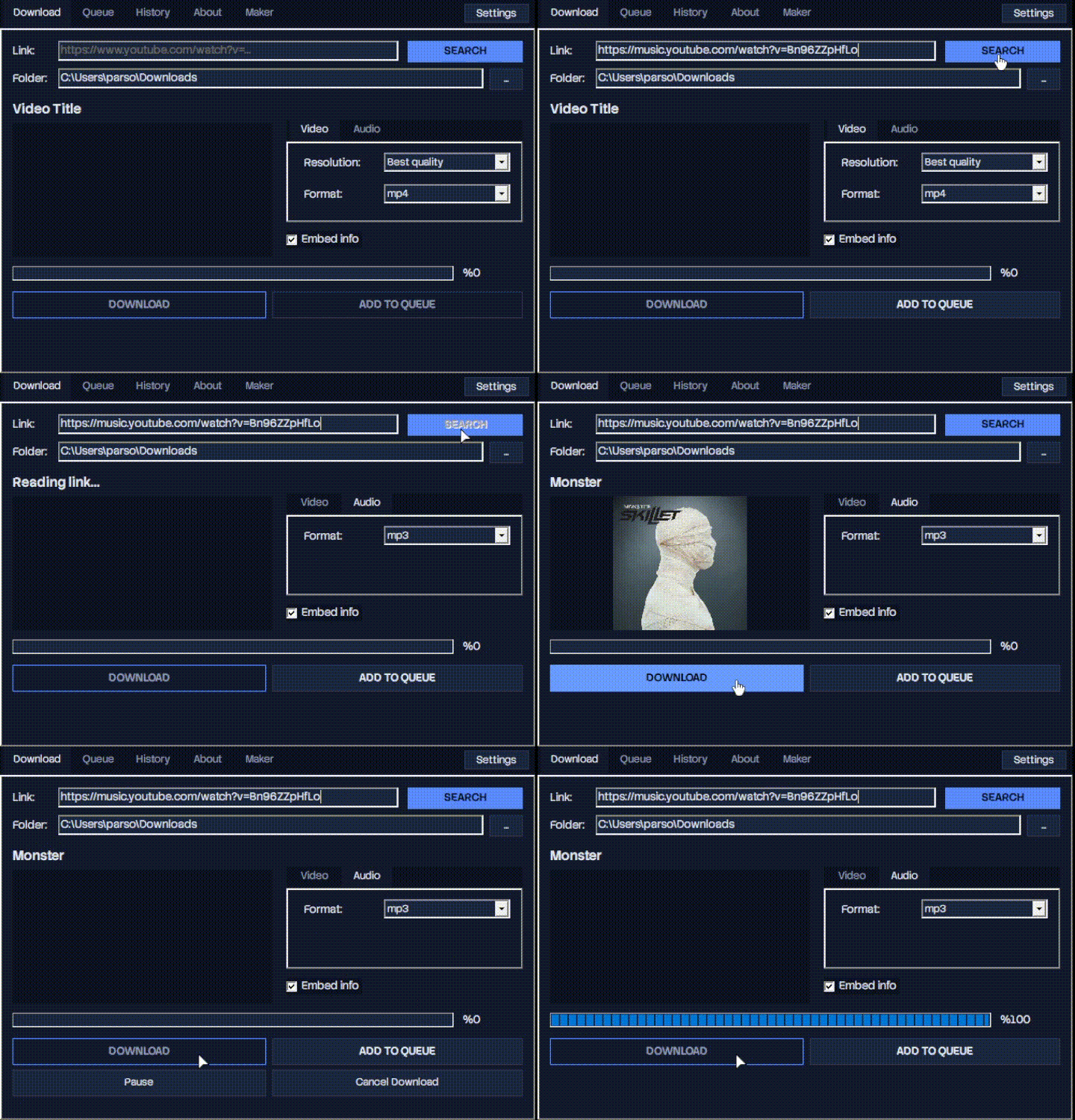
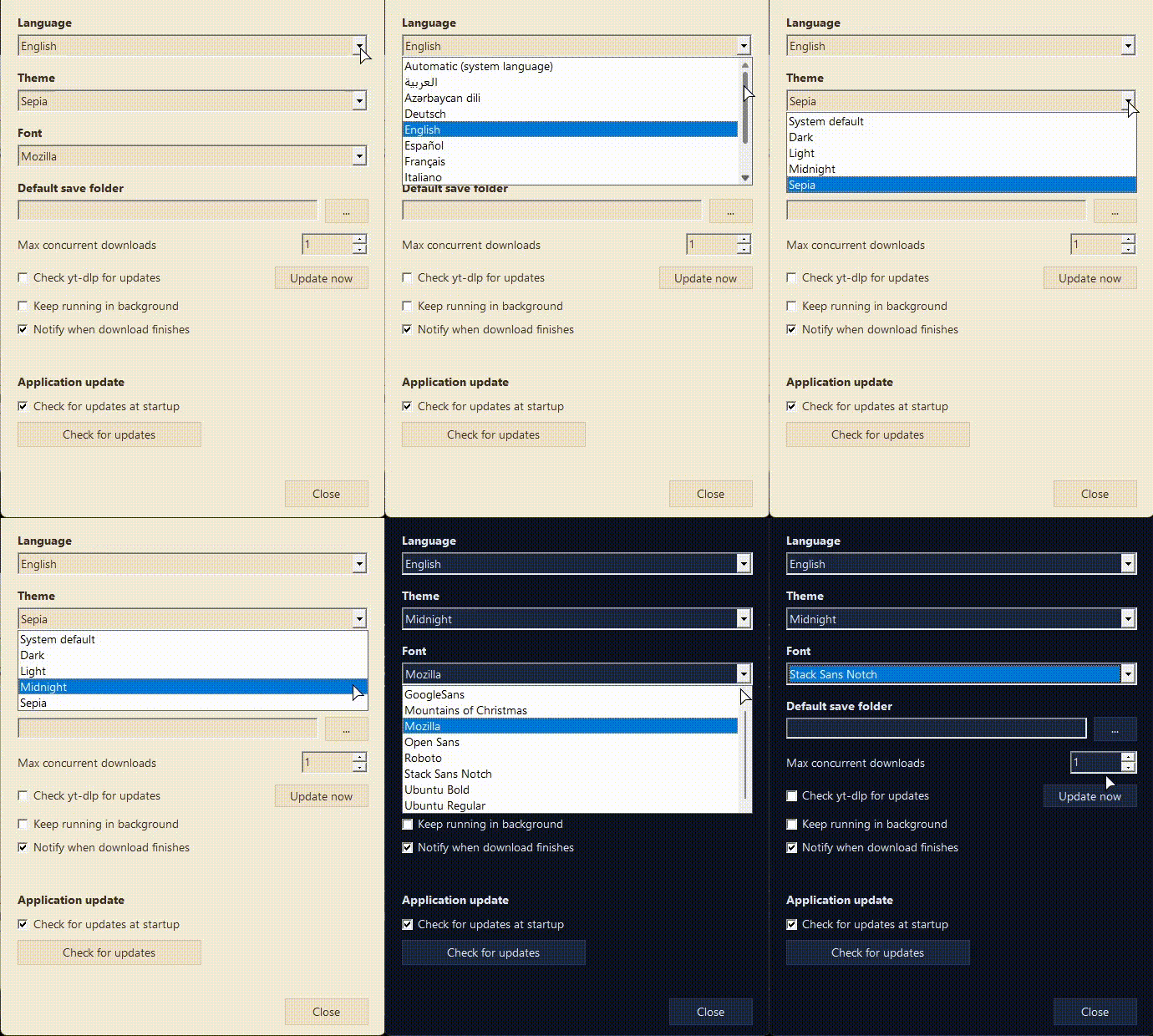
🔹 Download Panel & Advanced Settings Menu
⚡ Downloading Stage (downloading.gif) |
⚙️ Settings Menu (settings.gif) |
|---|---|
| Search links, fetch video info, and track real-time download progress. | Manage fonts, concurrent download limits, and notifications. |
 |
 |
🔹 Outstanding Performance and Lightweight
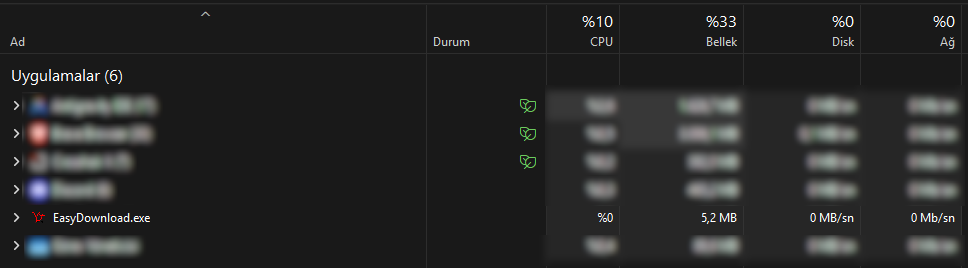
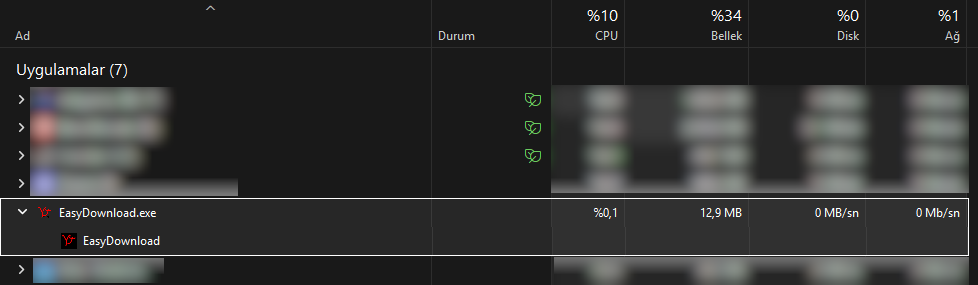
Unlike modern applications, EasyDownload consumes almost no system resources. Task manager data in its original clarity is below:
📊 Idle Mode (taskmanager-idle.png)
When running in the background or standby, the application consumes only ~5.2 MB RAM and 0% CPU.
📥 During Download (taskmanager-downloading.png)
Even while actively downloading, it offers ultra-light performance, consuming only ~12.9 MB RAM.
🎨 Customizable Themes
To choose what best suits your eyes, the application offers 4 different built-in theme options: Midnight, Dark, Light, and Sepia. You can see the fluid transition between themes below:
📦 Download and Installation
You can directly access the latest stable versions, portable packages, and past releases of the application on the GitHub Releases page.
- 📥 Recommended Installation (Wizard): Download the latest stable version
EasyDownload-Setup-x.x.x.exeand complete the installation in seconds. - 🚀 Portable Version: If you don't want to leave any traces on your system, download the
EasyDownload-x.x.x-portable.ziparchive, extract it to any folder, and run it directly without installation.
🛠 Project Structure
This repository hosts the application's website codes, versions, and infrastructure tools:
- 📁
webserver/- EasyDownload promotional website source codes and auto-update API integration. - 📁
versions/- Compiled source codes belonging to EasyDownload versions. - 📁
releases/- Compiled source and distribution files of EasyDownload versions. - 📁
docs/- Documentation and regional README files related to EasyDownload.
📜 License
This project is developed as open-source and is completely free. For usage rules, distribution permissions, and details, you can check the LICENSE file.
Credits & Third-Party Licenses
This project utilizes the following third-party tools and libraries:
- yt-dlp - Unlicense (public domain)
- FFmpeg - LGPL/GPL
- Inno Setup - Modified BSD License
- Lazarus IDE - Modified LGPL / GPL