

shogi_floppy

The game of Shogi able to run on Amstrad PPC and modern hardware.
- Active · last change 10-14-2026
- ★ 3 on GitHub
README
Shogi Game
Overview
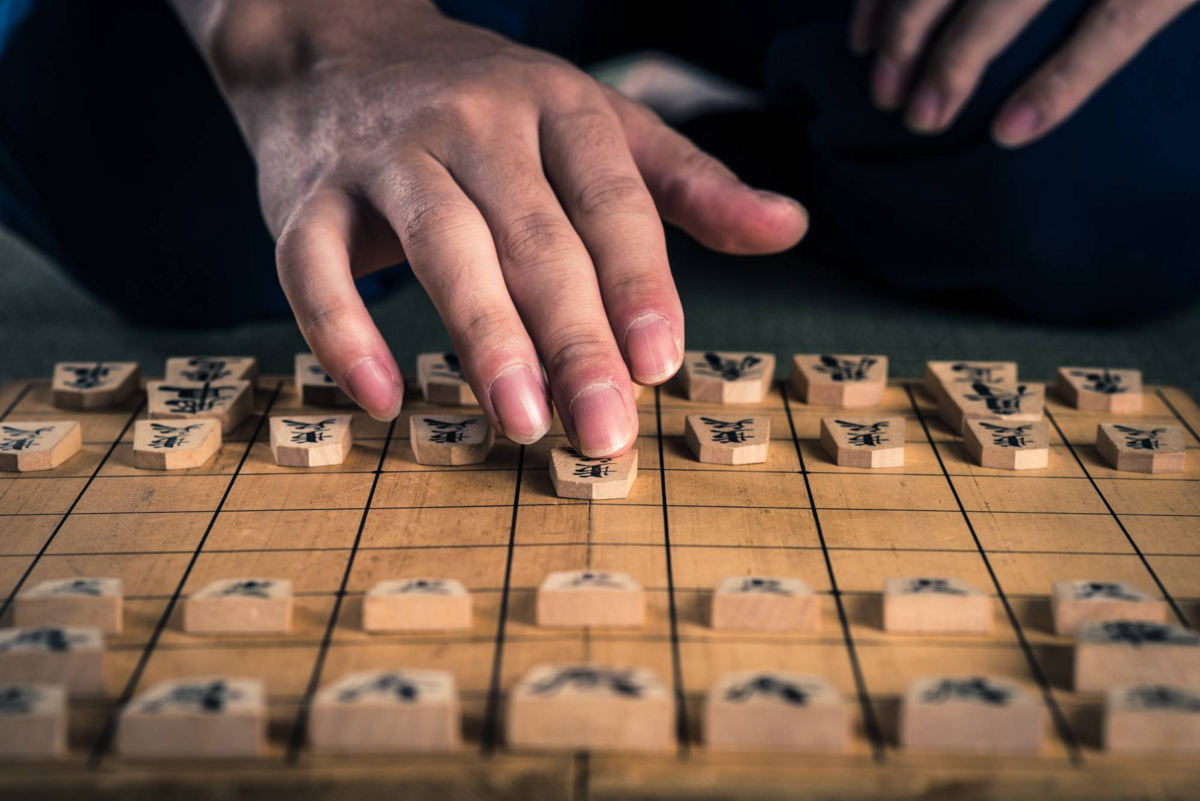
This is a Shogi game developed using Turbo Pascal originally for the Amstrad PPC. It should also work for any other system that can run Pascal but was specifically sized and filed to run on a 3.5" 720kB DD Floppy Disk. The game includes single-player mode against five different levels of AI opponents and two-player local multiplayer mode. Both modes offer optional 10-, 30-, or 60-minute clocks, and games can be saved and loaded to disk.
File Sizes From 1.0.0 release
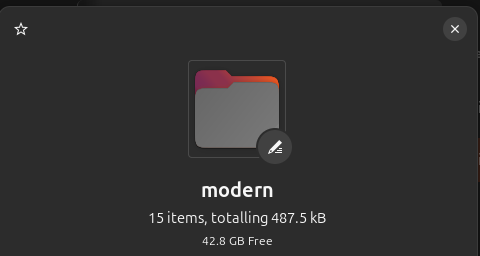
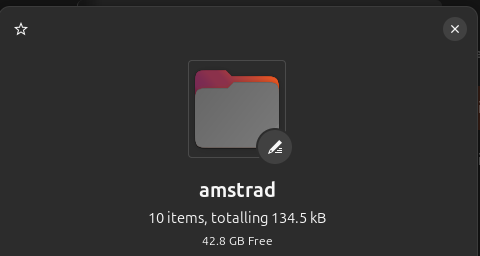
Table of Contents
Getting Started
Prerequisites
(For contributing/editing/compiling use only, if you wish to just play, then download and run with instructions in Usage 'Running The Game')
Ensure you have the following installed:
- Turbo Pascal / Free Pascal (compatible with Amstrad PPC or similar newer systems)
- Link to which is in Usage
Clone the Repository
- Open terminal or command prompt.
- Navigate to directory where you want to clone the repository.
- Run the following command to clone and move to repository directory:
git clone https://github.com/PhoenixCampbell/shogi_floppy.git
cd shogi_floppy/src/modern
Copy Files to Floppy Disk
(This step is only necessary if using systems like the Amstrad PPC. Otherwise once the pascal compiler is installed, you are good to go.)
- Navigate to the
srcfolder in your local copy of the project:cd src - Copy all files from the directory of your choice to your floppy disk.
Example:
cp * /path/to/floppy/disk/Important Files to Use
main.exe: file used to run the gamemain.pas: The entry point of the game.shogi_game.pas: Contains core logic and rules for the Shogi game.ui_main.pas: Handles user interface, including menus and gameplay options.ai_opponent.pas: Contains logic for computer generated opponent for single player game.util.pas: Contains all general functions and procedures in order to run the game.kifu.pas: Contains all post-game files or kifu files that you downloaded online
Usage
Currently using Free Pascal Compiler version 3.2.2 [2021/05/16] for x86_64 for testing and writing on modern linux systems.
Link to compiler for download: Free Pascal Compiler
Uses fpc instead of tpc when compiling programs.
When testing on actual Amstrad system, a recommended combination of MS-DOS and Turbo Pascal 4.0 is needed to keep one floppy drive port free for the application disk. Link to this combo floppy is available here:
STEPS 1-2 NOW OPTIONAL OR FOR DEVELOPMENT
-
Once you have copied the necessary files onto your floppy disk, ensure that Turbo Pascal is installed.
tpcshould return version
-
Compile the
main.pasfile using Turbo Pascal:- From Drive B: on Amstrad
a:\tpc main.pas- Amstrad terminal
tpc main.pas- modern terminal
Running the Game
-
Run the compiled executable to start the game.
for modern systems
./mainfor older systems
main
Studying a Match
Place a .csa record in kifu/ (the Amstrad build uses
KIFU). Choose Study kifu from the main menu, enter the filename, and use
N / P to step forward or backward. CSA files use standard CSA move rows. Records replay from the
normal initial position and support up to 512 plies. Copy the kifu/ folder
beside the executable when preparing a floppy. See kifu/README.md
for examples and limitations.
Project Structure
/src//amstrad/: Files for older systems using tpc/modern/: Files for modern systems using fpcmain.pas: Main entry point for the Shogi game.shogi_game.pas: Core logic, rules, and piece movements.ui_main.pas: User interface and gameplay options.ai_opponent.pas: Logic for computer opponent ranging in difficulty.util.pas: Any utilities or general reusable functions to make the game easier to code.kifu.pas: Contains any gameplay files that would be used for review, learning, or showing to others- Any extra files are from compiling or are main executable. These .o, .ppu, and .exe files change with each compilation.
Contributing
Contributions are welcome! If you find any issues or want to add new features, feel free to open a pull request. Make sure to follow the guidelines below:
- Fork the repository and clone your fork locally.
- Create a feature branch for your changes.
If you have any questions or need further assistance, please reach out!
Todo List
There are a few things to work on in order to make this a fully usable game. I have written them here for me to remember or for anyone that wants to contribute:
UI Improvements
- Add a picture or ASCII Shogi piece above main menu for visual appeal
- Addition of Japanese kanji requires hardware / graphical additions to work on old hardware, which take a longer time
- bitmap additions to allow for picture graphs for rules displaying movement
Gameplay Improvements
- Tsume Addon
- Be able to load in tsumes from folder, similar idea from kifu, shouldl implement that first to check compatability
- allow a bot to be the opponent in these tsume
License
This project is licensed under the MIT License - see the LICENSE file for details.