usbrestore

Restoring the factory settings of USB flash drives (FAT32 / exFAT)
- Active · last change 5-23-2026
- ★ 4 on GitHub
README
USBRestore
Restoring the factory settings of USB flash drives (FAT32 / exFAT)
Dependencies: util-linux parted dosfstools exfatprogs gtk2 (libgtk2.0-0 for Ubuntu)
If earlier ISO installation images were recorded on the USB flash drive, for example, through Rufus programs (GPT/EFI/Windows), or the GRUB bootloader was installed, there may be problems with the USB flash drive in the future: all of the above is not deleted even after formatting. Therefore, the flash drive may not load in televisions, set-top boxes, etc. All these devices, require the use of native/factory flash drive parameters: dos partition, FAT32 / exFAT file system.
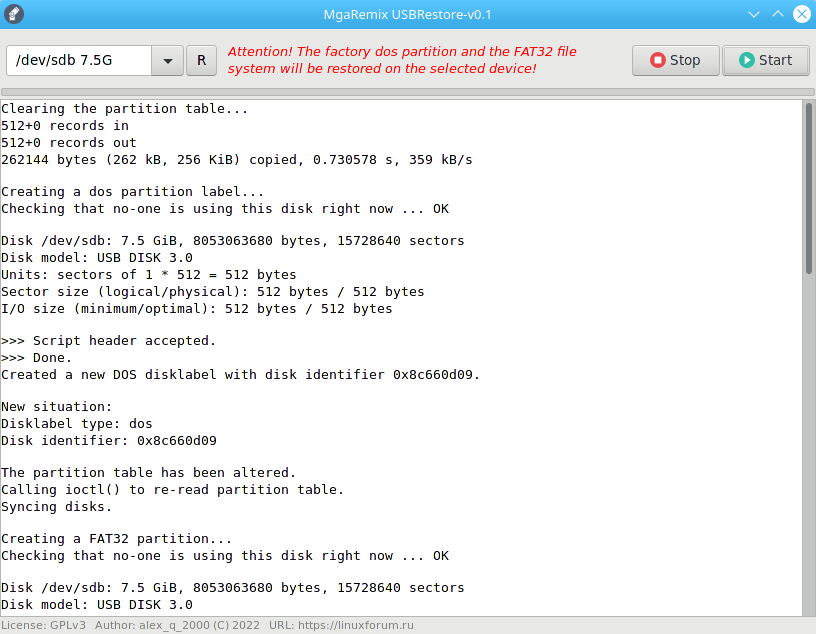
To bring the flash drive to normal, factory parameters, a USBRestore was created. He does a forced "resuscitation" and removes all unnecessary things from the flash drive by pressing one button, returning it to the "from the store" state:
- Clears the partition table
- Marks the dos partition
- Creates a FAT32 / exFAT partition
- Formats the partition labeled USBDRIVE
- Checks the section for errors with correction
Be careful when choosing a device from the list! The program itself determines removable devices, but their variety is great, so pay attention to the capacity (G), i.e. Gigabytes, when working.