

DinosLib-IA-Integration

- Active · last change 6-16-2025
- ★ 3 on GitHub
README
Project Flow
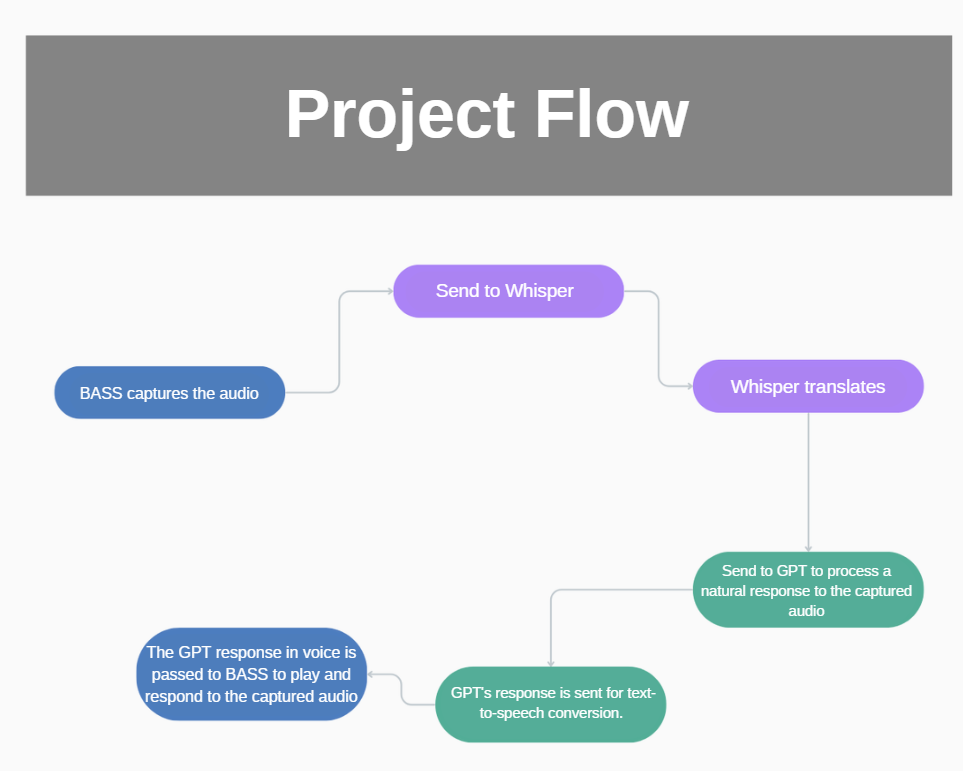
Project Configuration
To run this project, some configurations are necessary:
Prerequisites
BASS
Download the sources here: https://www.un4seen.com/ Include bass.pas in the project and bass.dll along with the executable (for this project, the Bass sources are already included).
Conda
- Install the Anaconda distribution: https://docs.conda.io/projects/conda/en/latest/user-guide/install/index.html
PyTorch
- Install the appropriate version of PyTorch:
- Installation Guide: https://pytorch.org/get-started/previous-versions/
- If you have a CUDA-compatible graphics card, prefer this option for better performance.
Installation with CUDA 11.8:
conda install pytorch==2.3.1 torchvision==0.18.1 torchaudio==2.3.1 pytorch-cuda=11.8 -c pytorch -c nvidiaconda install pytorch==2.3.1 torchvision==0.18.1 torchaudio==2.3.1 pytorch-cuda=12.1 -c pytorch -c nvidiaconda install pytorch==2.3.1 torchvision==0.18.1 torchaudio==2.3.1 cpuonly -c pytorchChocolatey
- Install Chocolatey: https://chocolatey.org/install
- Run the following command to set the execution policy:
Run Get-ExecutionPolicy. If it returns Restricted, then run Set-ExecutionPolicy AllSigned or Set-ExecutionPolicy Bypass -Scope Process.Set-ExecutionPolicy Bypass -Scope Process -Force; [System.Net.ServicePointManager]::SecurityProtocol = [System.Net.ServicePointManager]::SecurityProtocol -bor 3072; iex ((New-Object System.Net.WebClient).DownloadString('https://community.chocolatey.org/install.ps1'))ffmpeg
- Install ffmpeg:
choco install ffmpegWhisper
- Install Whisper:
pip install -U openai-whisperpip install --upgrade --no-deps --force-reinstall git+https://github.com/openai/whisper.gitDelphi OpenAI
Install the Delphi OpenAI library: Installation Guide: https://platform.openai.com/docs/libraries/community-libraries
Generate API Key
Generate it HERE: https://platform.openai.com/api-keys
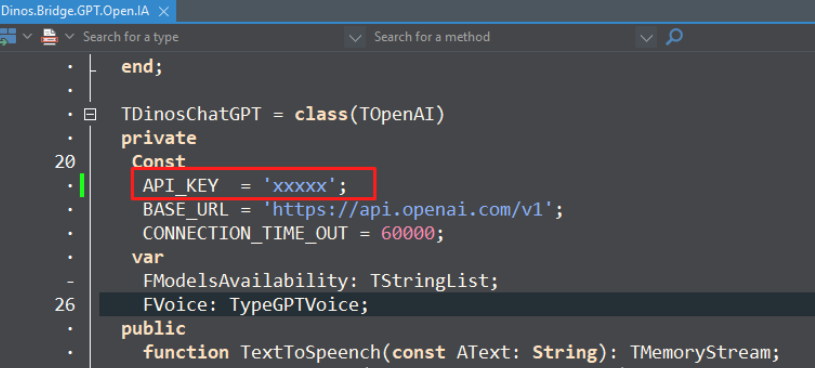
Add the API_KEY in the file Dinos.Bridge.GPT.Open.IA.
Midware
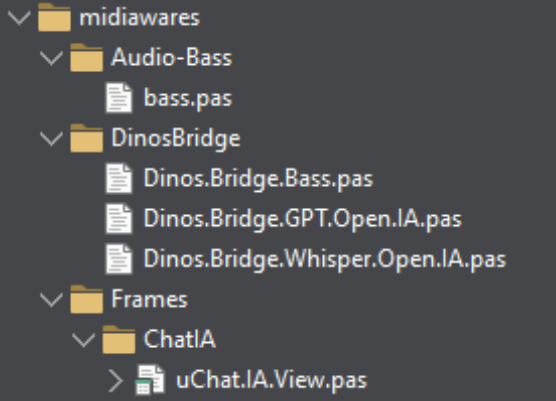
- To use separately in your project, utilize the midwares.
- Add the midware to the project.
To run the "Zé Notinha" project, the installation of Fortes Report and ACBr is required.
Fortes https://github.com/fortesinformatica/fortesreport-ce
ACBr https://github.com/ProjetoACBr/ACBr
Otherwise, you can run the test project.
Additional Notes
Material about this project https://www.canva.com/design/DAGeDMAtEeI/yqwJUz2lkixw-B6_t-OSOQ/edit?utm_content=DAGeDMAtEeI&utm_campaign=designshare&utm_medium=link2&utm_source=sharebutton