

Catalog · How the catalog works
vector-planez

An application for calculating with planes from mathematics.
- ★ 1 on Codeberg
Anyone may press Interesting, signed in or not. It helps others find this project.
README
Vector Planez
An application for calculating with planes from mathematics. Since this is part of the curriculum of the 12th grade of the Gymnasium, a corresponding level of knowledge is advisable for using the application.
Contents
Screenshot
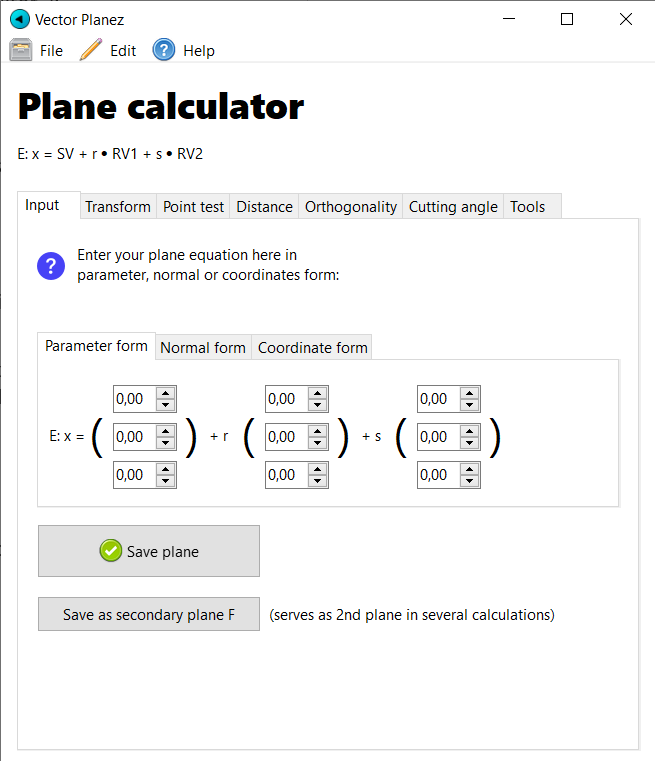
Status
Currently, Vector Planez' status is "dev-beta" which means that the current version is not ready for distribution. The application works on the developer's computer so if you wish to use Vector Planez then you may try it. But don't be disappointed or surprised if something doesn't work correctly or if it crashes.
Installation
In order to make use of Vector Planez' full functionality, please install the application by running the vector-planez-setup.exe file.
User Manual
Enter a Plane
In order to give Vector Planez a plane you have to choose an equation type:
- parameter form
- normal form
- coordinate form
Then, enter your values into the number "spins". Finally, click on the "Save" button to store the plane E. The application will then automatically generate the other equations of the plane as well as the normal's vector.
You may also store a secondary plane F below used for example for calculating the distance between E and F.
Point test
In order to check whether a point is part of the plane go to the "Point test" tab and enter the point's coordinates. Vector Planez will show either
✅ P ∈ E
or
❌ P ∉ E
The application also automatically mirrors the point on the plane.
Distance
In order to determine the distance between plane E and plane F or straight g or Point Q just choose one option in the radio box and – if necessary – enter the equation values for g respectively the Q's coordinates (no, not Desmond Llewelyn).
Orthogonality
In order to create the equation of a straight orthogonal to the plane, simply go to the tab "Orthogonality" and enter the intercept. You can also set the location vector as the intercept by clicking on the button below.
Then, click on "OK" to see the result.
Cutting angle
In order to calculate the cutting angle of plane E and plane F or straight i, choose one option in the radio box and – if necessary – enter the equation values for i. Then, click on "calculate". Note that E and F respectively E and i must not be parallel since they have to intersect.
Tools
In the "Tools" tab you may calculate the cross product of two vectors or check whether they are parallel or perpendicular.
Planned features
All new features officially planned are listed on the roadmap. Feel free to suggest new features by opening a new issue.
Found a bug?
If you've found a bug in the program, please inform me by opening a new issue or texting me.
Licence
You may use Vector Planez' source code according to the For Good Eyes Only Licence v0.2.
All versions of Vector Planez are licensed under v0.2, which replaces v0.1 under which Vector Planez was previously licensed. v0.1 is therefore void for any versions of Vector Planez.