Catalog · How the catalog works
xbcontrol

xbcontrol - XRandr display Brightness and gamma Control
- ★ 3 on GitHub
Anyone may press Interesting, signed in or not. It helps others find this project.
README
XBControl - XRandr display Brightness and gamma Control
Dependencies: xrandr gtk2
- After installation, it is located in the
Menu-Utilities - After the launch, it sits in the tray (yellow brightness icon)
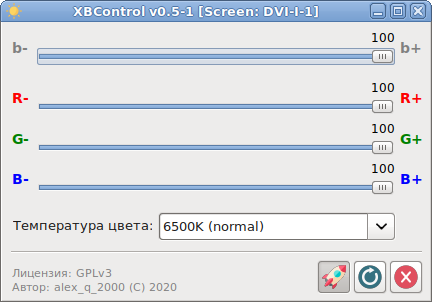
- After a single left - click, the window shown in the screenshot opens. The settings are saved when the settings window is closed. It is possible to put in autoload (the button with the
Rocket- it will be sunk when pressed; pressing again removes autoload), reset the settings to default, or close the program.
Made and tested in Mageia Linux-7/8/9 (LXDE, LXQt, MATE, Cinnamon).