

HomesteadGUI

A graphical manager for your homestead instance.
- Quiet · last change 10-24-2020
- ★ 4 on GitHub
README
Homestead Control Panel (aka Homestead GUI)
A graphical manager for your homestead instances.
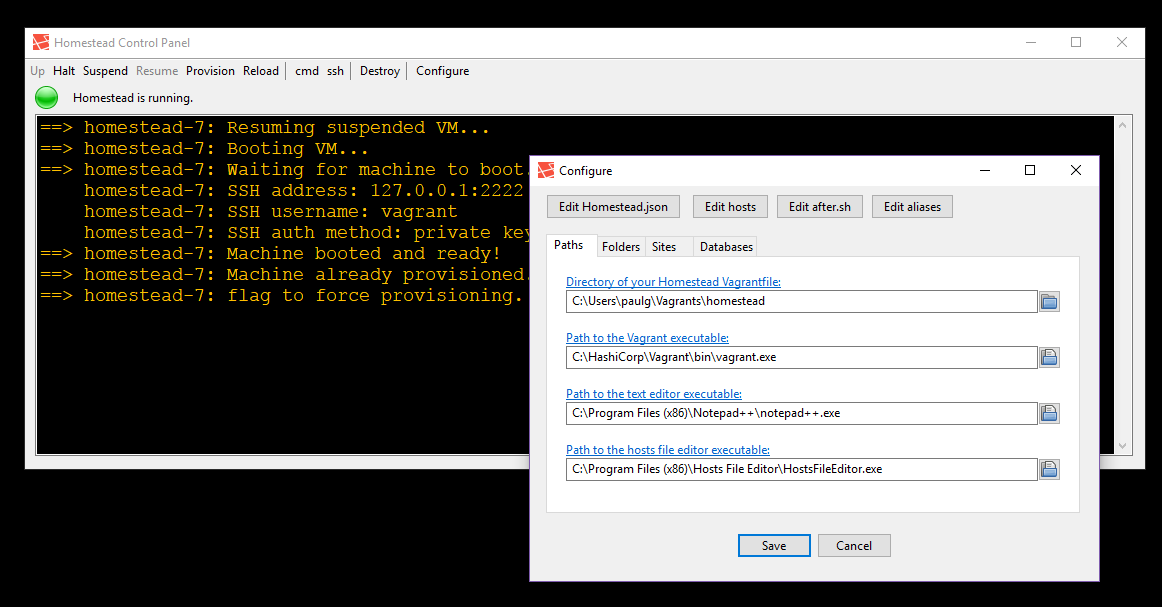
Getting Started
Prerequisities
- Windows 7+
- VirtualBox
- Vagrant
- Laravel Homestead
Development Requirements (to build Homestead GUI yourself)
Optional
Installing
You can download the latest binary from the releases page.
Or you can build it yourself...
git clone https://github.com/paulgeneres/HomesteadGUI.gitcd src- Open
HomesteadGUI.lpr - Press
F9
Usage Notes
You should first get an instance of homestead working on your development machine.
For convenience, I recommended that you place a copy of HomesteadGUI.exe in your
homestead directory and launch it from there.
To launch Hosts File Editor from the GUI you must run with administrator permissions.
No usable YAML library bindings exist for Free-Pascal at this time. Free-Pascal
does however have fairly robust support for reading and writing JSON files. I take
advantage of the fact that valid JSON is also valid YAML. If Homestead.yaml is
in JSON format then you will be able to edit the folders, sites and databases
sections using the configuration dialog. An example Homestead.yaml file in JSON
format is included in the repository. Homestead v5.0.0 and later officially supports
JSON configuration files.
Contributing
Contributions welcome.
To Do
- Linux support
- Mac support
Author
- Paul Generes - github
License
This project is licensed under the MIT License - see the LICENSE file for details.