

TServerSocket-TClientSocket-Multiple-Connections-Example

TServerSocket / TClientSocket Multiple Clients connected to Server Example
- Active · last change 3-10-2026
- ★ 5 on GitHub
README
Delphi Client-Server Communication Project
This Delphi VCL application demonstrates a basic client-server communication setup using the TServerSocket component. It allows the server to accept multiple clients, broadcast messages to all connected clients, and send messages to specific clients.
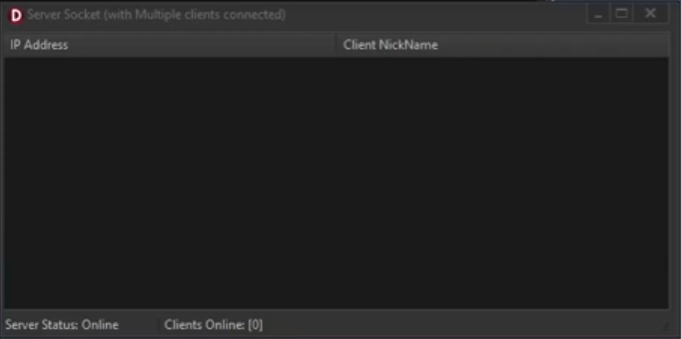
Features
- Server Management: Handles multiple client connections and disconnections.
- Broadcast Messaging: Sends messages to all connected clients.
- Targeted Messaging: Sends messages to a specific client.
- Client List Management: Displays connected clients in a
TListView.
Components
TServerSocket:Manages server socket communications.TListView:Displays the list of connected clients.TStatusBar:Shows the server status and connection count.TPopupMenu:Provides options for broadcasting or sending messages to selected clients.
Usage
- Start the Application: Run the Delphi project to start the server.
- Connect Clients: Clients can connect to the server using the specified port (3434).
- Broadcast Message: Use the context menu option
B1to send a message to all connected clients. - Send to Selected Client: Use the context menu option
S1to send a message to a specific client selected from theTListView.
Dependencies
Delphi RAD Studio:Required for compiling and running the project.Standard Delphi Components:Utilizes default VCL components for GUI and socket communication.Instructions To Add Sockets To Your IDE:In IDE click Components-> install packages-> ADD button browse to "C:\Program Files (x86)\Embarcadero\Studio\23.0\bin" and add this file dclsockets270.bpl
License
This project is provided "as is", without warranty of any kind.
Built with Delphi RAD Studio with ❤️ by BitmasterXor.