

Catalog · How the catalog works
EdgeAudio

Voice Activity Detection (VAD)/talkover for Delphi (VCL TEdgeBrowser/WebView2), real-time audio capture and playback via JS bridge, high-pass filter, hysteresis, and an event engine for integrations.
- ★ 5 on GitHub
Anyone may press Interesting, signed in or not. It helps others find this project.
README
EdgeAudio (VAD & Talkover)
Mini‑lab Delphi/VCL to integrate mic capture, audio playback, and filtering (VAD + Talkover) via WebView2, with a bidirectional JS bridge and event‑driven orchestration. Architecture centered on TEdgeAudioControl + TAudioSettings, applied in real time on the WebAudio side.
Built with Delphi 12 Community Edition (v12.1 Patch 1)
The wrapper itself is MIT-licensed.
You can compile and test it free of charge with Delphi CE; any recent commercial Delphi edition works as well.
Introduction
-
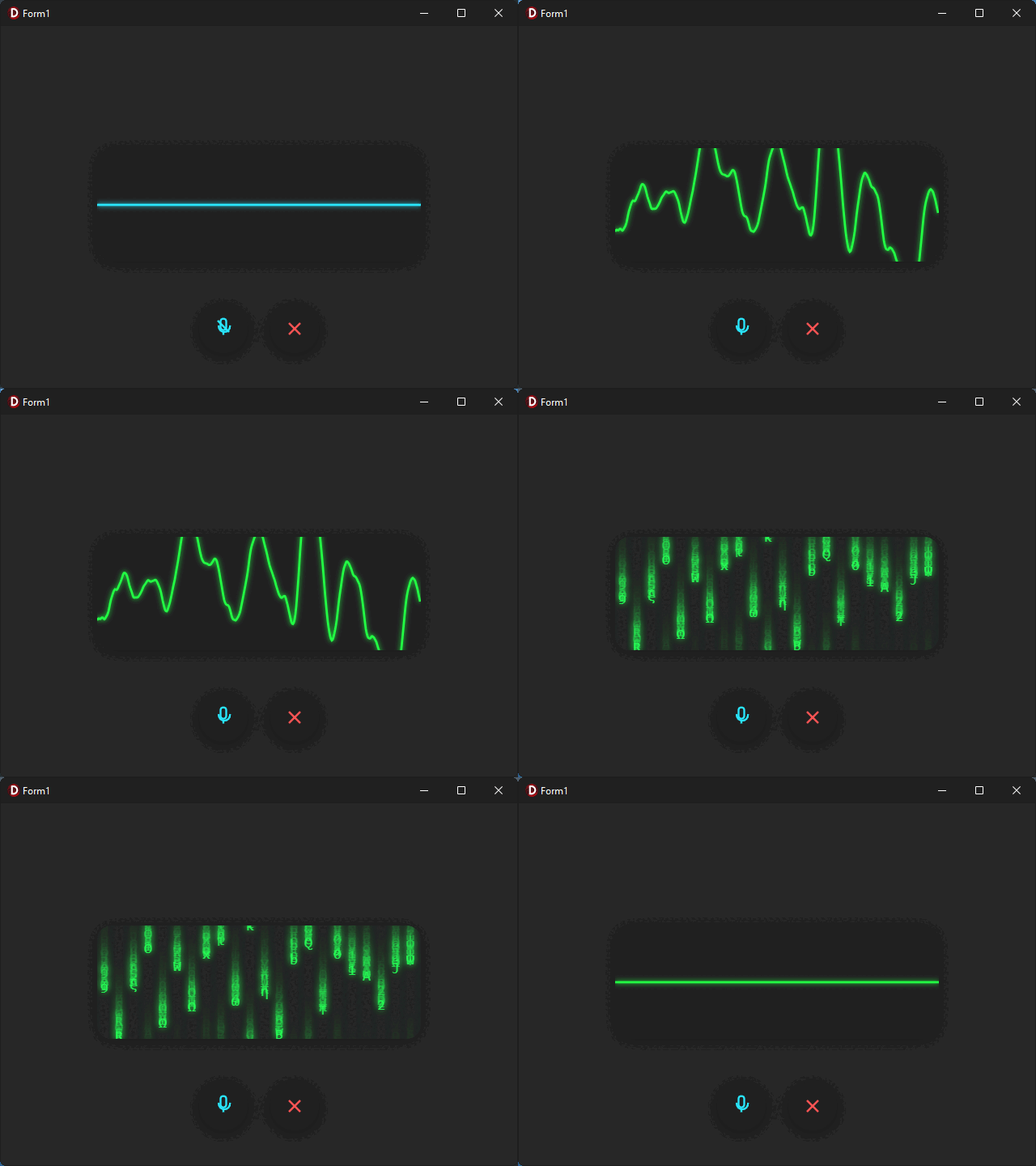
Pipeline: mic capture, player, high‑pass filter, VAD, and Talkover, synchronized Delphi ↔ JS via WebView2.
-
Virtual host to serve web assets and avoid CORS; clean VCL integration in TEdgeBrowser.
-
Typed events and a dispatch engine on the Delphi side (play, pause, ended, segments, etc.).
Quick Start
Component Installation (TEdgeAudioControl)
-
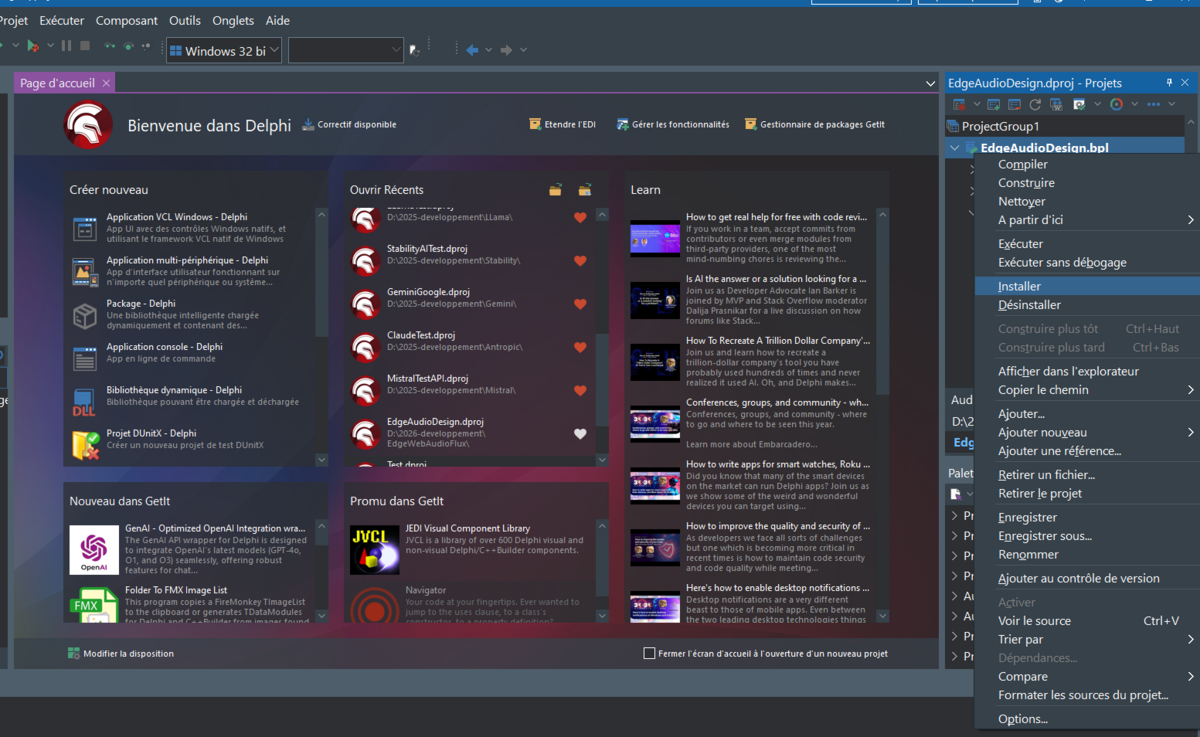
Load the EdgeAudioDesign.dproj package in the IDE.
-
Compile or Build the package.
-
Install the package to register the component in the Palette.
Case 1 — Project already has a TEdgeBrowser (use the Edge.Audio unit)
- Add the source folder to the project search path (File search).
- Copy the web (HTML/JS/CSS) and tools folders into your project’s source folder; the control checks for web at runtime and shows a dedicated message if missing.
- Before the first run, copy WebView2Loader.dll (32/64‑bit per target) next to the executable; a built‑in message explicitly reminds this.
- Drive capture/VAD/Talkover/filter and playback through the WebView2 bridge (chrome.webview).
[!NOTE] The sample code
AudioEdgeTest1.zip, located in the sample folder, demonstrates this use case.
[!WARNING] If you use
AudioEdgeTest1.zip, make sure to specify the search paths in theproject options("EDGEAUDIO\SOURCE" and "OPENAI\SOURCE").
Case 2 — Using the TEdgeAudioControl component
- Add the source folder to the project search path.
- Copy the web and tools folders into your project’s source folder; default ffmpegPath = ....\tools (override as needed).
- Before the first run, copy WebView2Loader.dll (32/64‑bit) next to the executable.
[!NOTE] The sample code
AudioEdgeTest2.zip, located in the sample folder, demonstrates this use case.
[!WARNING] If you use
AudioEdgeTest2.zip, make sure to specify the search paths in theproject options("EDGEAUDIO\SOURCE" and "OPENAI\SOURCE").
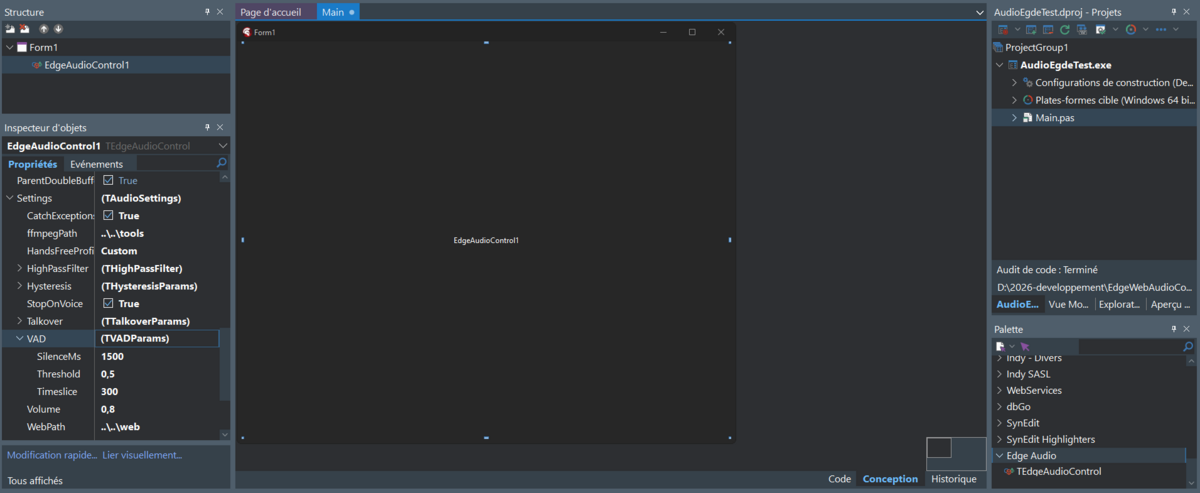
Settings in the object inspector
Redistribution (common to both cases)
- Place the web folder next to the executable; an automatic message appears if it’s missing.
- Ship WebView2Loader.dll (32/64‑bit) with the executable.
- If you rely on audio conversion via ffmpeg: redistribute tools/ffmpeg or set ffmpegPath accordingly.
Dependencies
- Delphi 12 (Athens) or later.
- WebView2 Runtime (Edge) for VCL; ship WebView2Loader.dll next to your EXE (x86/x64 as appropriate) .
ffmpegif audio conversion is required; path configurable via ffmpegPath (default ....\tools). See also : https://ffmpeg.org/
[!NOTE]
- The provided code examples use an OpenAI model to process audio input and produce audio output; install the
DelphiGenAI wrapperv1.2.1: https://github.com/MaxiDonkey/DelphiGenAII- The code examples use the
Windows 11 MineShaftcustom VCL theme.
Key Features
- Capture + VAD: adjustable threshold/silenceMs/timeslice; audio segments sent back to Delphi; start/stop from Delphi.
- Talkover: auto‑pause playback on speech with fine‑grained parameters (ratio, relative/absolute thresholds, cooldown, anti “ping‑pong”).
- Playback/Streaming: play/pause/seek/stop, MediaSource streaming, >1 volume boost via WebAudio, setSinkId if supported, energy metrics feeding Talkover logic.
- High‑pass filter: hot‑adjustable; Delphi receives notifications on changes.
- WebView2 bridge: Delphi → JS commands (setTalkoverParams, setHighpassFrequency, etc.) and JS → Delphi events (audio_play, audio_pause, audio_ended, audio_segment…).
- Built‑in UX: “toast” notifications and animations (waveform, processing) controlled from Delphi.
Things You Should Know
- Consider enabling autoBlockCaptureDuringPlayback to avoid echo while playing; tune Talkover cooldown/thresholds on the fly via JS commands.
- WebView2 navigation uses a local “virtual host” to serve assets and avoid CORS.
License
This project is licensed under the MIT License.
Going further
- Architecture and event flow: see the “Dev note – Architecture & Mechanics” sections (Audio, Control, Events) in the source for diagrams and extension points (interfaces, handlers). Refer to Deep-dive section.