

FMXRibbon

- Active · last change 10-20-2026
- ★ 5 on GitHub
README
FMR Ribbon for Delphi FireMonkey
A ribbon control for FireMonkey in the style of Microsoft Office: tabs, groups with adaptive reduction, galleries,
backstage view, an application menu in the style of Office 2007, quick access toolbar, key tips, screen tips, user
customization, 21 themes — and the real non-client area of the window: the caption row and the tab row can live in
the non-client area (WM_NCCALCSIZE / WM_NCPAINT) while holding ordinary FMX controls — buttons, TEdit,
TComboBox, anything.
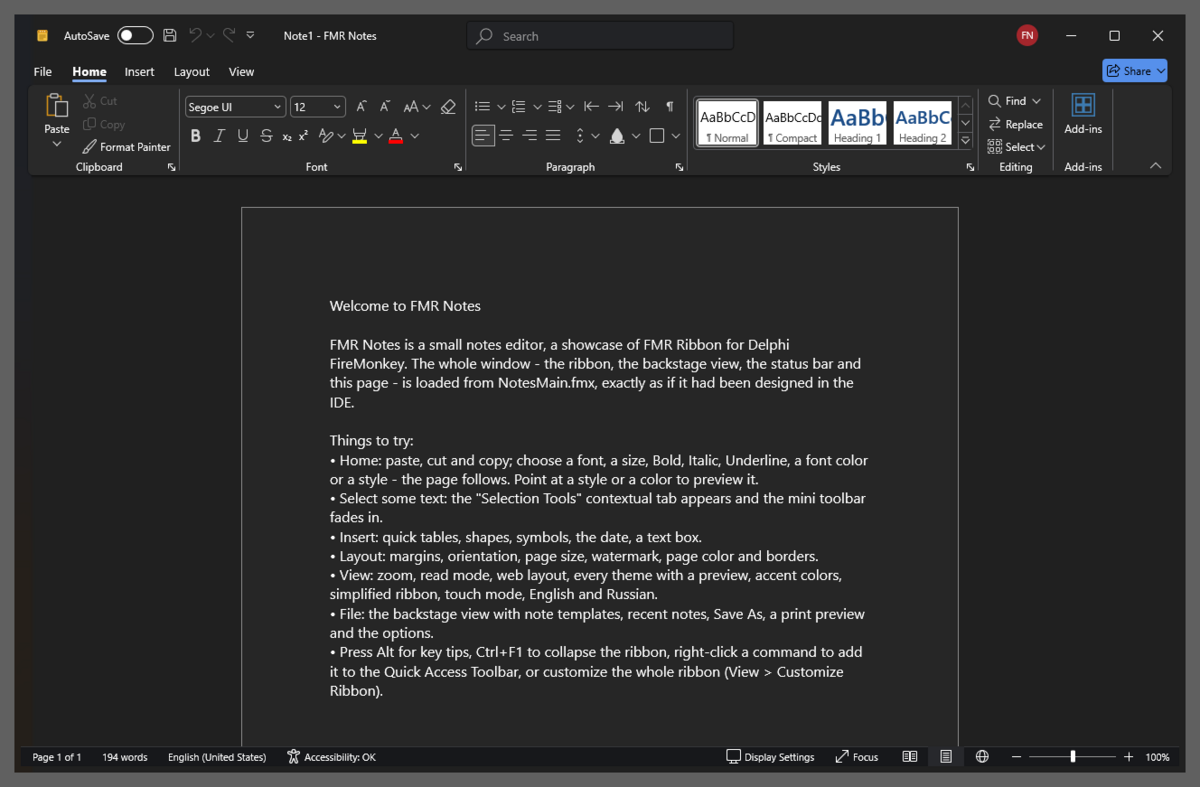
Highlights
- FMX controls in the real non-client area. Frame mode
FullNC(default):GetClientRectstarts below the tab row, and in the caption you can type, select, use the clipboard, open drop-down lists, see hints, drag the window by empty space, double-click to maximize, open the system menu and get Windows 11 Snap Layouts on the maximize button. The Windows 11 shadow and rounded corners stay. Two more modes:Dwm(client area over the extended frame, Mica/Acrylic) andNCStrip(system title bar + a non-client strip below it), switchable at run time. Proof:Demos\NCProofwith a live window-geometry and hit-test panel (Docs\FRAME.md). - Items + links model:
TFmrBarManagerholds items; groups, the QAT, menus and the mini toolbar hold links (TFmrItemLink) to them, so one command can appear in many places. Items are lightweight (not controls): hundreds of commands stay fast. - Ribbon: tabs, contextual tabs, groups with adaptive reduction (large → small with text → small → collapsed
group), every button kind (check, radio, drop-down, split, button groups), embedded controls (edit, combo, spin,
check, track bar, font and color pickers, any
TControl), minimized mode, auto-hide, simplified (single-line ribbon), touch mode, right-to-left, command search in the caption row. - Galleries in the ribbon and in drop-downs (groups, filter, resizing, live preview), a color gallery with theme colors, owner-drawn styles gallery.
- Backstage view and an application menu in the style of Office 2007 with recent documents.
- QAT above/below the ribbon, key tips (Alt / F10, multi-level, also with non-Latin keyboard layouts), screen tips, mini toolbar, radial menu, status bar (zoom slider, view buttons).
- User customization: "Customize the Ribbon" / "Quick Access Toolbar" dialog, layout saved to and loaded from JSON, import/export, reset; ribbon merging.
- Themes: Modern 2024 (Light, Dark Gray, Dark: in the style of Microsoft 365 (2024), with the focus effect of the
caption row), Modern (Colorful, White, Dark Gray, Black: in the style of Microsoft 365 (2019–2023)), Banner, Flat,
Classic and Glass (in the style of Office 2016, 2013, 2010 and 2007), Soft Light/Dark (in the style of Windows 11);
any accent color; any token can be overridden by a StyleBook (
Docs\STYLES.md). - Icons:
TImageList, SVG (Skia), icon-font glyphs (Segoe Fluent Icons; where it is missing the same icons come from the bundled "FMR Icons", a subset of Microsoft's MIT-licensed Fluent UI System Icons),TPathData. - Linux (FMXWayland, a native Wayland backend of FMX): every runtime unit compiles for Linux64, RibbonBasic and
Showcase run (
Docs\LINUX.md). - IDE designer: packages, items and structure editors, image picker, templates (document, spreadsheet, simple),
themes from the context menu; tab switching, item selection and drag & drop on the form (
Docs\DESIGNTIME.md). - Localization EN/RU (
FmrSetLanguage('ru')), UI Automation provider, works with the stock FMX canvas and with FastCanvas (a Direct3D 11/12 GPU canvas).
Themes
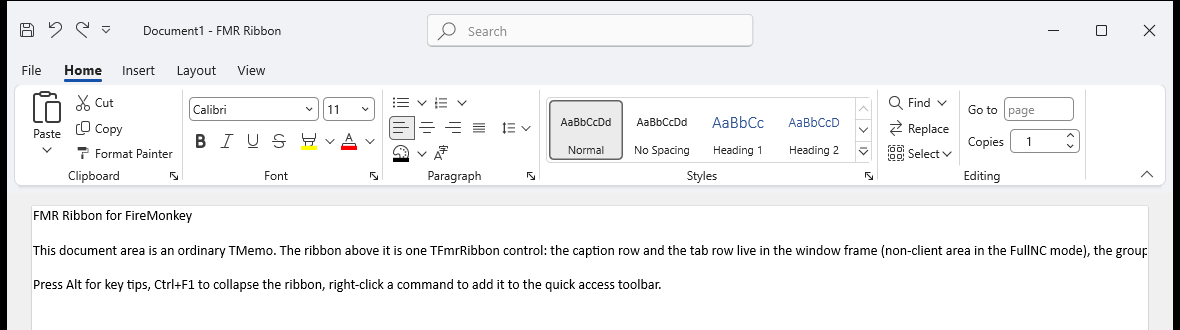
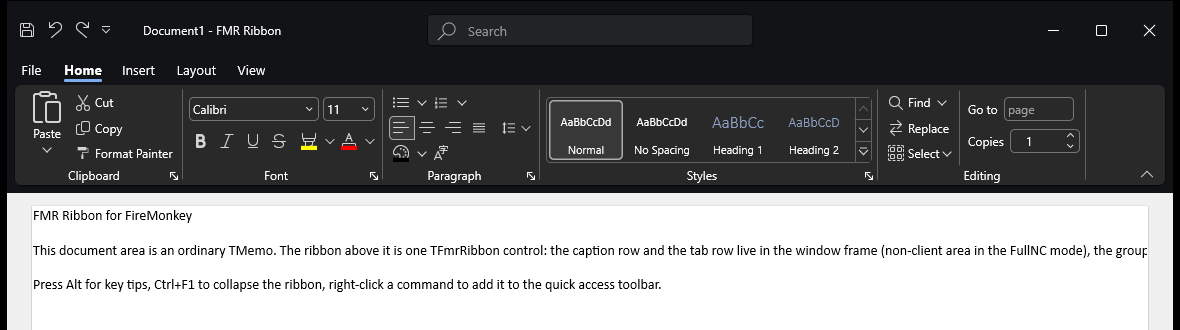
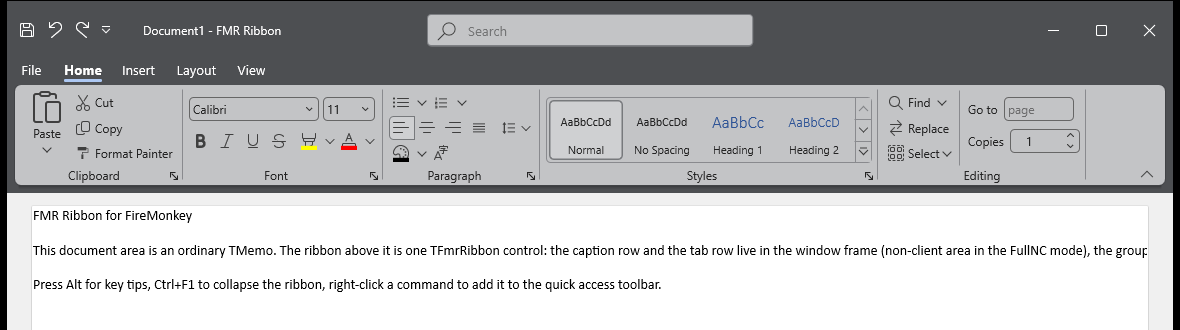
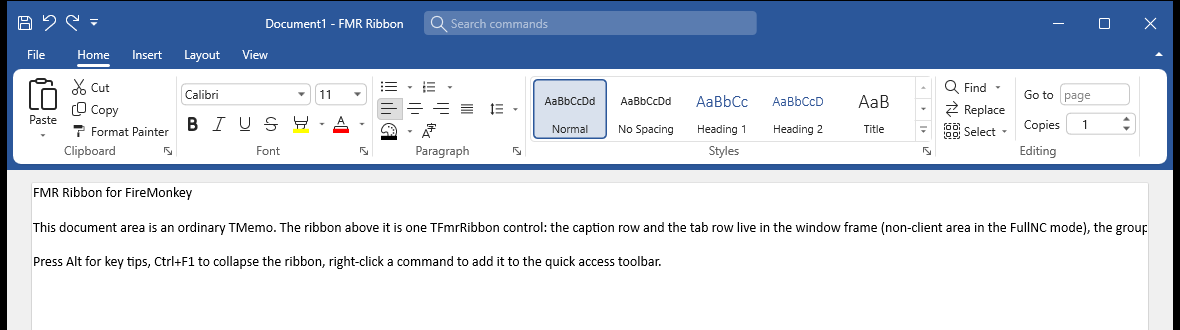
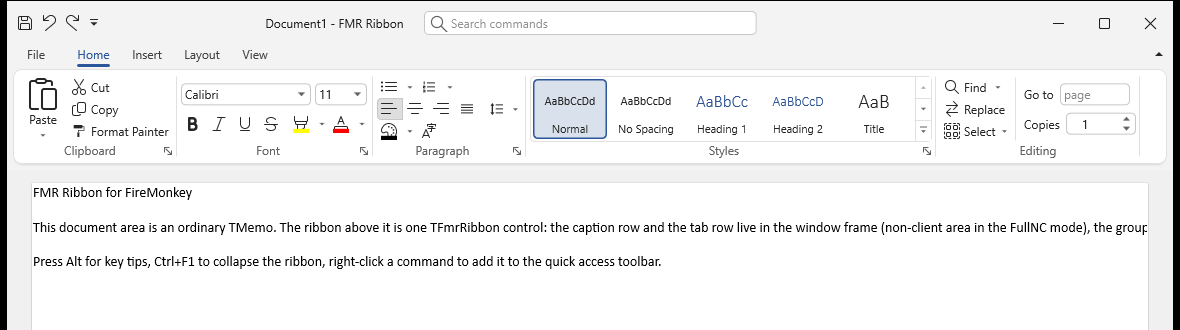
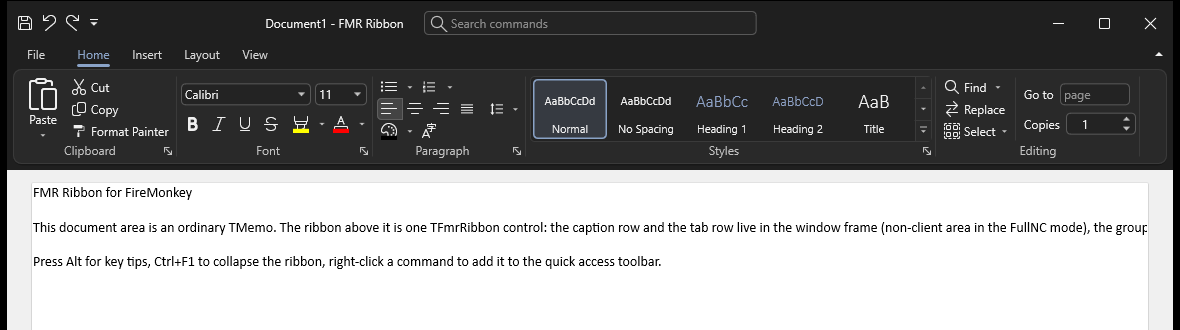
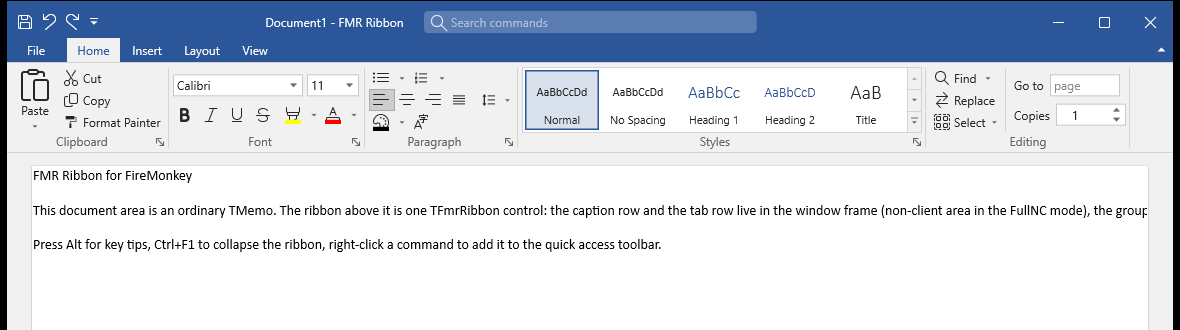
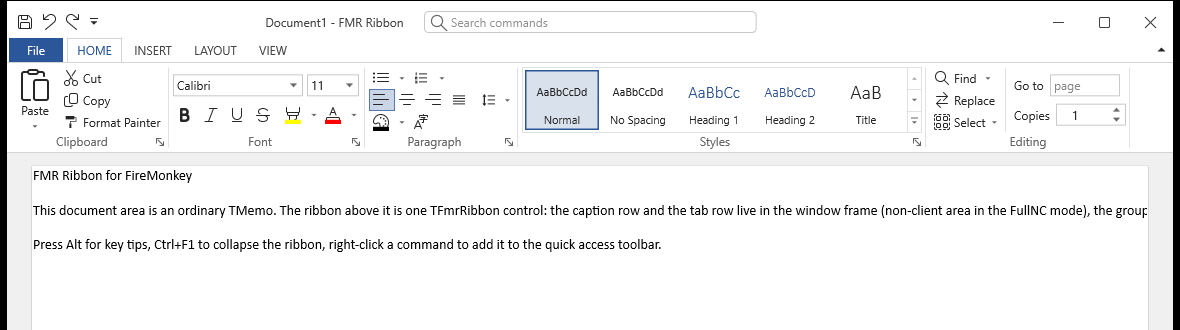
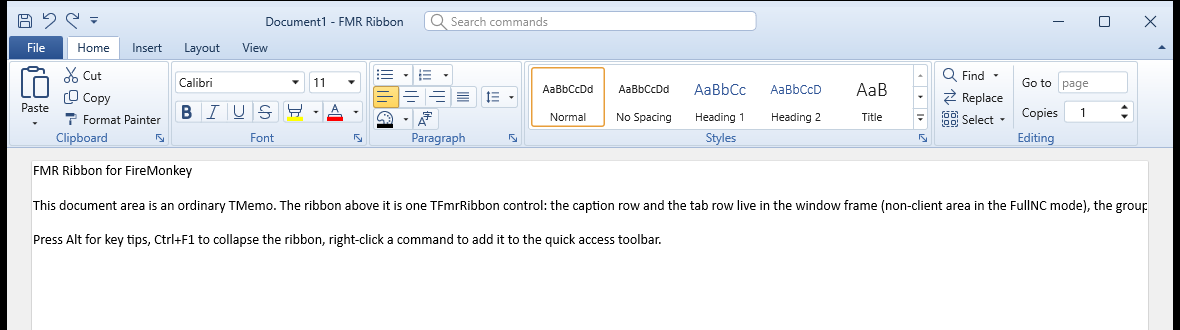
The same ribbon (Demos\RibbonBasic, FullNC frame) in 13 of the 21 built-in themes. The theme is switched at run time with TFmrRibbon.Theme; AccentColor recolors any of them. Regenerate the pictures with tools\theme-shots.ps1.
 |
 |
Modern2024Light — Modern 2024 Light, in the style of Microsoft 365 (2024) |
Modern2024Dark — Modern 2024 Dark |
 |
 |
Modern2024DarkGray — Modern 2024 Dark Gray |
ModernColorful — Modern Colorful, in the style of Microsoft 365 (2019–2023) |
 |
 |
ModernWhite — Modern White (the default theme) |
ModernBlack — Modern Black |
 |
 |
BannerColorful — Banner Colorful, in the style of Office 2016 |
FlatWhite — Flat White, in the style of Office 2013 |
 |
|
ClassicBlue — Classic Blue, in the style of Office 2010 |
GlassBlue — Glass Blue, in the style of Office 2007 |
GlassBlack — Glass Black |
SoftLight — Soft Light, in the style of Windows 11 |
SoftDark — Soft Dark |
Requirements
- Delphi 13 (RAD Studio 37.0) or newer, FireMonkey; Win64 and Win32; Linux64 with FMXWayland.
- Windows 10/11 for the window-frame integration; the ribbon core is cross-platform (elsewhere the caption and tab rows are drawn inside the ribbon).
Linux
FMR Ribbon runs on Linux on FMXWayland (a native Wayland platform for FMX without libfmux; Skia canvas):
.\build.ps1 -Project Demos\RibbonBasic\RibbonBasic.dpr -Platform Linux64      # -FmxWayland <folder> -Sdk <Linux SDK>
.\tools\linux-run.ps1 -Exe bin\Linux64\Debug\RibbonBasic -Arguments '/theme=Modern2024Dark' -Shots 6
The program sets GlobalUseSkia := True and ships libsk4d.so and fonts/FmrIcons.ttf (build.ps1 copies
them). Themes fall back to an installed UI font (Noto Sans, Cantarell, DejaVu Sans…), Segoe icon codes are drawn from
the bundled icon font, the font list comes from fontconfig. With FMXWayland's window frame service
(IFMXWaylandWindowFrame) the caption row and the tab row take the place of the title bar, as in the pictures above
(the window is moved, resized, maximized and given its window menu by the compositor); without it the ribbon sits
under FMXWayland's own title bar. Details in Docs\LINUX.md.
Installation
tools\build-packages.ps1            # FMRRibbon (runtime) and dclFMRRibbon (design) for Win32 and Win64
tools\build-packages.ps1 -Install   # register the design package in the IDE
tools\build-packages.ps1 -Platform Linux64   # the runtime package for Linux64 (FMXWayland programs link statically)
or open Packages\FMRRibbon.groupproj in the IDE, build both packages and install dclFMRRibbon. Add the
Source\* folders to the project search path (or use the runtime package). The components are on the "FMR Ribbon"
palette page.
Quick start (code)
uses
  FMR.Frame, FMR.Frame.Types, FMR.Bars, FMR.Bars.Items, FMR.Ribbon.Structure, FMR.Ribbon;

procedure TMainForm.FormCreate(Sender: TObject);
var
  Manager: TFmrBarManager;
  Ribbon: TFmrRibbon;
  Paste: TFmrButtonItem;
  Home: TFmrRibbonTab;
begin
  TFmrFormFrame.Create(Self).Mode := TFmrFrameMode.FullNC;   // caption and tab rows in the non-client area

  Manager := TFmrBarManager.Create(Self);
  Manager.Parent := Self;
  Paste := TFmrButtonItem(Manager.CreateItem(TFmrButtonItem, 'btnPaste'));
  Paste.Caption := 'Paste';
  Paste.Glyph.GlyphCode := $E77F;                            // one scalable icon for every size

  Ribbon := TFmrRibbon.Create(Self);
  Ribbon.Parent := Self;
  Ribbon.BarManager := Manager;
  Ribbon.Theme := 'ModernColorful';
  Home := Ribbon.AddTab('Home', 'tabHome');
  Home.AddGroup('Clipboard').ItemLinks.AddItem(Paste);
end;
In the designer: drop TFmrBarManager, TFmrRibbon and TFmrFormFrame on a form, apply a template from the ribbon's
context menu ("Apply template…") or add tabs, groups and commands with the structure editor.
Demos
| Demo | Shows |
|---|---|
Demos\NCProof |
FMX controls in the real non-client area, the three frame modes, live window geometry and hit-test |
Demos\RibbonBasic |
a document-editor style ribbon: every button kind, galleries, application menu, mini toolbar, radial menu |
Demos\Notes |
"FMR Notes", a notes editor whose main form is loaded from an .fmx like a designed form |
Demos\Showcase |
one page per feature, theme and mode switches |
Demos\Extras |
backstage view and status bar |
Demos\Customize |
customization dialog, auto-hide, simplified, RTL, UI Automation |
Command-line build: .\build.ps1 -Project Demos\RibbonBasic\RibbonBasic.dpr (output in bin\Win64\Debug). Demo
switches are listed in Demos\README.md.
Documentation
| File | Topic |
|---|---|
Docs\ARCHITECTURE.md |
decisions and structure of the library |
Docs\FRAME.md |
window frame and non-client area: how each mode works, test results |
Docs\CORE.md |
manager, items and links, structure, layout calculator, persistence, merge, key tips |
Docs\RIBBON.md |
the ribbon control, popups, key tips, frame integration |
Docs\GALLERIES.md |
galleries, application menu, mini toolbar, radial menu |
Docs\EXTRAS.md |
backstage view, status bar |
Docs\CUSTOMIZATION.md |
user customization, display modes, RTL |
Docs\STYLES.md |
themes and StyleBook tokens |
Docs\DESIGNTIME.md |
packages, installation, IDE editors |
Docs\ACCESSIBILITY.md |
UI Automation |
Docs\LINUX.md |
Linux with FMXWayland: build, run, what works, the window frame contract |
Docs\STATUS.md |
what is done, what was verified, known limitations |
Tests
.\build.ps1 -Project Tests\FmrRibbonTests.dpr
bin\Win64\Debug\FmrRibbonTests.exe
Stress and destroy-path checks of the real ribbon on real windows (theme/frame/mode loops with GDI, USER and heap measurements, popups opened and closed, components freed in every order; exit code = failures):
.\build.ps1 -Project tools\Stress\FmrStress.dpr
bin\Win64\Debug\FmrStress.exe /log=stress.log
License
MIT, see LICENSE. Third-party notices ("FMR Icons" in Assets\Fonts, a subset of Microsoft's Fluent UI
System Icons, MIT): THIRD_PARTY_NOTICES.md.